Your site was running fine last week. Now pages feel sluggish, images are taking longer to load, and you’re not sure why. You haven’t changed anything. Traffic hasn’t spiked. But something is off.
The culprit could be your hosting provider. Many hosts quietly slow down your site once you hit a certain usage threshold. This is known as bandwidth throttling. It doesn’t take your site offline, and it doesn’t show up as an error. It just makes everything a little worse, and keeps getting worse until the billing cycle resets.
Here is what throttling actually is, why hosts do it, and what you can do about it.
What bandwidth throttling actually is
Bandwidth throttling is the intentional slowing of data transfer speeds by a hosting provider or internet service provider once a certain usage level is reached. Instead of cutting your site off entirely, the host reduces the speed at which data moves between your server and your visitors’ browsers.
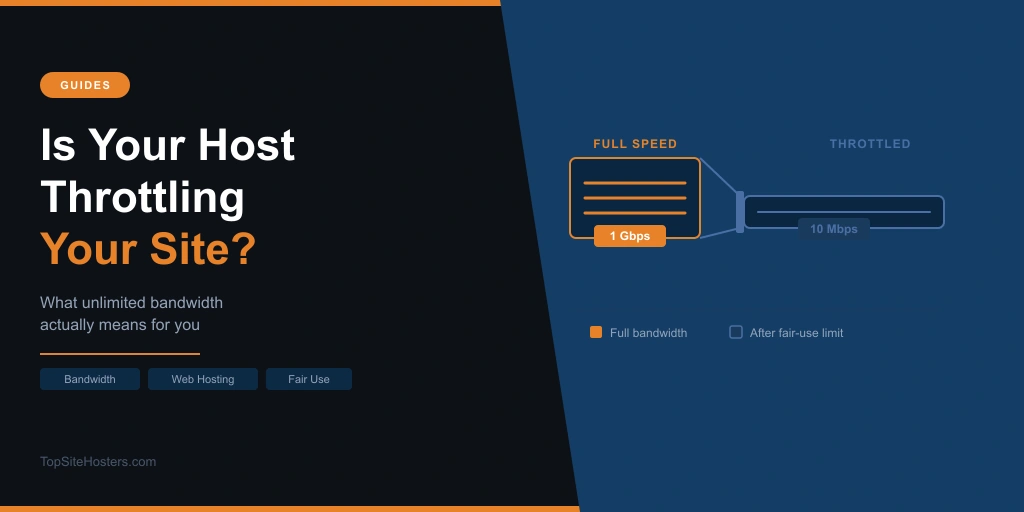
In practice, that means pages take longer to load, images appear gradually rather than instantly, and your TTFB climbs. Visitors notice it even if they don’t know the cause. On a VPS plan with a monthly data cap, some providers drop speeds to as low as 10 Mbps once the allowance runs out, compared to the 100 Mbps or 1 Gbps port speeds advertised at sign-up.
This is different from your site going down. The site is still up. It’s just been made slower on purpose.
Why hosting providers do it
The honest reason is that bandwidth costs money. Every byte of data your site sends to a visitor costs your host something in infrastructure, electricity, and network capacity. When one account uses significantly more than the average, it puts pressure on shared resources and, ultimately, on the host’s margins.
Throttling is how hosts manage that. Rather than cutting off a site completely when it hits a limit, which would trigger immediate complaints, they slow it down instead. The site stays technically online, the host avoids infrastructure overruns, and many users don’t notice or don’t know what to look for.
On shared hosting, throttling also protects other customers on the same server. If one site is consuming far more bandwidth than its neighbours, it can degrade performance for everyone else. Hosts refer to this as the “noisy neighbour” problem, and fair use policies are largely designed around it.
There’s a legitimate side to this. Shared hosting works because most sites use a fraction of what they’re theoretically allocated. Throttling enforces that assumption. The problem is when hosts use vague fair use language to throttle accounts that are actually using a reasonable amount of bandwidth for their plan.
Worth knowing: on shared hosting, throttling applies to more than just data transfer. CPU usage, database queries, and inode counts are all subject to limits, and exceeding any of them can trigger the same slow-down or suspension response. A site with an inefficient plugin running heavy database queries can hit a CPU ceiling long before it ever touches its bandwidth allowance. The symptoms look identical from the outside, which is why throttling can be hard to diagnose without access to your account’s resource usage logs.
Unlimited, unmetered, and metered
This is where most hosting customers get confused. And where most hosts rely on that confusion. These three terms sound similar but describe very different situations. Here is what each one actually means in practice:
| Term | What it means | Can you be throttled? |
|---|---|---|
| Metered | Hard data cap in GB or TB per month. Exceed it and you get throttled, suspended, or charged overage fees. | Yes, at the cap |
| Unlimited | No stated data cap, but fair use policies apply. Hosts can still throttle if usage is deemed excessive relative to other accounts. | Yes, at host’s discretion |
| Unmetered | Fixed port speed with no counting of total data transferred. The only limit is the pipe itself (e.g. 100 Mbps or 1 Gbps). | No, based on volume |
Unlimited is a marketing term. It does not mean uncapped or unrestricted. Almost every host advertising unlimited bandwidth has a fair use policy buried in their terms of service that lets them throttle or suspend accounts they deem to be using excessive resources. The threshold is almost never published as a specific number, which is convenient for the host.
Unmetered is different. With an unmetered plan, the host is not counting how many gigabytes you transfer each month. The only real limit is the port speed: a 100 Mbps port means you can push up to 100 megabits per second, but there’s no monthly volume cap triggering throttling. For most small and medium sites, unmetered plans eliminate the throttling risk entirely.
If you want to understand more about how hosting pricing works and what terms like these mean in practice, the guide to what unlimited hosting actually means goes into more detail.
How to tell if your site is being throttled
Throttling is deliberately hard to detect. Hosts don’t send a notification when they slow your site down. The signs tend to be subtle and easy to attribute to other causes.
Things worth looking for:
- Pages that loaded quickly earlier in the month feel noticeably slower as the billing cycle approaches its end
- TTFB increases without any changes to your site’s code or content
- Pages with lots of images load slowly even though those images are optimised
- Speed test results vary significantly depending on when you run them during the month
- Performance degrades consistently at similar points in your billing cycle month after month
- 503 service unavailable errors appearing when the site was loading fine earlier in the month
- An HTTP 509 “Bandwidth Limit Exceeded” error page served directly to visitors on metered plans that have hit their cap
The billing cycle pattern is the most telling sign. Random slowdowns happen for all sorts of reasons. Consistent slowdowns that begin around the same point each month and then recover when the cycle resets are a strong indicator that throttling is involved.
Different hosts handle the response differently. GoDaddy throttles bandwidth on shared plans when resource limits are exceeded, which typically surfaces as 503 errors rather than just slow pages. SiteGround takes a harder line on CPU limits: it suspends the site entirely once a daily CPU threshold is exceeded, serving 429 errors to all visitors until the account is upgraded or the calendar day resets. Neither approach is communicated clearly upfront, which is why reading the terms before you commit matters.
You can use the TTFB Speed Tester to get a quick read on your current TTFB. Run it at the start of your billing cycle and again toward the end. A significant difference with no corresponding change to your site is worth investigating.
It’s also worth checking your hosting account dashboard. Some providers display current bandwidth usage there, which makes it easier to see whether you’re approaching a limit.
What you can do about it
There are things you can do both before you choose a host and after throttling starts happening.
Before you sign up
Read the terms of service, not just the plan overview. Search for phrases like “fair use”, “excessive usage”, “acceptable use”, “resource limits”, and “network management”. If the host reserves the right to throttle at their own discretion without specifying a threshold, that is a sign the policy is designed to give them flexibility rather than give you certainty.
Ask specifically whether the plan is metered, unlimited, or unmetered. If the answer is unlimited, ask what the fair use threshold is and whether it’s published anywhere. If the host can’t or won’t tell you, factor that into your decision.
For sites that move a lot of data: media sites, download pages, or pages with large images, an unmetered plan with a stated port speed gives you the most predictable performance.
If throttling is already happening
The fastest way to reduce bandwidth consumption without switching hosts is to offload static assets to a CDN. A CDN serves images, CSS, JavaScript, and other files from servers closer to your visitors, reducing the data your hosting server has to send directly. For many sites, a CDN can cut server bandwidth usage significantly.
Beyond that, optimising images is the single highest-impact technical change for most sites. Compressing images before uploading them, serving them in modern formats like WebP, and enabling Brotli or gzip compression at the server level all reduce the volume of data transferred per page load.
If you’re on shared hosting and hitting limits consistently, it may be time to look at moving to a VPS plan. VPS hosting gives you dedicated resources and, in most cases, more transparent bandwidth allocations. You know exactly what you’re getting and what happens when you hit it.
On metered plans, overage charges vary significantly by provider. Some charge a small flat rate per GB; others suspend the account instead. Check your host’s specific terms before you hit the limit, as the cost can add up quickly on a busy month. If your site regularly exceeds its allocation, upgrading to a higher plan or switching to an unmetered one will almost always work out cheaper than paying overage fees each cycle.
Questions about bandwidth throttling
Does unlimited bandwidth mean no throttling?
No. Unlimited bandwidth is a marketing label, not a technical guarantee. Most unlimited plans include fair use policies that allow the host to throttle or suspend accounts using more than an undefined “excessive” amount. The word unlimited refers to the absence of a hard data cap, not the absence of any limits.
What is the difference between unmetered and unlimited bandwidth?
Unlimited means no hard data cap but fair use policies still apply. Unmetered means no counting of data transferred at all. The host is selling you raw port capacity (e.g. a 1 Gbps connection) and not measuring how many gigabytes flow through it each month. Unmetered plans are generally less susceptible to throttling based on volume.
How do I know if my host is throttling my site?
The most reliable sign is a consistent pattern of slowdowns late in your billing cycle that recover when the cycle resets. Run speed tests at the start and end of your billing period and compare the results. A rising TTFB with no changes to your site is another indicator worth investigating.
Can a CDN help reduce throttling?
Yes, in some cases. A CDN offloads static asset delivery from your hosting server, reducing how much bandwidth your server actually consumes. If throttling is triggered by high data usage, reducing that usage with a CDN can push you below the threshold. It won’t help if your host is throttling based on other resource metrics like CPU or RAM.
What happens when I exceed my bandwidth limit?
It depends on the host and the plan type. On metered plans, the most common responses are throttling to a reduced speed for the rest of the billing cycle, temporary suspension until the cycle resets, or overage charges per GB above the cap. Check your host’s terms before you hit the limit. Some hosts communicate clearly what happens; others don’t.
The bottom line
Bandwidth throttling is one of those hosting realities that most providers would rather you didn’t think about too carefully. The gap between “unlimited” in the marketing and “fair use applies” in the terms of service is where throttling lives.
The fix starts before you sign up: understand whether a plan is metered, unlimited, or unmetered, and read what the fair use policy actually says. If you’re already being throttled, a CDN and image optimisation can buy you headroom. And if your site has genuinely outgrown its plan, moving to a higher tier or a different host will solve the problem more reliably than working around it.