
Your hosting provider may have already removed PHP 8.0 from its servers. If it hasn’t, it will before the end of 2026. PHP 8.1 is following close behind. Neither version has received a security patch since it hit end of life, and hosts are now forcing the issue rather than waiting for customers to act.
- Why Hosts Are Removing These Versions Now
- What TSH-Reviewed Hosts Are Doing
- It Also Depends on Your Hosting Type
- How to Check Your Current PHP Version
- Which PHP Version Should You Be On?
- How to Upgrade PHP Version
- What to Do If Your Site Breaks After the Upgrade
- What Is Coming Next
- Frequently Asked Questions
Whether this affects you depends on your host, your hosting type, and which PHP version your site is currently running. Here is how to find out where you stand and what to do about it.
Why Hosts Are Removing These Versions Now
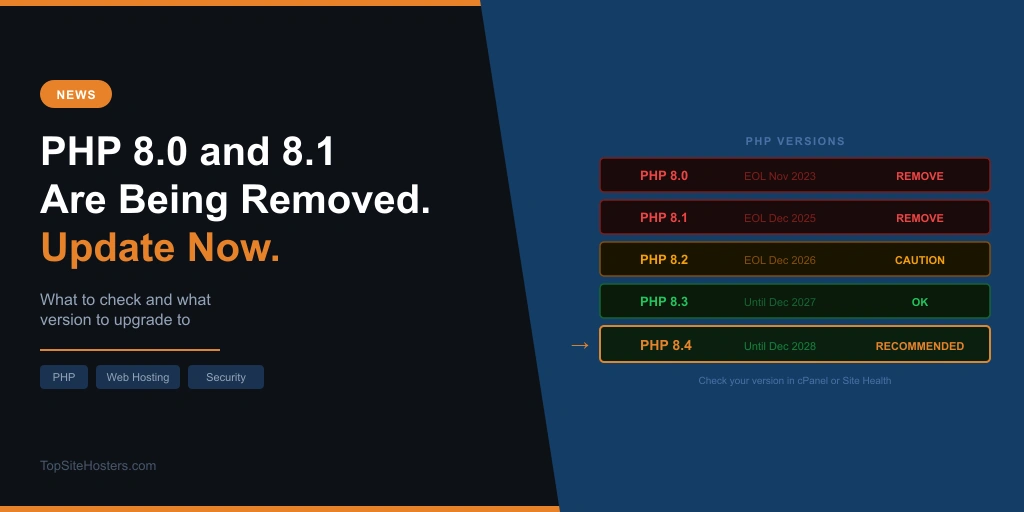
PHP 8.0 reached end of life on November 26, 2023. PHP 8.1 followed on December 31, 2025. End of life means the PHP development team stopped issuing security patches entirely. Any vulnerability discovered after those dates remains unpatched and will never be fixed.
Hosts don’t remove PHP versions the moment they hit end of life. Doing so would break thousands of customer sites overnight. Instead they run a deprecation period: they stop offering the version to new accounts, send warning emails, and eventually force removal on their own timeline. That timeline is now running out for PHP 8.0 at most providers, and PHP 8.1 removal is appearing on roadmaps across the industry for late 2026.
Not every host moves at the same pace. Some have already completed the removal. Others haven’t started yet. The pattern is consistent even if the dates vary.
What TSH-Reviewed Hosts Are Doing
Here is the current position of hosting providers reviewed on this site, based on verified information from their official documentation and support pages:
| Provider | PHP 8.0 status | PHP 8.1 status | How to change version |
|---|---|---|---|
| Hostinger | Removed, not selectable | Removed, not selectable | hPanel → Websites → Dashboard → PHP Configuration |
| SiteGround | Removed from new accounts | Available, removal likely | Site Tools → PHP Manager |
| Bluehost | Removed, 8.1 minimum | Available, 8.2 now default | cPanel → MultiPHP Manager |
| Namecheap | Available but deprecated | Available but deprecated | cPanel → MultiPHP Manager |
| GreenGeeks | Available via cPanel | Available via cPanel | cPanel → Select PHP Version |
| Kinsta | Removed, managed automatically | Removed, managed automatically | MyKinsta dashboard or contact support |
| IONOS | Available via control panel | Available via control panel | IONOS Control Panel → PHP version |
If your provider isn’t listed above, check their blog or support announcements directly. Searching your host’s name alongside “PHP removal” or “PHP upgrade” in their support documentation will surface the relevant notice. Most providers give at least a few weeks of advance notice before removing a version.
It Also Depends on Your Hosting Type
How PHP version management works varies significantly depending on what kind of hosting you’re on. The answer is not the same for every customer, even on the same provider.
Shared hosting with cPanel or Plesk: You can usually change your PHP version yourself through the control panel. On cPanel look for MultiPHP Manager under the Software section. On Plesk go to Websites and Domains and click PHP Settings for the relevant domain. When a host removes a version you were on, they will typically auto-bump your site to the next available version. The site may or may not break depending on compatibility.
Managed WordPress hosting: The host controls PHP at the infrastructure level. You typically cannot change it manually. Providers like Kinsta handle PHP upgrades on your behalf and will update versions without requiring action from you. WP Cloud, Pagely, and WordPress VIP force-migrated remaining PHP 8.1 sites in late 2025 and early 2026. Check your dashboard or contact support to confirm which version is running.
Shared hosting with hPanel (Hostinger): PHP versions below 8.2 are no longer selectable in hPanel. If your site was on an older version, Hostinger has already moved it. You can verify and change the version via hPanel → Websites → Dashboard → PHP Configuration.
Reseller and agency-managed hosting: If your site is managed by an agency or sits on a reseller account, the reseller controls which PHP versions are available. The end user has no direct access to PHP settings. Contact the agency or reseller to confirm the version your site is running and request an upgrade if needed.
VPS and dedicated servers: You control the server environment and PHP version management is your responsibility. This article is primarily relevant to shared hosting customers. VPS and dedicated server operators should consult their server stack documentation or system administrator.
How to Check Your Current PHP Version
Before doing anything else, confirm what version your site is actually running. Don’t assume it’s what you set months ago. Your host may have already changed it without you noticing.
In WordPress: Go to Tools → Site Health → Info → Server. Your current PHP version is listed there. If Site Health is flagging it as outdated, act on that warning.
In cPanel: Log in and go to Software → MultiPHP Manager or Select PHP Version. This shows the version assigned to each domain on your account. A version showing as “inherited” means it follows the server default, which the host controls.
In Plesk: Websites and Domains → the relevant domain → PHP Settings. Current version is shown in a dropdown.
In SiteGround Site Tools: Site → PHP Manager. Current version is shown at the top.
In Hostinger hPanel: Hosting → Manage → PHP Configuration. The active version is shown for each site.
For non-WordPress sites: If your site doesn’t use WordPress, the fastest check is to create a temporary PHP file containing <?php phpinfo(); ?>, upload it to your server root, and visit it in a browser. The output shows your active PHP version at the top. Delete the file immediately after checking. Leaving a phpinfo file publicly accessible is a security risk.
Which PHP Version Should You Be On?
PHP 8.3 or PHP 8.4. Not 8.1, which is already fully end of life and receiving no patches. Not 8.2, which hits end of life on December 31, 2026, so switching to it now means upgrading again in a few months.
| PHP Version | Status | Security patches until | Use it? |
|---|---|---|---|
| PHP 8.0 | EOL November 2023 | No patches | No |
| PHP 8.1 | EOL December 2025 | No patches | No |
| PHP 8.2 | Security only | December 31, 2026 | Short term only |
| PHP 8.3 | Security only | December 31, 2027 | Yes |
| PHP 8.4 | Active support | December 31, 2028 | Yes, recommended |
PHP 8.4 is the current recommended production version. WordPress 6.8 and later fully support it. Most major CMS platforms including Drupal and Joomla also support PHP 8.3 and 8.4. There is also a performance argument for upgrading: independent benchmarks have measured approximately 47% faster execution for WordPress on PHP 8.1 compared to PHP 8.0, with further gains on 8.3 and 8.4. Upgrading is not just a security requirement. It delivers a measurable speed improvement too.
How to Upgrade PHP Version
On most shared hosts running cPanel, the process takes under two minutes. Take a backup before starting, or test on a staging environment first if your host provides one.
- Log in to cPanel
- Go to the Software section and click MultiPHP Manager or Select PHP Version
- Find your domain and note the current version
- Select PHP 8.3 or 8.4 from the dropdown
- Click Apply or Set as Current
- Visit your site immediately to confirm it loads correctly
- Clear any caching layers: your CMS cache, any page cache plugin, and your hosting server cache
On Plesk the path is Websites and Domains → PHP Settings → change the version dropdown → save. On SiteGround Site Tools go to Site → PHP Manager → select the version → confirm. On Hostinger go to hPanel → PHP Configuration → select version → save.
What to Do If Your Site Breaks After the Upgrade
A site breaking after a PHP version change means something in your codebase is incompatible with the newer version. This applies equally to WordPress sites, Joomla and Drupal installs, custom PHP applications, and any other PHP-powered software. The symptoms vary: a white screen, a fatal error page, broken functionality in specific sections, or a 500 Internal Server Error.
Step 1: Confirm PHP is the cause. Revert to the previous PHP version in your control panel. If the site comes back immediately, PHP compatibility is confirmed. This gives you time to fix the problem properly before upgrading again.
Step 2: Check the error logs. Your host stores PHP error logs in your account. In cPanel look under Metrics → Errors. In Plesk go to Logs. The error message will identify the specific file and line number where the problem occurred, which tells you whether it’s a plugin, theme, module, or custom code causing the issue.
Step 3: Identify what changed. Common causes of PHP version incompatibilities include:
- Functions that were deprecated in PHP 8.0 and removed in 8.1 or later, such as
mysql_*functions andcreate_function() - Dynamic class properties, which were deprecated in PHP 8.2
- Implicit nullable types (functions like
function foo(Type $x = null)), which trigger deprecation notices in PHP 8.4 - Old extensions or libraries that haven’t been updated for PHP 8.x compatibility
For WordPress sites: Deactivate all plugins via the admin Plugins screen, re-enable the new PHP version, then reactivate plugins one at a time until the problem returns. The last plugin reactivated is the culprit. If wp-admin is also inaccessible, rename the plugins folder via your file manager to deactivate everything at once. Once the problem plugin is identified, check whether a newer version is available. If no update exists and the plugin is abandoned, find a maintained alternative.
For Joomla, Drupal, and other CMS sites: Update the CMS core first, then update all extensions and modules. Both Joomla 5.x and Drupal 10+ support PHP 8.3. PHP 8.4 support is confirmed in Drupal 11 and Joomla 5.x. Older versions of either CMS may require a core update before a PHP upgrade is safe.
For custom PHP applications: Review the error logs for the specific deprecated or removed function, then update the code to use the current PHP equivalent. The PHP migration guides at php.net document every change between versions and are the authoritative reference for what was removed or changed.
Do not leave your site on PHP 8.0 or 8.1 as a permanent workaround. Both versions have accumulated unpatched vulnerabilities since their EOL dates. Running outdated server software is one of the most common entry points for compromised sites. Fix the compatibility issue and upgrade.
What Is Coming Next
PHP 8.0 removal is the first event in a wave running through 2026 and into 2027:
- PHP 8.1 removals: Already underway. Reclaim Hosting removes it October 13, 2026. Hostinger and Kinsta have already removed it. Other providers are following their own timelines through late 2026
- PHP 8.2 end of life: December 31, 2026. Removals from hosts will follow in early to mid 2027
- Scale of exposure: According to W3Techs usage data, PHP 8.0 and 8.1 combined still account for over a quarter of all PHP 8 deployments. That is a large number of sites still facing forced upgrades before the end of this year
If you are reading this after resolving a PHP 8.0 issue, move directly to PHP 8.3 or 8.4 rather than stopping at 8.1 or 8.2. One upgrade done properly is less disruptive than two rushed ones over the next twelve months.
Frequently Asked Questions
Is PHP 8.0 still supported?
No. PHP 8.0 reached end of life on November 26, 2023. No security patches have been issued since. Any vulnerability found after that date is permanent and will never be fixed. Running PHP 8.0 in 2026 means running software with nearly three years of unpatched security flaws.
Will my site break if I upgrade PHP?
It depends on your CMS, plugins, themes, and any custom code. Modern versions of WordPress, Joomla, Drupal, and Laravel all support PHP 8.3 and 8.4. Older or abandoned plugins and extensions written for PHP 7.x are the most common source of compatibility issues. Test on staging first or keep a recent backup so you can revert if needed.
How do I know if my host has already removed PHP 8.0?
Check your PHP version via your hosting control panel or CMS admin. If PHP 8.0 no longer appears in the version dropdown, your host has removed it. If your site is still running and the version now shows as 8.1 or higher, the removal has run and your site was auto-upgraded.
What is the best PHP version in 2026?
PHP 8.4, which has active support until December 31, 2028. PHP 8.3 is also solid with security patches until December 31, 2027. Avoid PHP 8.0 and 8.1 (both fully EOL) and PHP 8.2 (EOL December 31, 2026).
My host manages PHP for me. Do I need to do anything?
If you are on managed WordPress hosting, your host almost certainly handles PHP upgrades on your behalf. Check your hosting dashboard to see the current version. If you are on shared hosting managed by an agency or reseller, contact them directly to confirm the version and request an upgrade if needed.