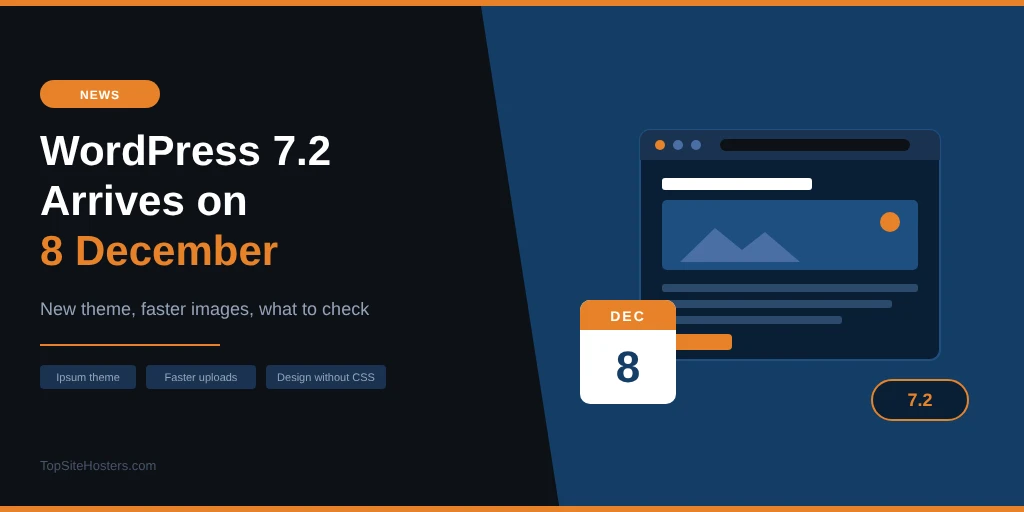
WordPress 7.2 is due on 8 December 2026, and for most site owners it’s a pleasant one. You get a fresh default theme, images that upload faster, and design settings that used to need custom CSS. There are no big changes to how WordPress works.
- When Is WordPress 7.2 Released?
- Ipsum: A New Default Theme Without a Year in Its Name
- What You’ll Notice as a Site Owner
- Security Changes in WordPress 7.2
- What Didn’t Make It Into 7.2
- What PHP Version Does WordPress 7.2 Need?
- How to Prepare Your Site for WordPress 7.2
- Does Your Host Make Updating Easy?
- Common Questions About WordPress 7.2
The first beta arrived on 20 October, which means the feature list is now locked. Some features that were talked about earlier didn’t make it, so a few older previews of 7.2 promise things you won’t get. This guide covers what’s actually in the release, what isn’t, and what to check before you press update.
When Is WordPress 7.2 Released?
The final release is planned for 8 December 2026. Before that, WordPress runs through several test versions, so plugin and theme developers can catch problems early.
| Stage | Date |
|---|---|
| Beta 1 | 20 October 2026 |
| Beta 2 to Beta 4 | 27 October, 3 November and 10 November |
| Release Candidates 1 to 3 | 17 November, 24 November and 1 December |
| Final release | 8 December 2026 |
Betas are for testing only. Don’t install one on a live site. If you want to try 7.2 early, use a staging copy or a local install.
Ipsum: A New Default Theme Without a Year in Its Name
Since 2010, every default WordPress theme has been named after a year, from Twenty Ten to Twenty Twenty-Five. WordPress 7.2 breaks that habit. The new default theme is called Ipsum.
Ipsum is a minimal block theme built for blogs. It comes with style variations that recolour the whole page, images included, and optional headers, hero sections and sidebars that stay hidden until you switch them on. Every colour combination meets the WCAG AA contrast standard, which makes text easier to read for everyone, including visitors with low vision.
You don’t have to use it. Updating to 7.2 doesn’t change your current theme. Ipsum simply becomes available under Appearance, Themes, and it’s what new WordPress sites start with.
What You’ll Notice as a Site Owner
Most of the changes in 7.2 are small, practical improvements. These are the ones you’re most likely to run into.
Faster, smarter image uploads
When you upload an image, WordPress creates several smaller versions for different screen sizes. Until now, your server did all of that work. In 7.2, your browser can do it instead, before the image is even uploaded. That takes load off your hosting and can make uploads feel quicker, especially on cheaper shared plans.
For now, this works in Chrome, Edge and other Chromium browsers. In Safari and Firefox, WordPress falls back to doing the work on the server, as before. Two other media fixes come along with it: animated GIF and WebP images now keep their animation in the smaller sizes, and cropped images stay linked to the original in your Media Library.
Design changes without custom CSS
WordPress keeps moving design settings out of code and into the editor. In 7.2 you can:
- Style buttons, text fields, dropdowns and labels in forms from Global Styles
- Add text shadows and colour gradients to text
- Set different gallery columns and image crops for phones, tablets and desktops
- Save duotone filters once and use them across your whole site
- Style the link for the page your visitor is on in your navigation menu
A new “Customized” filter in Global Styles also shows you which blocks you’ve already changed, which helps when you’re trying to remember why one part of your site looks different.
A friendlier dashboard
A new “On This Day” widget shows posts you published on the same date in earlier years, which is handy for resharing older content. Notes, the editor’s commenting feature, gets emoji reactions, filtering and a smaller collapsed view. A new setting under Screen Options lets you switch off drag and drop for the boxes on admin screens, so they don’t move by accident on a touch screen. The admin icons have also been replaced with sharper SVG versions.
Security Changes in WordPress 7.2
The main security addition in 7.2 is a Secrets API. Plugins that connect to outside services, such as payment providers, email tools or AI services, need to store API keys somewhere. Until now, each plugin did that in its own way, with very different levels of protection. The Secrets API gives them one standard place to store those keys, encrypted. You won’t see it yourself yet, as the settings screen for it is planned for WordPress 7.3, but it should make those plugins safer over time.
WordPress 7.2 also tightens how it reads HTML, which makes it harder for badly formed code in posts or plugins to break your layout or slip through. An email alert for when someone creates an application password on your account has been proposed as well, but it hadn’t been confirmed for 7.2 at the time of writing.
What Didn’t Make It Into 7.2
Several features that appeared in early previews were moved to later versions. If you read about them elsewhere, this is why you won’t find them:
- Suggestion mode for Notes: proposing edits for the author to accept or reject, moved to 7.3
- Table of Contents block: moved to 7.3
- Sudo mode: asking for your password again before risky actions, not ready in time
- Real time collaboration: editing the same post together, still being redesigned with no release planned
What PHP Version Does WordPress 7.2 Need?
WordPress 7.2 still runs on PHP 7.4 or newer, but WordPress recommends PHP 8.3 or higher. Older versions work, but they no longer get security fixes, and new WordPress features are tested mainly on current PHP.
This matters more than usual right now. After the critical PHP2Shell flaws in October, your server should be running at least PHP 8.2.35, 8.3.36, 8.4.27 or 8.5.12, or a patched build from your host. Our article on the PHP security release explains how to check.
How to Prepare Your Site for WordPress 7.2
Most sites will update without any trouble. A few minutes of preparation makes sure yours is one of them:
- Back up your site first. Files and database, stored somewhere other than your hosting account. Our guide to backing up a WordPress site shows how
- Update everything else. Get WordPress, plugins and themes on their latest versions before 8 December
- Check your plugins. On each plugin’s page, look at “Tested up to”. Plugins you rely on for shops, forms or memberships matter most
- Test on staging if you can. Update a copy of your site first, then check checkout, contact forms and logins
- Don’t rush a busy site. For a site with many plugins or an online shop, waiting a week or two, or for the first 7.2.1 fix release, is perfectly reasonable
Feature releases like 7.2 can wait a few days. Security releases can’t. If WordPress ever releases an urgent security update, install that straight away.
Does Your Host Make Updating Easy?
How smoothly an update goes depends a lot on your hosting. Three features make the biggest difference:
- One-click staging: a copy of your site where you can test 7.2 before it reaches your visitors
- Automatic backups before updates: so you can roll back in minutes if something breaks
- Control over core updates: some hosts update WordPress automatically, others let you choose when
With managed WordPress hosting, the host usually takes care of all three and tests major updates for you. On basic shared hosting, you may have none of them. If your current host doesn’t offer staging or backups before updates, our list of the best web hosting shows which providers do.
Common Questions About WordPress 7.2
When is WordPress 7.2 released?
The release is planned for 8 December 2026. Release candidates start on 17 November, and the date can still move if testing finds serious problems.
What is the Ipsum theme, and do I have to use it?
Ipsum is the new default WordPress theme, a minimal block theme built for blogs. You don’t have to use it. Updating to 7.2 keeps your current theme, and Ipsum just becomes one of the themes you can choose from.
Should I update to WordPress 7.2 straight away?
For a simple blog or brochure site with a few plugins, updating on release day is usually fine, as long as you have a backup. For an online shop or a site with many plugins, test on staging first or wait a week or two for plugin updates to catch up.
What PHP version does WordPress 7.2 need?
The minimum is PHP 7.4, but PHP 8.3 or newer is recommended. Whatever version you use, make sure it’s patched against the October 2026 PHP2Shell flaws.
Will WordPress 7.2 break my plugins?
It’s unlikely for well maintained plugins. There are no major breaking changes in 7.2, and developers have had test versions since October. Plugins that haven’t been updated in years are the ones to watch, so check their “Tested up to” version before you update.