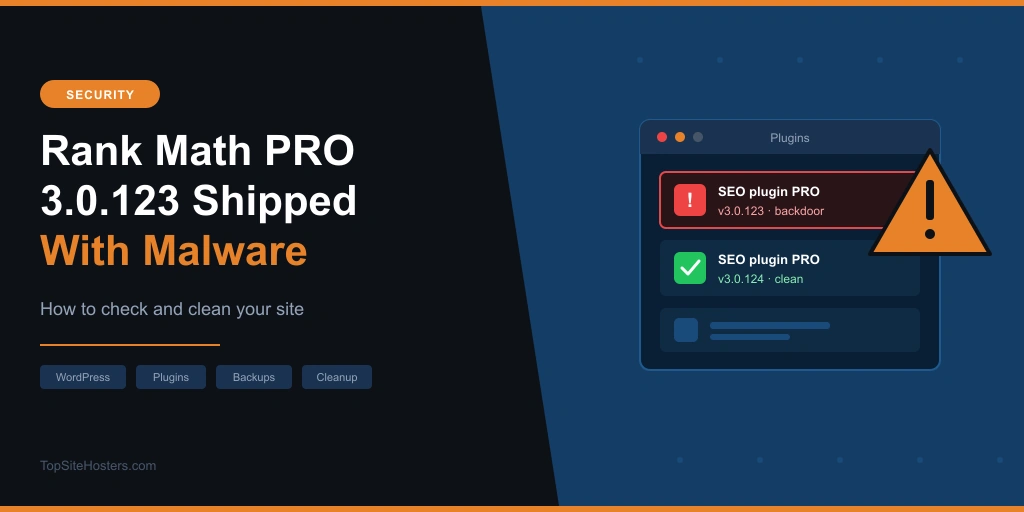
If you run Rank Math PRO and your site picked up version 3.0.123 between 15 and 16 October, assume it has a backdoor. For about 11 hours, official downloads of the paid plugin carried malware that can take over a WordPress site, steal passwords and API keys, and rebuild itself after you delete it.
The free Rank Math plugin from WordPress.org is not affected. If that’s the version you use, you don’t need to do anything.
For PRO users, the important part is this: updating to the clean version does not remove the malware. Below you’ll find how to tell whether your site is affected, how to clean it, and what to ask your web host, because some of the checks can’t be done from inside WordPress.
| Rank Math PRO incident | Details |
|---|---|
| Affected version | PRO 3.0.123, only copies downloaded or updated during the window |
| Window (UTC) | 15 October 2026, 20:02 to 16 October 2026, 07:12 |
| Window (CEST) | 15 October 2026, 22:02 to 16 October 2026, 09:12 |
| Clean version | PRO 3.0.124 |
| Severity | CVE-2026-111862, CVSS 9.8 (critical) |
| Free plugin | Not affected |
| Does updating fix it? | No, the site still needs cleaning |
What Happened to Rank Math PRO
Attackers got malicious code into the PRO plugin files the vendor itself was handing out. Customers who downloaded version 3.0.123 from rankmath.com, or received it as an update, during the 11 hour window got a copy with a backdoor built in. Nothing looked unusual. It was the official file from the official source.
The timeline so far:
- 7 October: the date on the 3.0.123 changelog. Copies downloaded before the window fall outside the incident
- 14 October: the lookalike domain rank1cdn[.]com is registered. The malware talks to this domain
- 15 to 16 October: infected copies of 3.0.123 are available for about 11 hours
- 16 October: the company removes the files, releases 3.0.124 and publishes a security notice
- 17 October: security firms Wordfence and Patchstack publish advisories and the issue gets CVE-2026-111862
Rank Math says the bad version reached “several hundred customers”, and Operations Director Uzair Nazeer apologised for “the worry this has caused”. What the company hasn’t said yet is how the attackers got into its systems. It hasn’t confirmed whether automatic updates delivered the infected file.
Patchstack adds that it can’t offer a firewall rule for this one, because the attack happened on the vendor’s own systems. The file arrived through the normal update route, from the official source.
Is Your Site Affected? Three Situations
The version number alone doesn’t tell you much. Version 3.0.123 was available before the window, and copies from before 15 October fall outside the incident. What matters is when your site got the file. Find your situation below.
| Your situation | Risk | What to do |
|---|---|---|
| Installed and activated 3.0.123 during the window | Treat the site as compromised | Restore a clean backup or clean the site by hand (see below) |
| Installed it during the window but never activated it | Low, but check | Delete the plugin folder, install 3.0.124, run a malware scan |
| Downloaded it but never installed it | No sign of compromise from this alone | Delete the downloaded zip and get 3.0.124 |
| Using the free plugin only | Not affected | Nothing |
How to Tell When Your Site Got the Plugin
Most site owners won’t remember exactly when an update ran. A few places can tell you:
- Your host’s file manager: open
wp-content/plugins/rank-math-pro/and check the modified dates on the files - An activity log plugin: if you run one, it records plugin updates with a timestamp
- Your account at rankmath.com: check your download history if you install updates by hand
- Your host: server logs show when files changed, so support can usually confirm the time for you
If any of these point to the window, or you can’t tell, follow the cleanup steps anyway.
What the Malware Does
It gives the attacker a permanent way into your site. It creates hidden admin accounts, steals passwords and keys stored on the site, and sets up code that can put the backdoor back when someone visits a page. That last part is why simply deleting a few suspicious files doesn’t work.
According to the vendor’s notice, these are the signs to look for:
- A fake WordPress file at
wp-includes/class-wp-cache-util.php - Admin users whose names start with
wpsupport_or whose email ends in@wp-mail[.]net - Database entries in
wp_optionsnamed_uf6qdn2hmm,t8krdk990phbor_np5pvf754c - Rules in
.htaccessthat make.cachefiles run as PHP, plus.cachefiles containing PHP code - Cron jobs tagged
#ms6v46and unfamiliar WordPress scheduled tasks - Changed files in other plugins, themes,
mu-pluginsand the uploads folder
The damage can reach beyond WordPress. Depending on what your hosting account allows, the malware can add SSH keys, set up cron jobs for other users and start background processes on the server. Wordfence also warns that not finding these signs doesn’t prove your site is clean.
Separately, BleepingComputer found a malware sample with the same fingerprints that steals cloud credentials for AWS, Cloudflare, Google Cloud and Azure, along with SSH keys. It couldn’t confirm that this sample came through the plugin, but if you store any of those keys on the site, treat them as exposed.
How to Clean Your Site
You have two options. Restoring a backup is faster and safer. Cleaning by hand is for when you have no usable backup.
Option 1: Restore a Backup (Recommended)
Restore both your files and your database from a backup made before 15 October 2026, 20:02 UTC (22:02 CEST). Then run a malware scan, change your passwords as described below, and install 3.0.124.
Before you restore, check how far back your backups go. Some budget plans keep only a few days, which means anything from before 15 October may already be gone. If your own backups don’t reach that far, ask your host right away. Many keep extra copies for a short time and can restore them for you.
Option 2: Clean It by Hand
Order matters here. Stop the malware from rebuilding itself first, or you’ll be cleaning the same files again an hour later.
- Delete the whole
rank-math-profolder. Deactivating the plugin isn’t enough - Remove the three database entries listed above from
wp_options - Block outgoing connections to rank1cdn[.]com if your host or firewall allows it
- Delete unknown admin accounts, especially
wpsupport_users - Remove the fake core file, then reinstall the WordPress core files (Dashboard, then Updates) so any changed files are replaced
- Check
.htaccessfor rules that run.cachefiles, and look for PHP files in uploads - Check scheduled tasks in WordPress and cron jobs on your hosting account
- Scan the site with a security plugin and check again a day later for files that came back
Install 3.0.124 only once the site is clean. Download it by logging in at rankmath.com directly. The company says it never sends download or login links by email, so ignore any message that offers one.
Change Every Password and Key
Whichever option you choose, assume anything stored on the site has been seen. Change all of these:
- WordPress passwords for every admin user
- Your hosting account and control panel password
- Database password (then update it in
wp-config.php) - FTP, SFTP and SSH passwords and keys
- The security keys and salts in
wp-config.php, which logs everyone out - API keys for payment, email (SMTP), cloud storage and any other services the site connects to
Use long, unique passwords. Our free password generator creates them in your browser without storing anything.
What to Ask Your Web Host
This is the part most guides skip. On shared hosting, you can’t check the system crontab, SSH keys or running processes yourself. Your host can. Open a support ticket, say your site ran Rank Math PRO 3.0.123 during the affected window, and ask:
- Do you have a backup of my site from before 15 October 2026, 20:02 UTC, and can you restore it?
- Can you check the cron jobs and running processes for my account user?
- Can you check for SSH keys or files added to my account outside the website folder?
- Can you block outgoing connections from my account to rank1cdn[.]com?
- Can you run a full malware scan of my account?
A good host will answer these quickly. If yours can’t tell you how far back its backups go or won’t check your account, that tells you something about the host as well.
On a VPS or dedicated server, the picture is different. You’re the administrator, so these server checks are your job. Look at every user’s crontab, ~/.ssh/authorized_keys, running processes and any folder the web server user can write to.
How to Protect Yourself Next Time
You can’t stop a vendor from being hacked. You can make recovery a lot less painful.
- Keep daily backups for at least 14 days. The vendor’s notice came out the day the window closed, but most news coverage followed three days later. A host that keeps only a few days of backups leaves you very little margin. SupportHost, for example, keeps 30 days of daily backups on every plan
- Store a copy away from your host. If the hosting account is compromised, backups on the same account can be too
- Wait a day or two before installing premium plugin updates. Problems like this usually surface fast. Test on a staging site first if your host offers one
- Turn on two factor login for every admin account
- Remember the gap with premium plugins. WordPress.org publishes checksums for free plugins, so security tools can verify the files. Paid plugins update from the vendor’s own servers and have no such check
Common Questions About the Rank Math PRO Malware
Is the free Rank Math plugin affected?
No. Only Rank Math PRO version 3.0.123, downloaded or updated during the window on 15 and 16 October 2026, carried the malware. The free plugin from WordPress.org needs no action.
Does updating to 3.0.124 remove the malware?
No. The update replaces the plugin files, but the backdoors, admin accounts and scheduled tasks the malware created stay behind. Clean the site or restore a backup first, then install 3.0.124.
I downloaded 3.0.123 but never activated it. Is my site safe?
The vendor’s warning covers sites where the plugin was activated, so the risk is low. Delete the plugin folder, install 3.0.124 and run a malware scan to be sure. If you only downloaded the zip and never installed it, delete the file.
How long was the infected version available?
About 11 hours, from 20:02 UTC on 15 October to 07:12 UTC on 16 October 2026. That’s 22:02 to 09:12 in Central European Summer Time.
Should I stop using Rank Math PRO?
That’s your call. The company removed the files and published clear cleanup steps on the same day, but it hasn’t yet explained how its systems were breached. Until it does, waiting a day or two before installing PRO updates is a sensible habit.
Sources: Rank Math security notice, Wordfence and Patchstack advisories (17 October 2026), BleepingComputer (19 October 2026). This article will be updated if Rank Math shares more details.