WordPress 7.0 shipped in May with a lot of foundational work: AI infrastructure, a modernised admin, the Command Palette. It was a big release under the hood. What it wasn’t was particularly visible to the average site owner.
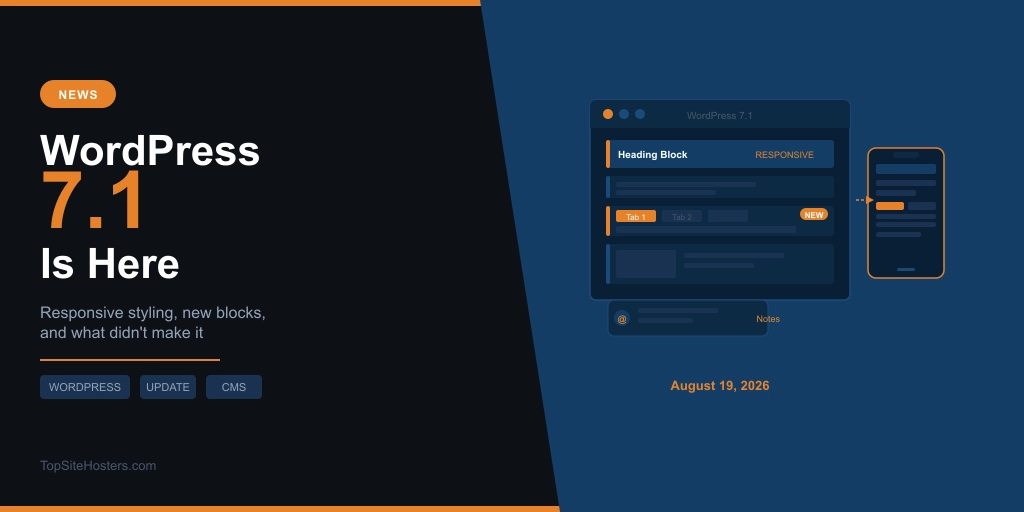
WordPress 7.1, due August 19, is different. The headline changes are things you’ll actually see and use: responsive design controls built into the editor, a proper collaboration system, two new blocks, and a clear signal about where WordPress is heading with AI.
Here is what’s confirmed, what slipped, and whether you should update on day one.
What is WordPress 7.1?
It’s the second major release of 2026, led by Anne McCarthy, and it lands on the final day of WordCamp US in Phoenix, Arizona. The core team is framing this as a “finish what we started” release: 7.0 laid the groundwork, 7.1 makes it usable.
Release Candidate 2 is due August 12 and the release is all but locked. Beta 4 alone carried 114 bug fixes since Beta 3. The codebase is in stabilisation mode. What’s listed below is what’s shipping.
For context on how we got here, the WordPress 7.0 release was delayed by several weeks and launched without real-time collaboration, which was cut two weeks before release. That pattern matters for understanding what’s still missing in 7.1.
Responsive styling without writing CSS
This is the headline feature, and it’s genuinely useful. For the first time, you can control how blocks look on mobile and tablet directly inside the Site Editor. No custom CSS. No switching to a code editor. Just design for desktop, then adjust for smaller screens using the same interface.
The same update brings interactive state styling. You can now set hover, focus, and active styles for blocks from the editor panel. If you’ve ever written CSS just to change a button’s hover colour or add an underline to a link on focus, that work moves into the editor.
Worth knowing: at Beta 1, this only applied to the Button and Navigation Link blocks. The final release is expected to expand that, but if you rely heavily on older blocks or custom ones, test first before assuming it applies everywhere.
Notes becomes a proper collaboration tool
Notes arrived in WordPress 6.9 as a simple way to leave comments on blocks. In 7.1, it gets a significant upgrade. You can now tag collaborators with @mentions, leave inline notes tied to specific text rather than just blocks, run multiple discussion threads on the same post, and use rich text formatting and emoji reactions within notes.
Suggestion mode is also in, letting collaborators propose edits that can be accepted or rejected rather than making changes directly. That’s a workflow most editorial teams will recognise from Google Docs.
For agencies, client sites, and anyone managing a multi-author WordPress setup, this closes a gap that’s sent a lot of teams to third-party tools. It’s still asynchronous, not real-time, but it’s a meaningful step forward.
Two new core blocks
The Tabs block and the Playlist block are both confirmed for 7.1. Tabs is the more mature of the two and has been in development the longest. Playlist includes waveform visualisation, which is a nice touch for podcast or audio-heavy sites.
A Table of Contents block is also on the roadmap but is the most likely to slip before release. Treat it as unconfirmed until August 19. If it doesn’t make 7.1, expect it in 7.2.
AI Guidelines
Site admins can now define editorial rules, brand voice, and content standards that AI tools must follow when generating content in WordPress. This is part of the AI infrastructure introduced in 7.0 becoming practically useful.
For a solo site owner, this may not change much day to day. For anyone managing multiple sites or working with a content team using AI writing tools, the ability to set guardrails at the site level rather than prompting them individually every time is a genuine improvement.
The Classic block is staying
In July, the planned removal of the Classic block from the block inserter was officially reversed. It stays as a standard option. The community pushback was significant enough that the decision was called off entirely on July 7.
If you were worried about losing it, you don’t need to be. If you were hoping WordPress would complete its move away from Classic editor functionality, that timeline has extended again.
What didn’t make it
Real-time collaboration is still not here. It was cut from 7.0 two weeks before release. It didn’t make 7.1 either. The core team is running a structured outreach programme to get it ready, but after two full release cycles of waiting, the community has understandably become sceptical about timelines. It will arrive eventually. Just not yet.
The React 19 upgrade also slipped past 7.1. This is relevant because the groundwork for it is in 7.1, which is part of what makes this update slightly riskier than usual for sites with older plugins or custom blocks.
Unicode email address support was pulled by Matt Mullenweg over security concerns, six weeks after it had already merged into core. A significant reversal, and one that caught the developer community off guard.
Should you update on August 19?
That depends on your setup.
If you’re on managed WordPress hosting where your host handles updates, they’ll likely apply 7.1 after their own internal testing window, which typically runs a few days after release. You probably won’t need to do anything.
If you manage your own updates, the short answer is: back up first, test on staging, then update. The WordPress backup guide covers the quickest ways to do that. A staging environment is the safest place to confirm everything works before touching production.
The reason this update requires more care than a typical release is the enforced iframe mode for block themes. Block themes now run inside an iframe in the editor, which changes how some plugins and custom blocks interact with the editing environment. If your site uses a block theme and you have custom code or older plugins, there’s a meaningful chance of something behaving differently after the update. It won’t break your live site automatically, but it may affect the editing experience.
If you’re running a heavily customised setup or a business-critical site, give it a week after release. The community surfaces compatibility issues fast. By August 26, you’ll have a clear picture of whether anything affects your specific combination of plugins and theme.
For most standard WordPress sites on a maintained theme with regularly updated plugins: update normally after a backup. The risk is low, and the responsive styling improvements alone are worth it.
Frequently Asked Questions
When does WordPress 7.1 release?
August 19, 2026, coinciding with the final day of WordCamp US in Phoenix, Arizona. The date is confirmed on the official WordPress release schedule. A dry run takes place on August 18.
Will WordPress 7.1 break my site?
For most sites, no. The main risk area is the enforced iframe mode for block themes, which can affect how older plugins and custom blocks behave in the editor. Your live site will continue working normally, but testing on a staging environment before updating is sensible, particularly if you use a block theme with customisations.
Does WordPress 7.1 include real-time collaboration?
No. Real-time collaboration was removed from WordPress 7.0 two weeks before its May 2026 release and has not made it into 7.1 either. The core team is working on it, but no confirmed release date has been given.
What are the new blocks in WordPress 7.1?
Two new core blocks are confirmed: Tabs and Playlist. A Table of Contents block is on the roadmap but may not make the final release. Check the official WordPress release notes on August 19 for the confirmed list.
Do I need to update to WordPress 7.1 straight away?
Not necessarily. For most sites, updating after a backup is fine. For sites on managed WordPress hosting, your host will likely handle it. If you run a heavily customised setup, waiting a week after release to check for community-reported compatibility issues is a reasonable approach.