Check your analytics right now. See those visitor numbers? A significant chunk of them are not people. They are automated software programs, requesting pages from your site, downloading assets, hitting URLs, and then moving on without reading a word or spending a penny.
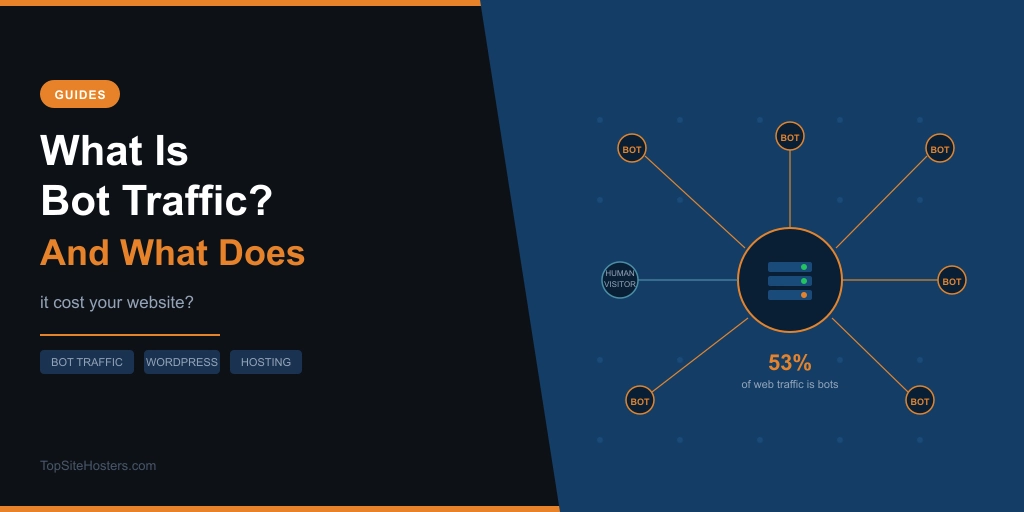
In 2025, bots accounted for 53% of all web traffic. It was the second consecutive year automated traffic outnumbered human visits. By June 2026, Cloudflare’s network data put that figure at 57.5%. If your site is online, more than half of what’s hitting it right now is probably not human.
That matters more than most hosting articles let on. Here’s why.
What is bot traffic?
Bot traffic is any request made to your website by automated software rather than a human visitor. A bot, short for robot, is a program that sends HTTP requests to web servers the same way a browser does, fetching pages, images, scripts, and other assets, but without a person on the other end.
Bots have been part of the web since almost the beginning. Googlebot has been crawling websites for decades. Uptime monitors check whether your site is online every few minutes. Feed readers pull your RSS content automatically. None of that is new, and none of it is a problem.
The story has changed because of scale. The volume of automated traffic has grown dramatically, driven by a new category of AI training crawlers that didn’t exist five years ago. The bots that used to be a background hum are now, in aggregate, louder than your actual audience.
How much of your traffic is bots?
The short answer: probably more than you think, and the number is rising.

The 53% figure comes from The Thales Bad Bot Report 2026, which measured all web traffic including apps and APIs. Cloudflare’s figure of 57.5% covers HTML HTTP requests across its network and excludes video streaming, email, and gaming. These are different measurement baskets, so the two numbers shouldn’t be averaged, but they both point in the same direction. Machines now move more of the web than people do.
AI crawlers specifically have driven much of the recent surge. According to Kinsta’s AI and Bot Traffic Report, which analysed over 10 billion HTTP requests across its hosting infrastructure, AI crawler activity grew 300% in a single year. The ratio of AI bot visits shifted from 1 in every 200 web visits at the start of 2025 to 1 in 31 by the end of the year.
Not all of that traffic is trying to harm your site. Some of it is just the side effect of a lot of companies simultaneously training large language models on web content.
What kinds of bots visit your site?
It helps to split bots into two groups, because the right response to each is very different.
Bots that help your site:
- Search engine crawlers such as Googlebot and Bingbot index your pages so they can appear in search results
- Uptime monitors check your site is online and alert you when it goes down
- SEO audit tools scan your pages for technical issues
- Payment and plugin webhooks from services like Stripe or PayPal trigger automated calls to your server as part of normal transactions
- Security scanners from legitimate services check for vulnerabilities on your behalf
Bots that cost you:
- AI training crawlers scraping your content to feed large language models, with 80% of AI crawling activity for model training rather than search, generating no referral traffic back to your site
- Content scrapers copying your articles, product descriptions, or pricing wholesale
- Aggressive SEO crawlers from tools that hammer every URL on your site repeatedly
- Spam bots hitting contact forms, comment sections, and registration pages
- Misbehaving crawlers that treat every URL parameter combination as a unique page and crawl each one separately
- Vulnerability scanners probing for weaknesses to exploit
The problem is that both categories look similar in your server logs. A request is a request. The difference is what happens afterward, and what it costs you to serve it.
Why bot traffic affects your hosting plan
This is the part most articles skip. Bot traffic is usually framed as a security story or an SEO story. For most website owners, the more relevant frame is hosting cost and performance.
There are two kinds of cost to understand.
Bandwidth is the obvious one. Bots download pages and assets the same way human visitors do. If your hosting plan has a monthly bandwidth limit, automated traffic counts against it just like real visitor traffic does. A crawler that repeatedly hits your archive pages full of images or downloads large files burns real data allowance without generating any business value in return.
On shared hosting plans with strict limits, this can push you toward a plan upgrade that your actual audience wouldn’t have justified.
Backend load is the harder cost to see, and often the more expensive one. Not every request costs the same to serve. A cached blog post is relatively cheap: the server returns a stored version and moves on. But a significant portion of your site probably can’t be cached at all.
Cart pages, filtered product listings, search result pages, login pages, AJAX endpoints, and any page that changes based on user context all require the server to do real work every time they’re requested, regardless of who’s asking. That means:
- A PHP thread is reserved for the full duration of the request
- The database runs a query to build the page
- Session handling runs even for bots that will never complete a purchase
- Any plugin that hooks into these requests executes its code on every hit
Kinsta’s infrastructure data found bots hitting add-to-cart URLs on WordPress sites 7.67 million times in a single 24-hour period. One crawler alone generated 550 million requests over 30 days. None converted. None referred a visitor back to the site. They just kept arriving and forcing the server to process each one.
The site didn’t go down. Pages still loaded. By every conventional measure, it looked healthy. But server resources were being consumed by traffic that would never help the business, and that headroom was unavailable when real visitors needed it.
On shared hosting, where PHP workers and database connections are shared across multiple sites, this effect is amplified. On managed WordPress hosting, platform-level controls can address it directly. The type of hosting you’re on changes how exposed you are to this problem.
How bot traffic affects your analytics
Your traffic numbers are probably inflated. Bot sessions show up in most analytics platforms as pageviews, sessions, and users, which means several things you might be tracking are unreliable.
Bounce rates get distorted when bot sessions that load one page and leave are counted as single-page bounces. Conversion rates look worse than they are because the denominator includes non-human sessions that could never convert. A/B test results become unreliable when a portion of the traffic in each variant is automated. Traffic spikes that look like a successful campaign might include a surge of crawlers with no commercial intent at all.
Google Analytics 4 filters some known bots automatically, but not all. If your traffic figures and your actual business results keep pointing in different directions, bot sessions are worth investigating as a contributing factor.
What you can do about it
The goal is not to block every bot. That would break your SEO, interrupt monitoring tools, and potentially break WordPress workflows that depend on automated requests. Googlebot needs to reach your site. Payment webhooks need to fire. The aim is to reduce wasteful automated traffic while keeping the requests that support your business.
Here’s what actually works at different levels:
If your site is proxied through Cloudflare (free or paid), enable Bot Fight Mode in the security settings. This catches a meaningful share of obvious bot traffic before it ever reaches your server. On paid Cloudflare plans, Super Bot Fight Mode gives finer control over which categories of bots to challenge or block.
If you’re on WordPress, a security plugin with bot filtering built in handles a lot of the day-to-day load. Wordfence and Shield Security both include bot protection. These operate at the application level rather than the server level, so they’re less efficient than a network-level solution, but they’re better than nothing and easy to configure.
If you’re on managed WordPress hosting, check whether your host handles this at the platform level. Kinsta, for example, includes bot protection in the MyKinsta dashboard at no extra cost on all plans. It operates at the environment level, meaning it intercepts traffic before it reaches WordPress at all. That’s meaningfully more efficient than a plugin-based approach. When choosing a host, this is worth asking about directly.
For WooCommerce stores specifically, cart and checkout URLs are the most costly endpoints for bots to hit. Protecting these paths is the highest priority, since they generate the most unnecessary server work per request.
One thing worth considering if you run a content site: AI crawlers are a specific category worth thinking about separately. Blocking all AI crawlers means your content surfaces less often in answers generated by AI and search features powered by AI. Allowing them means accepting the server cost of that crawling. There is no right answer that works for everyone. It depends on whether AI visibility matters to your content strategy.
What to look for in a hosting plan
Bot traffic has become a factor worth thinking about when choosing or upgrading a host, not just a problem to solve after the fact.
On budget shared hosting, you’re largely on your own. The host provides the server; managing what hits it is your responsibility. That’s fine for small sites with low traffic, but it becomes a real constraint as a site grows.
On shared and cloud hosting at the higher end, Cloudflare integration is common and gives you access to Bot Fight Mode without any extra cost. Hosts like SiteGround and Hostinger route traffic through Cloudflare by default, which provides a base level of bot filtering automatically.
On managed WordPress hosting, the expectation is that the host handles infrastructure concerns so you don’t have to. Bot protection at the platform level, Cloudflare integration built in, and the ability to protect specific URL paths are all things worth checking for. The difference between a host that handles bots at the network edge and one that leaves it entirely to WordPress plugins is real, especially for stores and sites with heavy traffic.
Frequently Asked Questions
Is bot traffic bad for SEO?
Not always. Search engine crawlers like Googlebot are essential for your pages to appear in search results. The bots that cause SEO problems are those that scrape your content for republication elsewhere, hit your site so aggressively they slow it down for real visitors, or artificially inflate your traffic metrics in ways that distort how you read your analytics data.
How do I check how much bot traffic my site gets?
Google Analytics 4 filters some known bots by default. For a more complete picture, check your server access logs via your hosting control panel or cPanel. Cloudflare’s analytics dashboard also breaks down traffic by human versus bot if your site is proxied through Cloudflare. Security plugins like Wordfence include their own bot detection logs.
Should I block all bots?
No. Blocking all bots would prevent Googlebot from indexing your pages, break uptime monitoring, and interfere with payment webhooks and plugin automations that your site depends on. The goal is selective filtering: block clearly wasteful automation, challenge suspicious traffic, and protect your most demanding pages, while keeping useful bots like search crawlers and monitoring services accessible.
Does bot traffic affect my hosting costs?
Yes, in two ways. It consumes bandwidth, which counts against plan limits on most shared hosting accounts. It also creates backend load, particularly on dynamic pages that cannot be cached, which uses up PHP workers and database connections. On plans with tight resource limits, heavy bot traffic can push you toward a more expensive plan before your real audience would have justified the upgrade.
What is an AI crawler?
An AI crawler is an automated bot used by AI companies to collect web content for training large language models or powering search features powered by AI. Examples include GPTBot from OpenAI, ClaudeBot from Anthropic, and various others. Unlike Googlebot, which indexes your content so humans can find it in search results, most AI crawler activity is for model training and does not drive referral traffic back to your site. You can block specific AI crawlers via your robots.txt file or through your host’s bot protection controls.