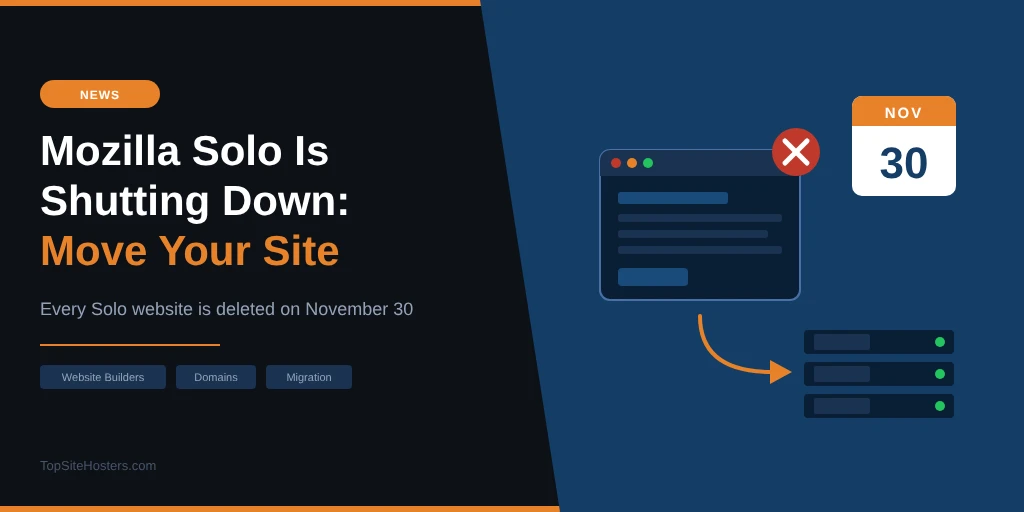
On November 30, 2026, every website built with Mozilla Solo disappears. The pages, the images, the contact form entries, the whole account. Mozilla has said there is no way to recover any of it after that date.
If your business site lives on Solo, you have until the end of the month to save what you can, move your domain and get the site running somewhere else. None of those steps take long on their own, but one of them depends on a support team replying to an email, so starting today matters more than finding the perfect new home.
The export Solo offers leaves out your images, and the free domain renewals that came with paid plans do not follow you to the next host. Both are easy to deal with now and expensive to discover in December.
What Is Happening to Mozilla Solo?
Solo was an AI website builder and hosting service from Mozilla, the organisation behind Firefox. It launched in December 2023 as a “Mozilla Innovation Project” aimed at sole traders: you described your business, the AI wrote the pages, and Solo hosted the result, with your own custom domain if you wanted one.
Around 54,000 people built sites with it. Mozilla first told customers about the closure on October 1, 2026, giving a 60 day transition period, and new registrations have already stopped. The notice on Solo’s homepage is short: “Solo will cease operations on Nov 30, 2026.”
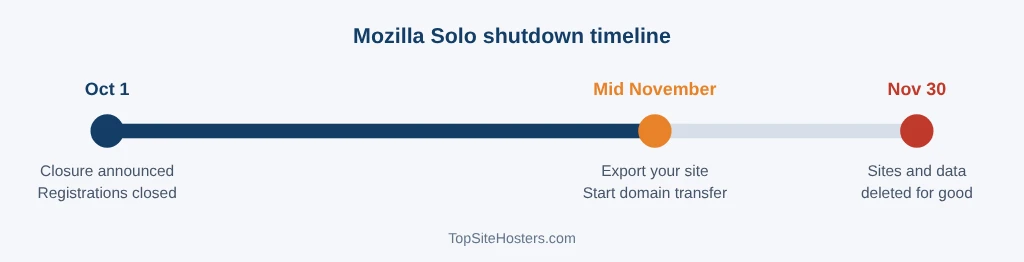
Here is how the timeline looks:
| Date | What happens |
|---|---|
| October 1, 2026 | Mozilla notifies Solo users. Registrations close, and paid plans no longer renew |
| Now until November 30 | Sites stay online. You can download your data and request a domain transfer |
| November 30, 2026 | All Solo websites, accounts and data are deleted, with no recovery |
Mozilla Solo shutdown timeline Oct 1 Closure announced Registrations closed Mid November Export your site Start domain transfer Nov 30 Sites and data deleted for good TopSiteHosters.com
What You Need to Save Before November 30
Log in, click the menu at the top right, select Account Settings and click Download Website Data.
- An HTML export of your website
- Your contact form submissions
- Your newsletter sign ups
- A CSV file with links to your images
Notice the last line. Your images are not in the ZIP. Solo’s own FAQ says image source files are not included, so you need to open the CSV and download each image from its link before the shutdown. Once Solo deletes your account, those links stop working and the photos are gone.
Do this first, even if you have no idea yet where the site is going. Save the ZIP and the images somewhere outside Solo, such as your computer and a cloud drive. While you are in the account, copy any page text you rewrote by hand as well, so you have a clean version to paste into a new builder.
One thing to understand about the HTML export: it is a snapshot of how your site looked, not a working copy of it. Static pages will display fine on another host, but the contact form and newsletter sign up will not work there, because those features ran on Solo’s servers. Plan to replace them, either with your new builder’s own forms or a separate form service.
What Happens to Your Domain
Your domain is the part of your website that outlives any platform. Customers type it, it sits on your business cards and invoices, and every link people have shared over the years points to it. Losing it would hurt far more than losing the pages, because pages can be rebuilt in an afternoon while a lapsed domain can be registered by someone else.
This is also the step to start today, because it depends on other people. A domain transfer needs a support team to act on your request, and your new registrar has to accept it, so leave yourself at least a week before November 30. What you need to do depends on how you got the domain in the first place, and there are three possibilities.
You bought the domain through Solo Domains
Domains registered through Solo Domains have to move to Name.com, Solo’s domain partner. Solo handles the transfer itself, but only after you set up the receiving side:
- Create a Name.com account, or log in to one you already have.
- Fill in the Registrant, Administrative and Technical contacts on the Name.com Account Contacts page. Name.com cannot accept the transfer without them.
- Copy the Account Code shown at the top right of your Name.com dashboard.
- Email that code to support@soloist.ai.
- Add your billing details to Name.com. If you skip this, Name.com reminds you as the renewal date gets close.
Solo then moves the domain and emails you when it is done. Because a person at Solo has to act on your email, leave plenty of margin before November 30. A domain that is still sitting in Solo on the last day is the one thing on this list you cannot fix yourself.
Your free domain came from IONOS
Some Solo users redeemed their free domain through IONOS, Solo’s other domain partner. Solo’s pricing page says those domains are registered to you, and you manage DNS and billing directly in your IONOS account. Nothing needs to transfer. Once your new site is live, you change the DNS records in IONOS to point at your new host.
You connected a domain you already owned
If your domain was registered somewhere else and you only connected it to Solo, the domain is safe. You simply update its DNS records at your registrar once the new site is ready. Your registrar’s help pages will show you where those settings live.
The cost that comes with the move
Solo’s paid plans came with a free lifetime domain, with the promise that you would never pay for renewals. That perk ends with the service. Solo’s own shutdown FAQ asks you to add billing details at Name.com for the renewal, so once the domain sits in your own account, you pay it like any other domain owner.
For a .com, Name.com’s standard renewal is close to $20 a year, so check the exact figure in your account, and the .com wholesale price itself went up on November 1, 2026. You can move the domain to a cheaper registrar later. Registrars can block a new transfer for up to 60 days after the last one, so that is a job for the new year. Spaceship currently has one of the lowest .com renewal prices, and our domain transfer guide covers how to move it.
Where to Move Your Solo Website
You have three realistic options. The right one depends on how much time you want to spend and whether you want the site to grow later.
| Option | Effort | Typical cost | Best for |
|---|---|---|---|
| Website builder | Low | Free plans on a subdomain, roughly $10 to $20 a month with your own domain | Sole traders who want the closest thing to Solo |
| Static hosting for the export | Medium | Free tiers available | Simple one page sites that rarely change |
| WordPress hosting | Higher | From a few dollars a month, renewal prices vary | Businesses that want a blog, more pages or full control |
A website builder: the closest to Solo
Many Solo users picked it because they did not want to deal with hosting at all. A website builder keeps it that way: hosting, security certificates and updates are included, and several now use AI to draft your pages the way Solo did. You will rebuild the site rather than import it, but with your text and images saved, that is often a couple of hours of work for a small business site.
Two options to compare:
- Bluehost AI Builder works the most like Solo did. You describe your business in plain language, answer a few questions, and refine the site by chatting with a live preview. Hosting is included on every plan. The free plan publishes on a Bluehost subdomain, so to keep your own domain you need the Lite plan at $20 a month, billed monthly. It runs on credits: each message to the AI uses one, unused credits expire after 30 days, and if you run out your live site stays online while new changes pause. The builder is still labelled Early Access, and our Bluehost review covers the company behind it.
- IONOS MyWebsite Now includes an AI website builder, a business email inbox and a free domain for the first year. It makes the most sense if your domain already sits with IONOS, since everything then lives in one account.
Solo’s own shutdown FAQ points users to Wix, Squarespace and WordPress.com, plus AI builders such as Bolt and Lovable. Wix and Squarespace cost more per month than the options above. Whichever you pick, check the renewal price at checkout, because introductory prices rarely last past the first term.
Static hosting: put the export back online
If your Solo site was a single page that you rarely edit, you can upload the HTML export to a static host. Netlify and Cloudflare Pages both have free tiers that handle a small site comfortably, and they include security certificates.
The catch is everything that made Solo easy. There is no visual editor, so changing a phone number means editing an HTML file. You will need to fix the image paths to point at the images you downloaded, and you need a separate service for your contact form. This route suits someone comfortable with files and folders, not someone who chose Solo to avoid them.
WordPress hosting: more room to grow
If Solo felt limiting, this is the moment to move to something you will not outgrow. WordPress on shared hosting gives you blogging, extra pages, online booking and thousands of plugins, and you own every file. The trade off is more setup and a little maintenance. If you are unsure what a site like this costs over a full year, our breakdown of what a website really costs per year includes hosting, domain and the extras people forget.
Which Option Fits You?
Ask yourself how often you change your site. If the answer is “almost never” and you are comfortable with files, static hosting costs nothing. If you want to edit text and photos yourself without learning anything new, a website builder is the natural replacement and the fastest way to be live again before November 30. If your business is growing and you want a blog, more services pages or a shop later, WordPress hosting saves you a second migration in a year’s time.
Whatever you choose, keep the domain in an account you control. Solo’s closure is a reminder that a free platform can disappear, but a domain registered in your own name moves with you wherever you go next.
✅ Your Solo Shutdown Checklist
Work through these in order. The first three do not depend on choosing a new host, so you can do them today.
- Download your website data from Account Settings and save the ZIP outside Solo.
- Download every image from the links in the CSV file.
- Start the domain transfer if your domain came from Solo Domains: set up Name.com, add the contacts, email your Account Code to support@soloist.ai.
- Pick your new home and rebuild or upload the site.
- Replace your contact form and newsletter sign up, since they will not work from the HTML export.
- Point your domain at the new site by updating its DNS records.
- Check the new site on your phone and computer, then test the contact form.
Frequently Asked Questions
When is Mozilla Solo shutting down?
Solo ceases operations on November 30, 2026. Mozilla says all Solo websites and data are deleted on that date, and nothing can be recovered afterwards.
Why aren’t my images in the Solo export?
The download only includes a CSV file with links to your images, not the image files. Open the CSV and save each image before November 30, because the links stop working once your account is deleted.
What happens to a domain I bought through Solo?
Domains from Solo Domains move to Name.com. You create a Name.com account, fill in the contact details, and email your Account Code to support@soloist.ai. Solo completes the transfer and emails you when it is done. Domains redeemed through IONOS are already in your IONOS account and do not need to move.
Do I still get free domain renewals after Solo closes?
No. The free lifetime domain was a perk of Solo’s paid plans. Solo’s FAQ asks you to add billing details at Name.com for future renewals, so from now on you pay the normal renewal price each year.
Will I get a refund for Solo Pro or Grow?
Yes. Solo issues a prorated refund for the unused part of your billing period, calculated from October 1, 2026. It goes back to your original payment method automatically, so you do not need to do anything, and your subscription will not renew.
Can I put my Solo HTML export on another host?
Yes. A static host such as Netlify or Cloudflare Pages can serve the exported pages, often for free. You will need to add your images back and replace the contact form, because those features ran on Solo’s own servers.
The Bottom Line
Solo’s closure is frustrating for the people it was built for: busy sole traders who wanted a website without thinking about hosting. The steps themselves are manageable if you start now. Save your export and images today, get the domain transfer moving, then choose between a website builder for ease, static hosting for cost, or WordPress for room to grow.
The one deadline you cannot negotiate is November 30. Everything else can be improved later.