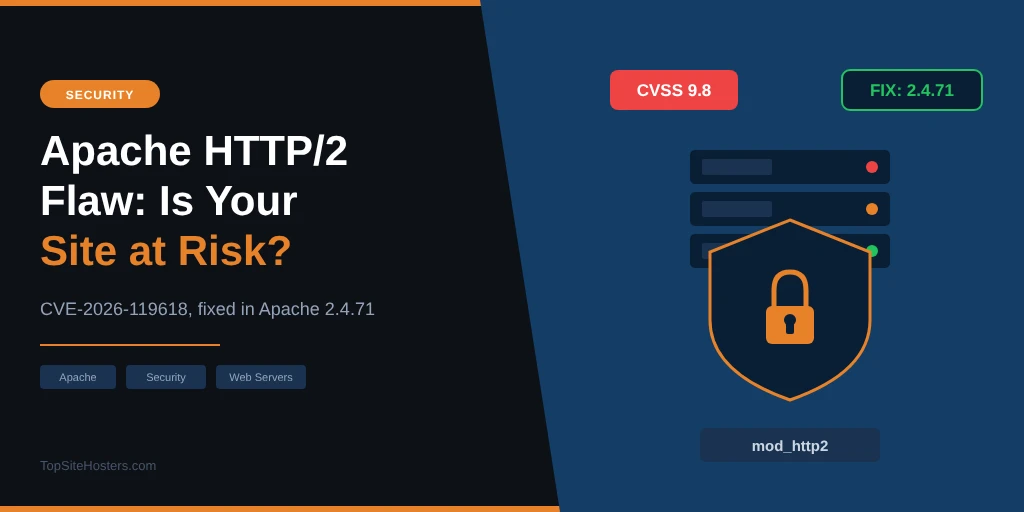
A critical bug in Apache, the web server software behind a large share of the world’s websites, lets an attacker run their own code on a server without logging in. It’s tracked as CVE-2026-119618, Red Hat rates it 9.8 out of 10, and Apache released the fix on 11 November 2026.
The good news is that most websites aren’t exposed. The bug only affects servers where Apache itself handles HTTP/2 connections, and many hosting setups don’t work that way. This article explains which setups are at risk, what to ask your host if you’re on shared hosting, and the exact checks to run if you manage your own server. The information is current as of 13 November 2026.
What Is CVE-2026-119618?
The flaw sits in mod_http2, the Apache module that handles HTTP/2, the newer and faster version of the protocol browsers use to load web pages. Under the right conditions, two parts of the module write to the same piece of memory at the same time. An attacker can use that to corrupt the server’s memory and take control of the process. No login or user interaction is needed.
| Detail | What you need to know |
|---|---|
| Affected versions | Apache 2.4.55 to 2.4.70, and the standalone mod_h2 module 2.0.8 to 2.0.42 |
| Fixed version | Apache 2.4.71, released 11 November 2026 |
| Severity | Critical (Apache), CVSS 9.8 (Red Hat) |
| Condition | HTTP/2 must be switched on in Apache itself |
| Attacks seen so far | None confirmed, but working exploit code is already public |
The bug was found by two teams independently: Anthropic’s AI based open source scanner reported it on 26 October, and researchers at Google Cloud reported it on 3 November. Apache shipped the fix 16 days after the first report. The same release also fixes two smaller bugs, one in mod_md and one in mod_vhost_alias.
Is Your Hosting Setup Affected?
Whether a site is at risk depends less on the host and more on how its servers are set up. A server is only exposed if it runs an affected Apache version and Apache itself speaks HTTP/2 to visitors. This table shows the common setups as of 13 November.
| Setup | Exposed? | Fix available? |
|---|---|---|
| LiteSpeed web server | No, doesn’t use Apache | Not needed |
| nginx only | No, doesn’t use Apache | Not needed |
| cPanel (EasyApache 4), default setup | No, the default setup can’t load mod_http2 | Fixed builds rolling out since 11 November |
| cPanel with mod_http2 added | Yes | Update to the 2.4.71 build |
| Plesk with nginx in front | Unlikely, nginx handles HTTP/2 | Depends on the operating system |
| Red Hat or AlmaLinux 8 | No, older module not affected | Not needed |
| Red Hat or AlmaLinux 9 and 10 | Yes, if HTTP/2 is on in Apache | Rolling out, check your updates |
| CloudLinux 9 and 10 | Yes, if HTTP/2 is on in Apache | Fixed on 11 November |
| Debian 13 | Yes, if HTTP/2 is on | Fixed (DSA-6620-1) |
| Debian 12 and Ubuntu | Only if HTTP/2 was switched on, it’s off by default on Ubuntu | Not yet |
The cPanel result matters most for shared hosting, because cPanel runs a large share of budget hosting servers. Its default setup uses an Apache mode that can’t load mod_http2 at all, so a server is only exposed if the host changed that setup and added the module on purpose. Some hosts do, to offer HTTP/2 straight from Apache, so ask yours anyway.
Hosts That Aren’t Affected
Hosts that run LiteSpeed instead of Apache don’t use mod_http2 at all, so this bug doesn’t touch them. LiteSpeed reads the same configuration files as Apache, which is why many hosts switched to it, but it’s a separate program with its own code.
Among the hosts reviewed on TopSiteHosters, ChemiCloud runs LiteSpeed on every plan and Hostinger runs it on its shared plans. HostArmada uses it on its top shared plan and nginx on the others. Managed WordPress hosts that run nginx without Apache aren’t affected either.
Sites behind Cloudflare get some extra distance from the problem, but not full protection. Cloudflare handles the HTTP/2 connection with your visitors, and it usually talks to your server over HTTP/1.1 or its own connection. That reduces the risk, but an attacker who finds your server’s real IP address can still connect to it directly.
If You’re on Shared Hosting
On shared hosting, you can’t patch Apache yourself, and you can’t reliably check from the outside either. Your browser may show HTTP/2 because Cloudflare or nginx sits in front, even if Apache behind it is safe. The quickest way to find out is to ask your host. Open a ticket or start a chat and ask:
- Does my server run Apache, LiteSpeed or nginx?
- If it runs Apache, is mod_http2 enabled?
- Has the fix for CVE-2026-119618 been installed, and if not, when will it be?
A good host answers within a day and gives you a date. If your host can’t tell you which web server it runs, or brushes the question off, treat that as a warning sign about how it handles security in general. Hosts responded very differently to the PHP2Shell flaw earlier this year, and the PHP2Shell patch tracker shows how much that varied.
While you wait, the usual habits help: keep WordPress and its plugins updated, use strong passwords with two factor login, and make sure you have a recent backup stored somewhere other than your hosting account.
If You Run Your Own Server or VPS
On a VPS or dedicated server, the fix is in your hands. Start by checking whether Apache serves HTTP/2 at all, because if it doesn’t, the bug can’t be reached. These commands work on Red Hat, AlmaLinux, Rocky Linux and CloudLinux:
httpd -v                                   # Apache version
rpm -q httpd mod_http2                     # installed package versions
httpd -M 2>/dev/null | grep -i http2       # is mod_http2 loaded?
grep -ri "^\s*Protocols" /etc/httpd/       # is h2 switched on?
On Debian and Ubuntu, use apache2 -v and apache2ctl -M | grep http2 instead. If mod_http2 is loaded and h2 appears in the Protocols setting, your server is exposed.
How to patch
Distributions usually backport the fix into their own package without changing the Apache version number, so don’t wait for 2.4.71 to appear. Install the updates and check the changelog for the CVE number instead.
| System | Update command |
|---|---|
| Red Hat, AlmaLinux, CloudLinux 9 and 10 | dnf update mod_http2 httpd, then systemctl restart httpd |
| cPanel (EasyApache 4) | dnf update ea-apache24-mod_http2, then /scripts/restartsrv_httpd |
| Debian 13 | apt update && apt upgrade, then systemctl restart apache2 |
| Plesk | Tools & Settings, then System Updates, or the command for your operating system |
To confirm the fix is in place on Red Hat based systems, run rpm -q --changelog mod_http2 | grep 119618. If it returns a line, you’re patched.
If there’s no update yet
Switch off HTTP/2 in Apache until the fix arrives. On Red Hat based systems, comment out the LoadModule line in /etc/httpd/conf.modules.d/10-h2.conf and restart Apache. On Debian and Ubuntu, run a2dismod http2 and restart. In Plesk, untick http2 and proxy_http2 under Tools & Settings, then Apache Web Server.
If nginx or Cloudflare sits in front of Apache, your visitors keep getting HTTP/2 from that layer, so switching it off in Apache changes nothing for them or for your search rankings. Only Apache only setups fall back to HTTP/1.1, which is a little slower but safe.
How Serious Is It?
On paper, very serious. A score of 9.8 puts it near the top of the scale, the attack needs no login, and Red Hat says public research has shown a reliable exploit against a default server with mod_http2 switched on. Proof of concept code is already public.
The real risk is narrower than the score suggests. Many hosting servers don’t let Apache handle HTTP/2 at all, and Red Hat notes that newer versions of its system make the attack noticeably harder. No attacks in the wild have been confirmed so far. That usually changes once exploit code is public, which is why the next week or two is the window to patch.
Common Questions About the Apache HTTP/2 Flaw
Is my WordPress site affected?
Only if the server it runs on uses an affected Apache version with HTTP/2 switched on in Apache. WordPress itself isn’t the problem, and no plugin update fixes it. The fix has to be installed on the server, either by your host or by you on your own VPS.
How can I tell if my host uses LiteSpeed?
Ask your host, or check your hosting plan’s feature list, since hosts that use LiteSpeed usually advertise it. If your WordPress dashboard lets you install the LiteSpeed Cache plugin with full server caching, that’s another sign.
Does Cloudflare protect me?
Partly. Cloudflare handles HTTP/2 with your visitors and connects to your server separately, which keeps most traffic away from Apache’s HTTP/2 module. It doesn’t help if an attacker finds and connects to your server’s IP address directly, so your server still needs the fix.
When was the fix released?
Apache released version 2.4.71 on 11 November 2026. CloudLinux and Debian 13 shipped fixed packages the same day, and cPanel’s fixed builds rolled out on 11 and 12 November. Other distributions are following over the coming days.
What to Do Now
The steps depend on how your site is hosted. Pick the one that matches your setup and work through it today.
- Shared hosting: ask your host the three questions above and keep a copy of the answer.
- Your own VPS or server: check whether mod_http2 is loaded, install the updates, and switch off HTTP/2 in Apache if no fix is available yet.
- Choosing a new host: how quickly a host patches flaws like this one says a lot about it. The guide to reliable web hosts is a good place to compare options.