In April, a WordPress plugin backdoor spread through 31 plugins the normal way: as an update. Site owners clicked “Update”, or let auto updates do it for them, and the attacker’s code moved in. Seven months later, almost the same attack hit six more plugins. This time the updates never went out.
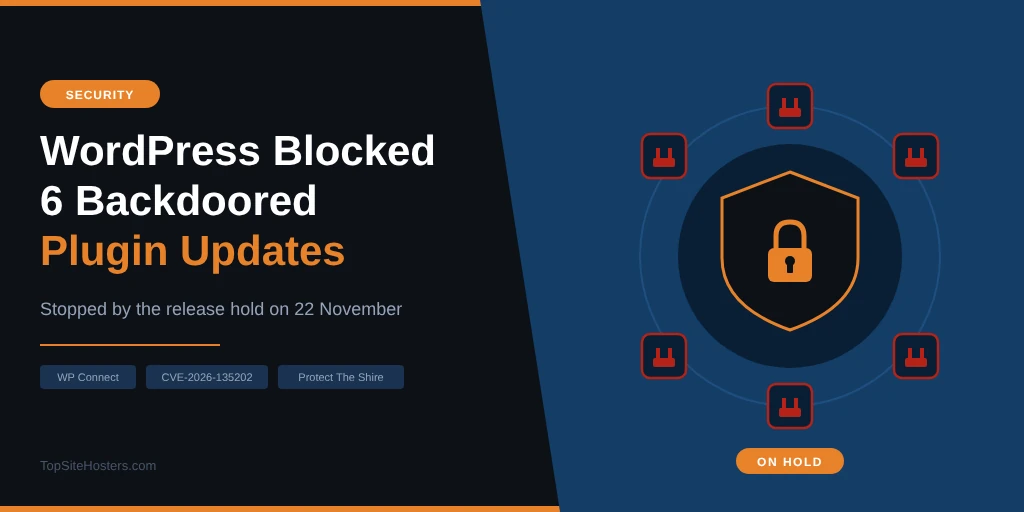
On the evening of 22 November, someone used a stolen developer account to push backdoored versions of six WP Connect plugins to WordPress.org. Within hours, the releases were held back and the plugins were closed. If you don’t run one of six small sync plugins for Airtable, Notion or Brevo, your site was never in the firing line.
The more interesting part is why it failed. WordPress.org changed how plugin updates reach your site this summer, and November’s attack is the clearest sign yet that the change works.
What Happened on 22 November
Between roughly 22:30 and 23:40 Norwegian time (4:30 to 5:40 PM US Eastern), new versions were committed to every plugin WP Connect hosts on WordPress.org. Air WP Sync came first, with four releases in about half an hour. The other five followed within minutes of each other. That’s nine backdoored versions in about seventy minutes.
The same evening, WordPress.org stopped the releases and closed all six plugins. Wordfence published the full details on 23 November and tracks the issue as CVE-2026-135202 with a severity score of 9.8 out of 10. If CVE numbers are new to you, this guide to CVEs explains how they work.
WP Connect itself was the victim here. The developer reports that its WordPress.org account was compromised, and the evidence points that way: every plugin from the account was hit in the same short window. How the attacker got in hasn’t been made public yet.
Which Plugins Were Affected
All six plugins connect WordPress to outside services, mostly Airtable and Notion. Together they had a little over 3,600 active installations. The table shows each plugin and the versions that contained the backdoor.
| Plugin | Slug | Backdoored versions |
|---|---|---|
| Air WP Sync (Airtable to WordPress) | air-wp-sync | 2.9.1 to 2.9.4 |
| WP Sync for Notion | wp-sync-for-notion | 1.7.4 |
| Add-on Brevo for Gravity Forms | addon-gravityforms-sendinblue-free | 2.6.3 |
| Add-On for Contact Form 7 to Airtable | add-on-cf7-for-airtable | 2.5.4 |
| Add-On for Contact Form 7 to Notion | add-on-cf7-for-notion | 1.6.4 |
| Orders Sync to Airtable for WooCommerce | orders-sync-to-airtable-for-woocommerce | 1.0.2 |
The release before each of these is clean. That doesn’t mean you can keep using the plugins, though. There’s no patched version, and closed plugins get no further updates, so any future security problem in them will stay open.
What the Backdoor Could Have Done
The attacker added one file, includes/airwp-online.php, and a single line in each plugin to load it. The file called itself an “Online module (Analytics & Auto Update)”, which sounds harmless enough to slip past a quick glance at the code.
It wasn’t harmless. On every page load, and every half hour through WordPress’s built in scheduler, the module sent details about your site and server to a remote server at tascredit-pay.com. That server could send back instructions, and the module would run them. The menu of instructions included:
- Running commands directly on the server
- Reading, changing and deleting files
- Copying database tables
- Exporting every user’s login, email address and password hash
- Planting a separate webshell, a hidden back door that keeps working on its own
- Adding an hourly task that runs attacker code even after the plugin is gone
None of it needed a login, and none of it showed up in your dashboard. That’s why the score is 9.8. It describes how bad things would be on a site running one of these versions, not how many sites were hit. In this case, that number should be close to zero.
How WordPress.org Caught It
On 5 June 2026, WordPress.org launched an initiative called Protect The Shire. The headline change was simple: every new plugin and theme release now waits before the update system offers it to sites. At launch the wait was up to 24 hours. Since mid July it has been closer to six.
That waiting time is used for review. A reviewer called Gandalf, an automated tool WordPress.org introduced with the initiative, looks at what changed in each release. Since September, every release also gets an automated security score from several AI models and Jetpack Scan. A release that scores as high risk is blocked automatically, and the developer has to fix it and publish a new version.
On 22 November, both layers did their job. According to Wordfence, Gandalf detected the malicious code on its own and halted the releases indefinitely. The hold meant those releases were never offered to auto updating sites in the first place.
Outside researchers spotted it too. Wordfence’s monitoring system, which compares each new plugin release against the previous one, flagged two of the plugins within a minute of each other. An independent researcher known as Computeronfire reported the Air WP Sync backdoor separately.
It isn’t the first catch, either. On 28 July, Wordfence flagged a backdoor in Advanced Responsive Video Embedder, a video plugin with about 20,000 installs, within two hours of it being added. That release was also still inside the hold, and WordPress.org confirmed it had not gone out through updates.
Why This Is Different From April
April went very differently. A buyer picked up a portfolio of 31 plugins on Flippa, slipped a backdoor into a routine update in August 2025, and switched it on eight months later. The code had been sitting on sites the whole time, delivered through normal updates. WordPress.org closed all 31 plugins on 7 April, but by then the damage was done. The full breakdown of the April attack covers how it unfolded.
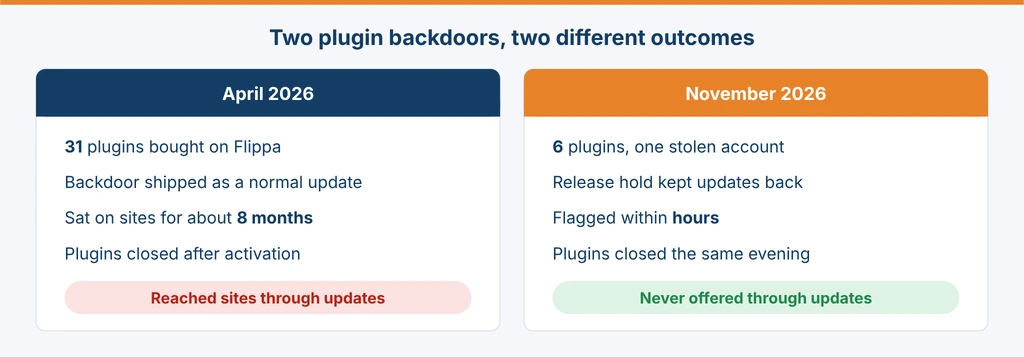
Two plugin backdoors, two different outcomes April 2026 31 plugins bought on Flippa Backdoor shipped as a normal update Sat on sites for about 8 months Plugins closed after activation Reached sites through updates November 2026 6 plugins, one stolen account Release hold kept updates back Flagged within hours Plugins closed the same evening Never offered through updates
November’s attack was cruder. A stolen account and a burst of commits on a Sunday evening is the kind of change the new review step exists to catch. Whether it would have spotted April’s quieter approach is harder to say, but the update channel is no longer the free pass it was in the spring.
The Gap the Hold Doesn’t Cover
The hold isn’t a wall around the whole plugin directory. It sits in the update check that your WordPress dashboard reads. Tagging a new version and making the zip file downloadable happen almost straight away, according to measurements by the security firm Patchstack.
So there was a short window on 22 November where someone installing one of these plugins fresh, or downloading the zip and uploading it by hand, could have received a backdoored version before the plugins were closed. That window was a few hours at most, on a Sunday night, for plugins with a few thousand users. The risk is small. It’s still the reason the checks in the next section are worth five minutes if you use any of these plugins.
The hold has a cost on the other side too. Security fixes wait in the same line as everything else. Patchstack counted 81 releases fixing known vulnerabilities that passed through the delay in July alone, including nine rated 9.0 or higher. It found no sign of attacks during those waits, but a fix that sits for six hours is a fix your site doesn’t have yet.
What You Should Check Now
Start with your plugin list. If none of the six plugins in the table is installed, you’re done. If one is, work through these steps:
- Check the version number against the table
- Delete the plugin, even if your version is clean, since it won’t get updates again
- Look in the
wp_optionstable for entries starting withairwp_, such asairwp_client_idandairwp_pending_cmd - Check scheduled tasks for
airwp_tick,airwp_persist_tickor any hourly task you don’t recognise - Look for unexpected PHP files in
wp-content/uploads/ - Ask your host whether your server made outgoing requests to tascredit-pay.com
If a backdoored version ever ran on your site, removing the plugin isn’t enough. Wordfence’s advice is to treat the site as compromised: run a full malware scan, change every admin password and reset your WordPress security keys. If the scan turns anything up, restoring from a clean backup is the safest fix. A good managed WordPress host makes this much easier, since daily backups and server malware scans are usually part of the plan.
If you relied on one of these plugins for syncing, you’ll need a replacement. Automation services such as Zapier or Make can cover simple sync jobs while you look for a plugin that is still maintained.
What Site Owners Are Asking
Was my site affected by the WP Connect backdoor?
Almost certainly not. The backdoored versions were never offered through WordPress updates, and the plugins were closed the same evening. The only realistic risk is a fresh install or manual zip upload of one of the six plugins on the night of 22 November.
What is Protect The Shire in WordPress?
It’s a security initiative WordPress.org launched in June 2026. New plugin and theme releases wait before the update system offers them to sites, and automated reviews check the changes during that wait. Releases that score as high risk are blocked until the developer fixes them.
Why do plugin updates take longer to show up now?
That’s the hold at work. A new plugin version can appear on its WordPress.org page several hours before your dashboard offers it. Since mid July the delay has usually been around six hours.
Is removing the plugin enough?
Only if a backdoored version never ran on your site. If one did, the backdoor could have planted a webshell or a scheduled task that keeps working after the plugin is deleted. Check for the signs listed above and treat the site as compromised if you find any.
Does This Make WordPress Safer?
For this kind of attack, yes. A stolen developer account used to be a direct route onto thousands of sites. Now it runs into a waiting room with an automated reviewer and a security industry watching the same releases. Two catches in one year, both before the code reached sites through updates, is a real track record.
It doesn’t make plugins risk free, and it doesn’t replace your own habits. November was a busy month for WordPress security, as the roundup of the WordPress 7.1.5 release and other November incidents shows. Fewer plugins, ones that are still maintained, and regular backups still matter.
You’ll still see the other version of this story. Every WordPress security incident now brings a wave of LinkedIn posts declaring the platform finished, often from people who sell a move to something else. Some of those posts raise fair points. This one would be a hard case to build on, though: the attack failed because of a defence WordPress.org added this year.
That doesn’t mean WordPress is right for every site. If you’re weighing it up, the decision comes down to cost, maintenance time and what your site needs to do, not one headline in either direction. The guide on whether you should leave WordPress walks through those trade offs.