What Is a CVE? CVE Numbers and CVSS Scores Explained
A CVE is the public ID number for a known security flaw, and the CVSS score next to it rates how serious the flaw could be.
A CVE is a public ID number for a known security flaw in software. CVE stands for Common Vulnerabilities and Exposures. When a flaw is found in WordPress, a plugin, PHP or your server software, it gets a number like CVE-2026-109618, so that everyone talking about it knows they mean the same problem.
The number on its own says nothing about how dangerous the flaw is. That’s the job of the CVSS score, which usually appears right next to it. Put the two together and you know what the flaw is and roughly how worried to be. Once you know how both work, security news gets much easier to read, and you can tell which warnings need your attention.
How a CVE Number Works
Every CVE ID follows the same format:
- CVE: the prefix, which never changes
- The year: usually the year the ID was assigned, which isn’t always the year the flaw was found or made public
- A sequence number: four digits or more, with no meaning beyond being unique
So CVE-2026-109619 is simply flaw number 109619 registered in 2026. A higher number doesn’t mean a newer or worse flaw, and two flaws with consecutive numbers can be in completely unrelated software.
Each CVE comes with a record: a short description of the flaw, the affected product and versions, and links to advisories and fixes. That record is what security tools, hosts and plugin developers all refer back to.
Who Assigns CVE Numbers?
The CVE program started in 1999. It’s run by MITRE, a US nonprofit, and sponsored and funded by the US Cybersecurity and Infrastructure Security Agency (CISA).
MITRE doesn’t hand out every number itself. More than 500 approved organisations in 42 countries, called CVE Numbering Authorities (CNAs), can assign IDs for flaws in their own products or in the area they cover. Software makers such as Microsoft and Google are CNAs, and so are security companies.
For WordPress, that matters a lot. Security companies including Patchstack, Wordfence and WPScan are CNAs, which is why plugin flaws often get a CVE within days of being reported. In 2025, Patchstack assigned more CVEs than any other organisation, over 7,000, most of them for WordPress plugins and themes.
The program had a scare in April 2025, when its US government contract nearly ran out and CISA extended it at the last minute. The contract has since been renegotiated, and the program is reported to have its own line in CISA’s budget, so a repeat is less likely. Europe has also taken a bigger role: the EU’s cyber security agency ENISA launched the European Vulnerability Database in May 2025, and since November 2025 it has overseen the European numbering authorities that choose to join it.
Where to Look Up a CVE
You can search any CVE ID on three main public sites:
- cve.org: the official CVE record, with the description and affected versions
- The National Vulnerability Database (NVD): run by the US agency NIST, which adds extra details such as affected product lists
- The European Vulnerability Database (EUVD): run by ENISA, which lists the same flaws with its own EUVD IDs
Don’t be surprised if a recent CVE looks thin on the NVD. Since April 2026, NIST has prioritised its extra analysis for flaws in software the US government uses, critical software, and flaws known to be exploited. Everything else is still listed, but often only with the details the CNA supplied. For WordPress plugins, the advisory from Patchstack, Wordfence or WPScan is usually the most useful source.
What Is a CVSS Score?
CVSS stands for Common Vulnerability Scoring System, and it’s maintained by FIRST, a global organisation of security response teams. It rates a flaw from 0 to 10 based on how it can be used: whether an attacker needs to log in, whether they can attack over the internet, how complex the attack is, and how much damage it can do.
The score falls into one of five severity levels:
| CVSS score | Severity | What it usually means |
|---|---|---|
| 9.0 to 10.0 | Critical | Attackers can often take over a site or server without logging in |
| 7.0 to 8.9 | High | Serious damage is possible, sometimes with a few conditions |
| 4.0 to 6.9 | Medium | Harder to exploit, or more limited damage |
| 0.1 to 3.9 | Low | Minor impact or very unlikely to be used |
| 0.0 | None | No real security impact |
Two versions are in common use. CVSS 3.1 still appears on many advisories, while CVSS 4.0, released in November 2023, is used more and more for new flaws. The severity levels are the same, but the same flaw can score slightly differently under each version, so a score of 9.2 in one advisory and 9.8 in another isn’t necessarily a mistake.
The score you see in the news is almost always the base score. It describes the flaw itself, not your situation. CVSS 4.0 lets organisations add details about active attacks and their own setup to get a more realistic number, but most public advisories don’t include those.
Why There Are So Many CVEs
The number of CVEs is rising fast. In 2025, 48,185 were published, about 21% more than in 2024. By mid September 2026, more than 67,000 had already been published, and projections put the full year at around 96,000.
WordPress makes up a big share. Patchstack counted 11,334 new vulnerabilities in the WordPress ecosystem in 2025, 42% more than the year before. Plugins accounted for 91% of them, themes for 9%, and WordPress itself for just 6 low priority reports. Almost half had no fix available when they were made public.
That volume is why you can’t treat every CVE as an emergency. Across all software in 2025, around 39% of scored CVEs were rated high or critical. You can’t react to every one of them, so what counts is knowing which ones apply to you.
Real Examples From October 2026
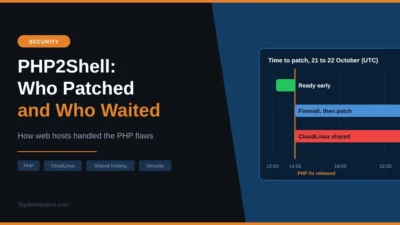
The PHP2Shell flaws show a CVE and its score working together. CVE-2026-109618 and CVE-2026-109619 were each rated 9.2, which is critical. They let attackers run their own code on a server without logging in, and PHP told everyone to update straight away. Our article on the PHP security release covers what to do.
A few days later, PHP announced CVE-2026-115560. It can also lead to code execution, but only with an unusual combination of settings and code. PHP called it an unlikely risk and is fixing it in a normal release instead of an emergency one. Same type of flaw, very different urgency.
WordPress plugins show the opposite problem. In October 2026, a flaw in the Bricksforge plugin scored the maximum 10.0. Two flaws in Ninja Forms and WPC Product Bundles scored only 7.1, yet attackers were already using them to plant hidden admin accounts on real sites.
What a CVSS Score Doesn’t Tell You
A score measures how bad a flaw could be. It doesn’t measure your actual risk. Three questions matter more for your site:
- Do you use the affected software? A 10.0 in a plugin you don’t have means nothing to you
- Is your version affected? Every CVE lists affected and fixed versions, so check yours
- Is it being exploited? A 7.1 flaw that attackers are using today is more urgent than a 9.0 flaw nobody has touched
For that last question, two free sources help. CISA’s Known Exploited Vulnerabilities (KEV) catalog lists flaws with confirmed attacks. The Exploit Prediction Scoring System (EPSS), also run by FIRST, estimates how likely a flaw is to be exploited in the next 30 days. Speed matters here too: Patchstack found that about half of high impact WordPress flaws in 2025 were exploited within 24 hours.
CVEs also only cover flaws that are known and reported. They don’t cover trusted software that’s been deliberately tampered with, such as a supply chain attack, until someone reports it.
How to Use CVEs as a Website Owner
You don’t need to read every advisory. A few habits cover most of the risk:
- Keep WordPress, plugins and themes updated, since most CVE fixes arrive as normal updates
- Use a security plugin or service that checks your plugins against known CVEs and warns you
- Remove plugins you don’t use, so fewer CVEs apply to you in the first place
- When a CVE makes the news, search the ID to find the affected versions and the fix
- For server software such as PHP, check whether your host has patched it, as you usually can’t do that yourself on shared hosting
A web application firewall can also block attacks on known CVEs before you’ve had time to update. That buys you time when a critical flaw goes public on a Friday evening.
Common Questions About CVEs
What does CVE stand for?
Common Vulnerabilities and Exposures. It’s a public list of known security flaws in which each flaw gets its own ID.
Is a CVE the same as a vulnerability?
Not quite. The vulnerability is the flaw itself. The CVE is the ID number given to it, so people can refer to it without confusion.
What is a CVSS score of 9.8?
It’s critical, close to the maximum of 10. A score this high usually means an attacker can take control over the internet without logging in, so update as soon as a fix is available.
Does every flaw get a CVE?
No. Only flaws reported to a CVE Numbering Authority get one. Some vendors fix problems quietly, and some flaws are never reported at all.
Where can I check if a CVE affects my site?
Look up the ID on cve.org, or in the advisory from Patchstack, Wordfence or WPScan for WordPress plugins, then compare the affected versions with what your site runs. Security plugins can do this check for you automatically.