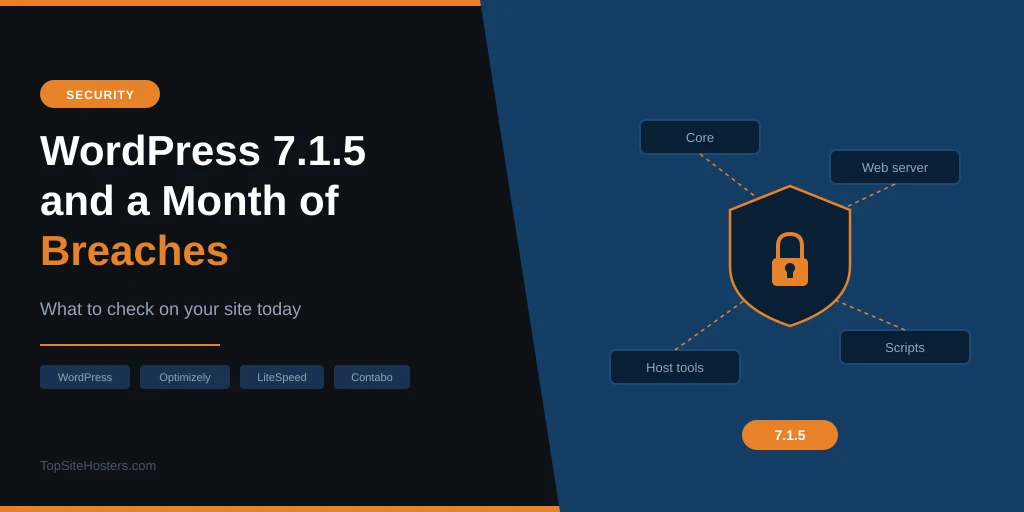
WordPress 7.1.5 came out on 18 November with 20 security fixes. If your site hasn’t picked it up yet, install it today. The worst bug could let someone with no account on your site run their own code, and it arrives at the end of a month when hosts, security tools and even marketing scripts were hacked. Updating takes a minute. The checks further down take a bit longer, but they cover the parts of your site WordPress can’t patch.
Updating WordPress won’t cover everything this month, though. Since early November, attackers have broken into a shared server through one customer’s outdated site, stolen logins from a host’s file manager, hijacked a security tool’s updates, planted a card skimmer in a marketing script used by 178 big brands and got into a VPS provider’s internal systems. Hardly any of that went through WordPress itself.
Start with the release, then work down to the hosting side, where most of November’s damage happened.
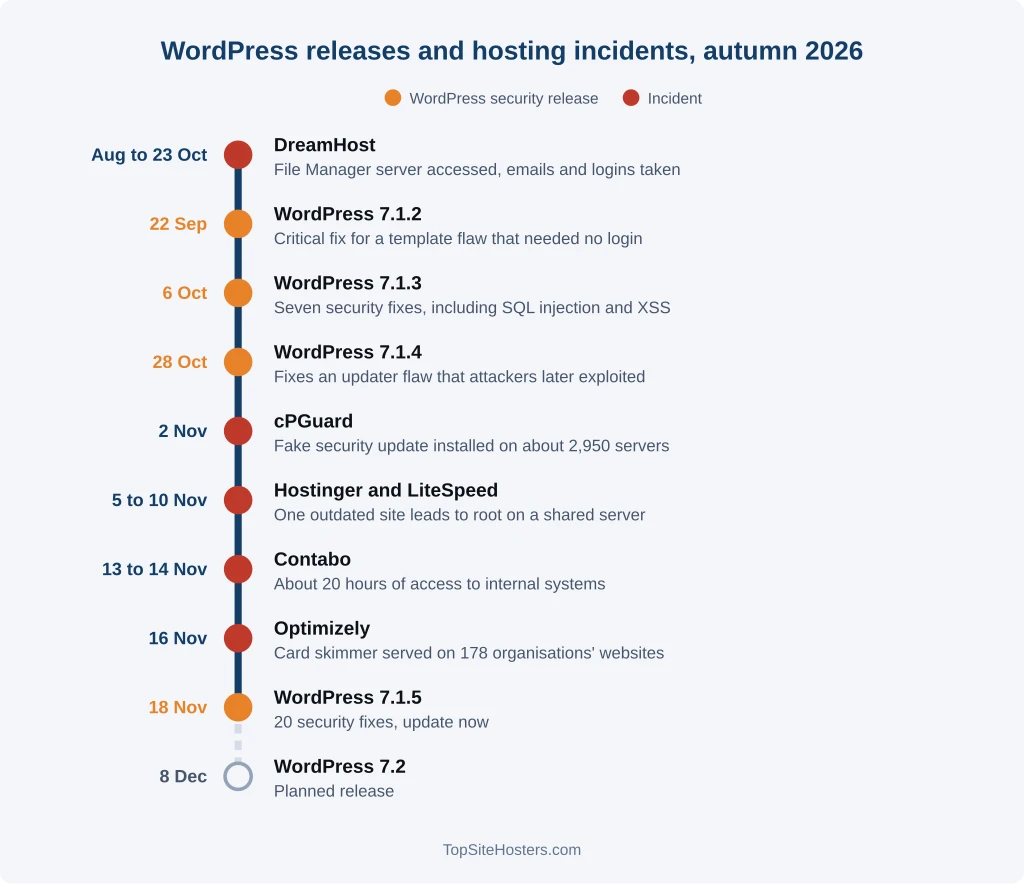
What WordPress 7.1.5 Fixes
The worst bug was in the Template Part block, which WordPress uses for headers, footers and other shared parts of a layout. Someone with no account on your site could use it to give themselves extra permissions, and from there possibly run their own code on your server. Bugs that need no login get scanned for within days of a release, so this one shouldn’t wait.
Two other fixes stand out:
- A Multisite flaw that let the administrator of one site take over the Super Admin account for the whole network
- Two SQL injection flaws, one in the Customizer and one in how WordPress builds certain database queries
Most of the remaining fixes deal with cross site scripting and small data leaks. Several need an Author or Contributor account, so they’re more relevant if other people write for your site. Two didn’t need an account at all: one exposed private taxonomy terms, and the other let visitors store harmful code through shortcodes in comments.
Your site will probably update itself. WordPress installs minor releases like 7.1.5 in the background unless you or your host turned that off. Older branches that still get security patches are receiving the same fixes, so a site on 6.9 gets 6.9.12. Some of those backports are still on their way, so check your version instead of assuming you’re covered.
It’s also the second core security release in three weeks. If you skipped the first, our post on WordPress 7.1.4 and the updater flaw explains why attackers were already using that bug.
Hostinger and the LiteSpeed Flaw
On 5 November, an attacker got onto one of Hostinger’s shared servers in Phoenix through an outdated content management system on a single customer’s website. Hostinger’s own software played no part in the first step.
The attacker then found an unknown flaw in LiteSpeed Web Server and used it to break out of CloudLinux CageFS, which keeps each account on a shared server separate from the rest. That gave them root access to the whole machine. Hostinger says they ran code or read credentials on about 400 accounts on that server.
Hostinger’s monitoring caught the activity on 8 November. The company declared an incident and published a report the next day. LiteSpeed released a fix in version 6.3.7 Build 9 on 10 November, and Hostinger had it on all its shared servers that afternoon.
Other hosts should pay attention too. LiteSpeed powers a large share of cheap shared hosting, and this year it has had more than one flaw that broke account isolation. We wrote about an earlier case in this post on the LiteSpeed shared hosting flaw. On a shared server, an outdated site three accounts over can become your problem.
DreamHost and cPGuard: Trouble Inside the Host
Two incidents this month started in software the host runs, not the customer.
DreamHost. From August until 23 October, an intruder had access to the server behind DreamHost’s web based File Manager. They took customer emails and login details, including FTP, SFTP and webmail credentials, plus session tokens that keep users logged in. DreamHost says well under 10% of hosted accounts were affected. It reset some passwords during an outage that lasted several days and disclosed the breach at the end of October.
cPGuard. cPGuard is a security suite that many smaller hosts install on their Linux servers. On 2 November, an attacker got into the company’s update system and pushed out fake updates. About 2,950 servers installed them in a little over 70 minutes. The fake update ran as root, sent passwords and SSH keys to the attacker and left a hidden root shell on each server. The vendor tells affected customers to update to 5.88.26 or later and reset every password and key on those servers.
You’d never spot either of these from your WordPress dashboard. When your host emails you about an incident, read the whole thing and change the passwords it mentions, even if your site seems fine.
Optimizely and the Scripts You Load
On 16 November, an attacker abused a flaw in the signup process for Optimizely’s Web Experimentation product, which companies use to test different versions of their pages. They added malicious JavaScript to the projects of 178 organisations, including the BBC, CNN, Zoom, Salesforce and IKEA.
The code came from Optimizely’s own servers, so every visitor to those sites loaded it. Security researchers found a card skimmer in it, plus code that swaps cryptocurrency wallet addresses. Optimizely says fewer than 5% of its customers were affected and no other product was hit. It has fixed the flaw and removed the code, but its status page still listed the incident as unresolved on 18 November.
Chances are your site doesn’t use Optimizely. It almost certainly loads something from another company, though, like analytics, a chat widget, a cookie banner or an ad tag. If that company gets hacked, the code on your pages changes without you touching a thing. That’s how a supply chain attack works. We’re publishing a full guide to checking and trimming third party scripts this week.
Contabo
Contabo, the German VPS host, confirmed that someone had access to part of its internal systems for about 20 hours on 13 and 14 November. It reset the VNC console password on every customer server and posts a new update each day at 14:00 CET. So far it has found no sign that personal data leaked.
Running a Contabo server? Our Contabo incident guide has the full timeline and checks for both Linux and Windows.
What to Check on Your Site Today
Most of this takes a few minutes. The backup test takes longer, so put it in your calendar if you can’t do it now.
- Check your WordPress version. Go to Dashboard, then Updates. You want 7.1.5, or the newest release in your branch if you’re on an older one.
- Keep automatic minor updates switched on. The same screen shows whether they are. If your host handles updates, ask whether 7.1.5 is already installed.
- Update plugins and themes, and delete the ones you don’t use. A deactivated plugin can still be attacked while its files sit on the server.
- Ask your host about LiteSpeed. On shared hosting, send support one line asking whether your server runs LiteSpeed 6.3.7 Build 9 or later.
- Change your FTP, SFTP and webmail passwords if you’re with DreamHost, or anywhere your host has asked you to.
- Go through the outside scripts on your site. Drop anything you no longer use. Keep only scripts from companies you’d trust near your checkout page.
- Test a backup. Keep at least one copy away from your host and make sure it restores. Early this month, ransomware hit three hosts in Russia and Belarus and took thousands of sites offline. At one of them, the backups were wiped too.
For the full list of settings that make a WordPress site harder to break into, see our guide on how to secure a WordPress site.
More Updates Are Coming
Expect more news before the year is out:
- WordPress 7.2 is due on 8 December, and its second release candidate already includes the 7.1.5 fixes.
- Backports for older WordPress branches are still coming out.
- Optimizely still lists its incident as open.
- Contabo is still investigating and posting daily.
Hosts and the software around them have been a favourite target all year. You can keep WordPress, plugins and your own scripts up to date yourself. The server software and the host’s own tools are out of your hands, so the best you can do there is pick a host that patches fast and tells you promptly when something goes wrong.
Common Questions About This Month’s Security Updates
Does WordPress 7.1.5 install automatically?
On most sites, yes. WordPress installs minor security releases in the background unless you, a plugin or your host turned automatic updates off. Look under Dashboard, then Updates, to be sure.
I’m on an older version like 6.9. Am I covered?
Only once your branch gets its backport. The fixes are going to every branch that still receives security patches, so 6.9 gets 6.9.12, but some backports haven’t shipped yet. Moving to 7.1.5 is the safer choice, since only the latest version gets full support.
How do I know if my site loaded the hacked Optimizely script?
If you don’t have an Optimizely account, your site wasn’t affected. If you use Optimizely Web Experimentation, check your project’s custom JavaScript for anything added on 16 November and get in touch with Optimizely. The company says it has contacted affected customers directly.
How can I tell whether my host has patched LiteSpeed?
Hosting panels rarely show the web server version. Ask support whether your server runs LiteSpeed 6.3.7 Build 9 or later. A good host will answer within a day.
Should I move hosts after a breach?
Not straight away. Every large host gets attacked sooner or later. Look at how it handled the breach. A host that was slow to notice or vague about what happened gives you a better reason to leave than the breach itself.