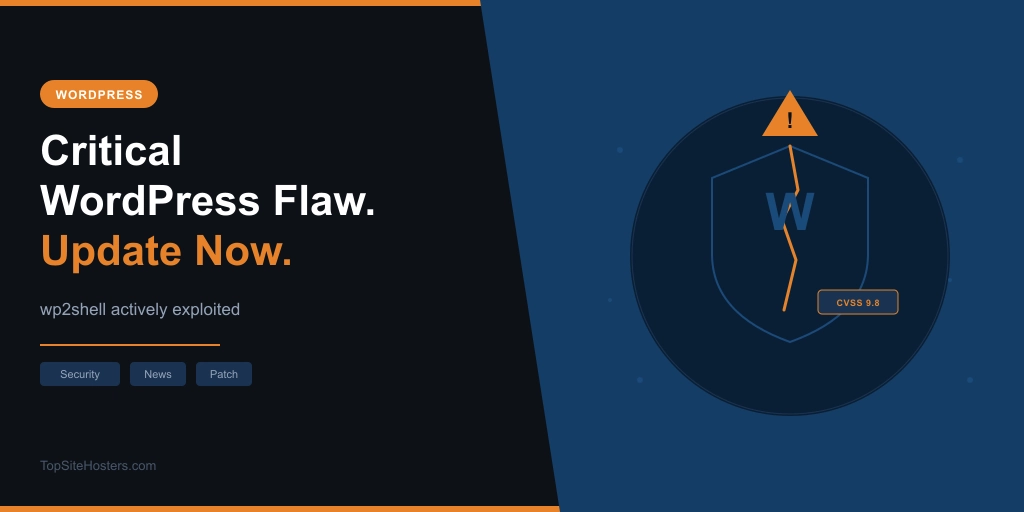
On July 17, 2026, WordPress released an emergency security patch for a vulnerability chain that allows anyone on the internet to take over a WordPress site without logging in. No account needed. No plugins required. A bare WordPress install with nothing else on it is exploitable.
Active exploitation was confirmed by multiple security firms on July 20. If your site is running WordPress 6.8, 6.9, or 7.0 and you haven’t checked your version since last week, stop reading and check first.
What Is wp2shell?
wp2shell is the name given to a two-vulnerability chain discovered by Adam Kues at Searchlight Cyber and responsibly disclosed to the WordPress Security Team.
The first flaw, CVE-2026-63030, is a critical bug in WordPress’s REST API batch endpoint (/wp-json/batch/v1). This endpoint has existed in WordPress core since version 5.6 in 2020 and something changed in 6.9 that opened a route validation gap, allowing anonymous requests to bypass access restrictions. CVSS score: 9.8.
The second flaw, CVE-2026-60137, is an unauthenticated SQL injection in WordPress core that was previously only reachable by logged-in users. CVE-2026-63030 unlocks it for anyone.
Chained together, they allow a remote attacker with no account and no preconditions to run arbitrary commands on your server. That means reading your database, stealing credentials, installing backdoors, or taking the site offline. The researcher’s own summary: “no preconditions and can be exploited by an anonymous user.”
Searchlight Cyber has withheld the full exploit details to give administrators time to patch.
Which WordPress Versions Are Affected?
The two flaws affect different version ranges, and it matters for knowing which patch you need.
| WordPress Version | Vulnerable To | Fix |
|---|---|---|
| 6.8.x | SQL injection (CVE-2026-60137) only | Update to 6.8.6 |
| 6.9.0 through 6.9.4 | Both flaws, full RCE | Update to 6.9.5 |
| 7.0.0 through 7.0.1 | Both flaws, full RCE | Update to 7.0.2 |
Sites on 6.8 are not exposed to the full remote code execution chain, but unauthenticated SQL injection is still a serious breach on its own. It exposes your database contents: user records, password hashes, email addresses, anything stored in your WordPress tables. The fix is 6.8.6, not 6.9.5 or 7.0.2.
Sites on 6.9 or 7.0 are exposed to the full chain and should treat this as urgent.
Active Exploitation Has Started
This isn’t theoretical. TechCrunch reported confirmed active exploitation on July 20, citing multiple cybersecurity firms. Proof-of-concept exploits are circulating. watchTowr CEO Benjamin Harris noted that unauthenticated SQL injection and RCE in WordPress core are uncommon and that the first real-world attacks were already visible.
The speed of exploitation is the other concern. A caching plugin flaw earlier this year had attackers inside 17,000 sites before most administrators had read about it. WordPress core vulnerabilities with public checker tools and known CVE IDs move faster, not slower.
This is the third significant WordPress security incident in 2026, following the April plugin supply chain attack and the Awesome Motive CDN compromise in June. The pattern is worth noting.
What to Do Right Now
Check your version first. Go to Dashboard > Updates in your WordPress admin. The version shown in the top left of your admin panel should read 7.0.2 (if you’re on the 7.x branch), 6.9.5 (if you’re on 6.9.x), or 6.8.6 (if you’re on 6.8.x).
WordPress enabled forced automatic updates for vulnerable installations on July 17. But it hasn’t confirmed whether this reaches sites that had auto-updates turned off. Don’t assume the update happened. Check the version number directly.
If you’re not on a patched version, update immediately through Dashboard > Updates or via WP-CLI if you have server access.
After updating, check for signs of compromise, particularly if there was any delay between July 17 and when you patched. Look for new administrator accounts you didn’t create, unfamiliar plugins in wp-content/plugins/ (including ones that don’t show in the admin panel), and any recent changes to core files. If you don’t have a recent backup in place, now is a good time to set one up before the next incident arrives.
If You Can’t Update Immediately
Update is the only real fix. That said, if there’s a reason you can’t update right now, two interim measures reduce your exposure.
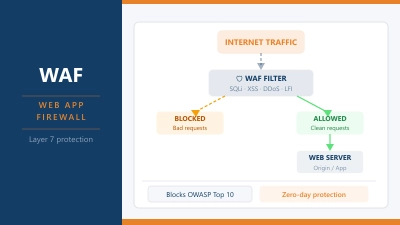
At a WAF or server level, block both /wp-json/batch/v1 and requests with rest_route=/batch/v1 as a query parameter. Both paths need to be blocked. Blocking only one leaves the other open. Our WAF explainer covers how these rules work if you’re setting this up for the first time.
Alternatively, disable unauthenticated REST API access wholesale. This will break some integrations and plugins that rely on open REST access, so test before deploying on a live site.
Searchlight Cyber also released a temporary drop-in plugin at wp2shell.com that requires authentication before any batch API requests are processed.
All of these are stopgaps. Update as soon as you can.
What About Managed WordPress Hosting?
If you’re on a managed WordPress host, your situation is different.
Providers like Kinsta, Rocket.net, WP Engine, and WordPress.com manage WordPress core updates centrally across their infrastructure. Security patches of this severity are applied to their entire fleet, typically within hours of a release. You’re not waiting for auto-updates to run on your individual installation; the host pushes the fix from their end.
If you’re on one of these platforms, your site was almost certainly patched before you read about this. Still worth confirming by checking your WordPress version in the admin panel.
WordPress.com sites are managed directly by Automattic, the company behind WordPress itself. Core patches are applied automatically and WordPress.com installations were never in the vulnerable population in the same way self-managed sites are.
For everyone else on shared or self-managed hosting, the version check in Dashboard > Updates is the one thing to do today.
WordPress released 7.0.2 alongside this emergency patch. If you want to understand what else came with the 7.0 release, the WordPress 7.0 post covers it.