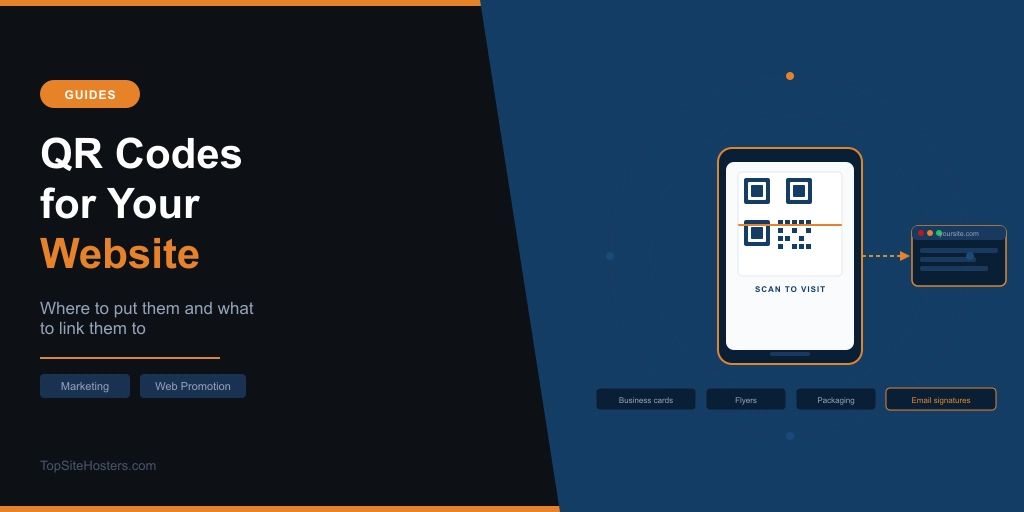
Every time someone sees your business card, flyer, or product packaging, there’s a gap between that moment and the moment they visit your website. Most people won’t type a URL from memory. Some will mean to look it up later and forget. A QR code closes that gap instantly.
One scan from a smartphone camera and they’re on your site. No typing, no searching, no forgetting. That’s the entire value proposition, and it’s why QR codes have become a practical tool for site owners rather than a novelty.
Our QR code generator creates one for free in seconds. But knowing where to put it and what to link it to is what makes the difference between a code that drives traffic and one that gets ignored.
What a QR Code Actually Does
A QR code (Quick Response code) is a scannable image that stores a URL. When someone points their smartphone camera at it, the phone reads the code and opens the linked page in the browser. No app required on modern smartphones. Both iOS and Android handle QR codes natively through the default camera.
The practical benefit is friction removal. A printed URL requires the person to type it correctly, remember to do it later, and actually follow through. A QR code requires one gesture. That difference in effort is significant for conversion, particularly in contexts where someone is busy, on the move, or only mildly curious.
Over 2.2 billion people scan QR codes worldwide, and the numbers have grown sharply since smartphones made scanning effortless. For a small business or independent website owner, this is accessible technology that requires no technical knowledge and no significant investment.
Static vs Dynamic: Which One Do You Need?
This is the most important thing to understand before you create your first QR code, and most guides bury it.
Static QR codes have the destination URL encoded directly into the image. The URL is permanent. If you want to change where the code points, you need to generate a new code and reprint anything it appears on. Static codes are free to generate, work forever with no ongoing account needed, and are perfectly fine for permanent uses.
Dynamic QR codes work differently. The code points to a redirect URL managed by the QR code platform. The final destination can be changed at any time without touching the printed code. Dynamic codes also typically include scan tracking, showing you how many scans happened, when, and from which locations.
For most site owners starting out, a static code is the right choice. Generate it, test it, print it. If your homepage URL is not changing and you don’t need tracking data, static covers everything you need.
Dynamic codes make sense when you’re printing in volume and might want to update the destination later, when you’re running a time-limited campaign with a specific landing page, or when knowing how many people scanned is genuinely useful data for you.
What to Link Your QR Code To
The homepage is the default choice and often the wrong one. The more specific the destination, the better the result.
Think about what you want the person scanning to do. Then link directly to the page where they can do it, not to the page they’d have to navigate from.
To drive general traffic or introduce your business: link to your homepage or about page. Fine for business cards and general marketing materials.
To get enquiries or bookings: link to your contact page or booking form. Someone scanning a code at a networking event or on a leaflet through their door is much more likely to enquire if they land directly on a contact form rather than having to find it.
To grow your email list: link to your newsletter signup page or a lead magnet landing page. Put the QR code on packaging, receipts, or in-store signage where customers already have a positive association with your brand.
To collect reviews: link directly to your Google Reviews page or Trustpilot profile. A QR code on a receipt or café counter that goes straight to the review form converts significantly better than one pointing to the homepage with a vague “leave us a review” note alongside it.
To promote a specific offer: create a dedicated landing page for the offer and link the QR code to that. This also makes tracking much cleaner.
Where to Put Your QR Code
The placement should match the context and the goal.
Print materials are the most common and most effective use. Business cards, flyers, menus, brochures, product packaging, invoices, receipts, and thank you cards inside orders. Any physical touchpoint where a customer or prospect is already engaged with your brand is a good candidate. The moment someone is holding your business card is the moment they’re most likely to visit your site.
Your premises. Counter cards, window stickers, A-frames outside the door, wall signage in a waiting area. Particularly useful for prompting reviews or social follows. A QR code in a hair salon, coffee shop, or any service business that says “Enjoyed your visit? Leave us a review” and links directly to Google Reviews is one of the highest-converting placements available to a small local business.
Digital documents. Email signatures, PDF proposals, slide decks, and downloadable guides. Less obvious but genuinely practical. A QR code in a PDF proposal gives the recipient a one-tap route to your portfolio or booking page. A code in an email signature works for people reading email on desktop who might scan with their phone to access something on mobile.
Merchandise and packaging. If you sell physical products, a QR code inside the packaging, on a thank you card, or on the product itself drives repeat visits and can prompt reviews from customers who’ve had time to try the product.
Your website. You can also place a QR code on the website itself. A code on your contact page that saves your phone number or address directly to a visitor’s contacts removes a friction point entirely. On a desktop site, a QR code linking to the current page lets visitors pull it up on their phone without typing the URL or emailing themselves a link. It works in the opposite direction to most QR code use cases but solves a real problem: someone browsing on a desktop who wants to continue on mobile.
A Few Things Worth Getting Right
Size. A QR code printed too small won’t scan reliably. The practical minimum for most print uses is about 2.5cm x 2.5cm. If the code will be viewed from a distance, such as on a window sticker or A-frame, go larger.
Test before you print. Always scan the finished code on at least two devices before committing to any print run. Test on both iOS and Android if you can. Verify the destination loads correctly and is the right page.
Add a call to action. A bare QR code with no context underperforms. A short line like “Scan to visit our website” or “Scan to book a table” tells people what they’ll get and increases the likelihood they’ll scan. Curiosity alone is not as reliable a motivator as a clear benefit.
Check the destination on mobile. The person scanning is on their phone. If the page they land on isn’t mobile-friendly, the QR code has done its job and your website has undone it. Run a quick check on your landing page from a mobile browser before printing anything. If the page loads slowly, uncompressed images are usually the cause. Our image compressor reduces file sizes without visible quality loss.
Track with UTM parameters. If you use Google Analytics, add UTM parameters to your QR code URL before generating the code. Our UTM builder makes this straightforward. A URL like yoursite.com/?utm_source=business-card&utm_medium=qr-code tells Analytics exactly how much traffic came from that specific placement. Useful if you’re using QR codes across multiple materials and want to know which ones are actually working.
Frequently Asked Questions
Are QR codes free to make? Static QR codes are free to generate. Our QR code generator creates them at no cost. Dynamic QR codes with tracking and editable destinations are available through platforms like QR Code Generator, Bitly, and Beaconstac, some of which have free tiers and paid plans for higher usage.
Do QR codes expire? Static QR codes do not expire. The URL is encoded directly in the image and will work as long as the destination page exists. Dynamic QR codes depend on the platform that hosts the redirect. If you stop paying for a dynamic QR code service and close your account, the codes may stop working.
Can I change where a QR code links to after printing? Not with a static QR code. The destination is fixed at creation. With a dynamic QR code, you can change the destination at any time without reprinting, because the code points to a redirect managed by the platform rather than directly to your URL.
How do I track how many people scan my QR code? Dynamic QR codes typically include scan analytics built into the platform. For static codes, the cleanest tracking method is adding UTM parameters to the destination URL and monitoring traffic in Google Analytics under the source you defined.
Do people need an app to scan a QR code? No. Modern smartphones read QR codes natively through the default camera app. iPhone users running iOS 11 or later and Android users on most current devices can simply open their camera, point it at the code, and tap the notification that appears. No separate scanning app is needed.