WooCommerce can technically run on any WordPress host. That’s the honest answer most guides skip straight past on their way to a sponsored top ten list. The longer answer is where it actually gets useful.
Because the real question isn’t whether WooCommerce will install. It will. The question is whether your hosting can handle what running a real store actually demands, and that’s a meaningfully different thing.
WooCommerce
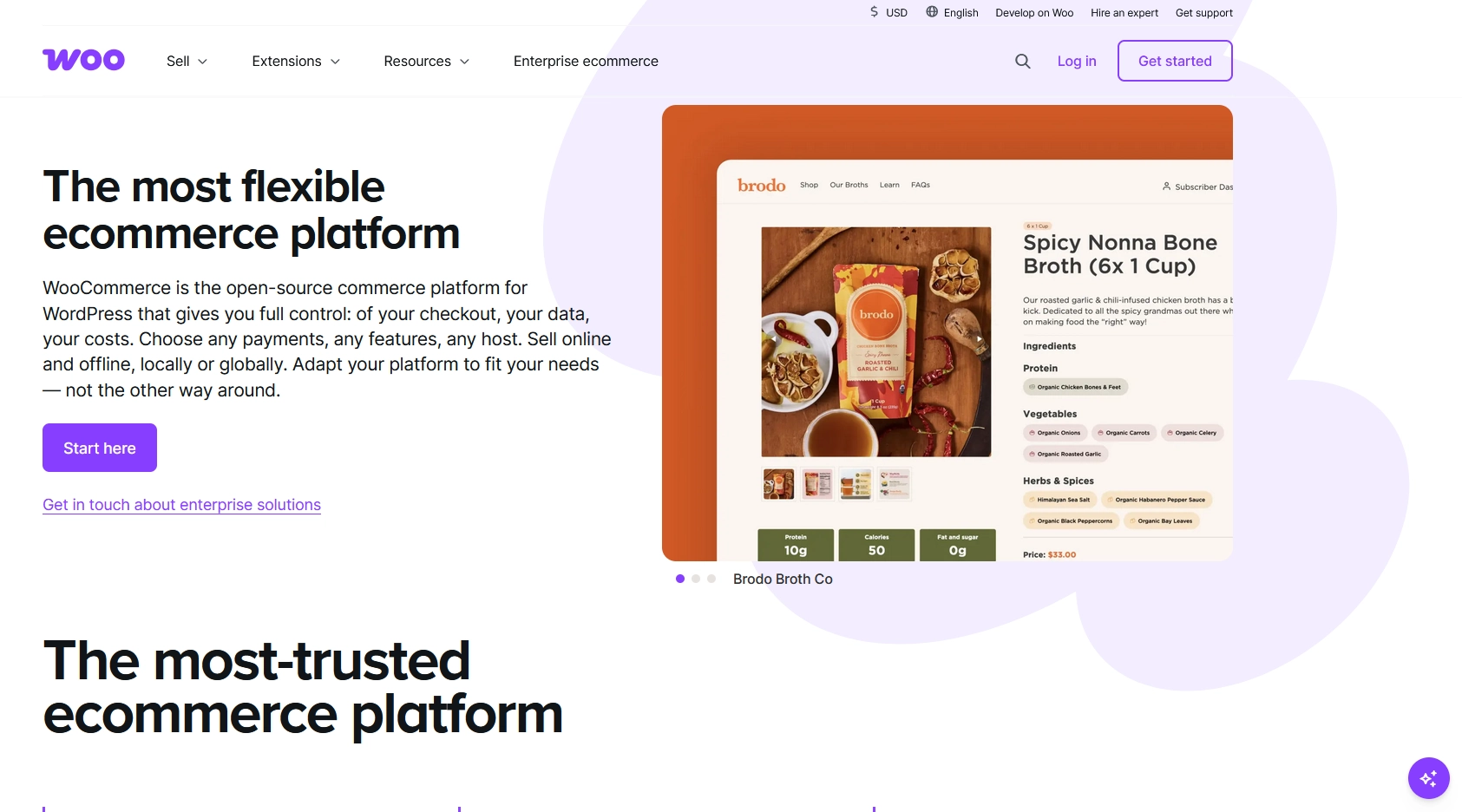
WooCommerce is a WordPress plugin. Not a standalone platform, not a separate piece of software. A plugin you install on an existing WordPress site to turn it into an online store. It’s free to download and powers roughly a third of all ecommerce stores on the web.
Because it runs on WordPress, it inherits everything about your hosting setup: your server speed, your resource limits, your uptime record. Whatever your host gives your site, your store gets too. That dependency is what makes hosting choice more consequential for a store than for a blog.
So What Is WooCommerce Hosting?
Most of the time, it’s a marketing label.
When a host advertises WooCommerce hosting, it usually means managed WordPress hosting with WooCommerce pre-installed and a few extras aimed at online stores: free SSL, one-click store setup, maybe a starter theme. That’s not a bad thing. Pre-configuration saves time, and managed hosting does make day-to-day life easier.
But the label alone doesn’t mean the underlying server is tuned for ecommerce workloads. Some hosts genuinely configure their infrastructure around what WooCommerce demands. Others have added a checkbox to their onboarding form and called it a product.
Knowing the difference matters once your store starts getting real traffic.
Why Standard Hosting Can Let You Down
A blog or a simple brochure site is relatively easy on a shared server. Most of the content doesn’t change between visits, so it can be cached: stored ready to serve without the server doing much work each time. WooCommerce doesn’t work like that.
Database load. Every product page view, every cart update, every checkout process hits your database. Stock levels, pricing, customer records, order history: it’s all live data being read and written constantly. On a shared server, that database competes with dozens of other websites doing the same. Under any real load, things slow down.
Caching conflicts. Standard full-page caching works by saving a snapshot of a page and serving the same snapshot to every visitor. That’s fine for a homepage. It’s a problem for a checkout page. If a cached version of your cart gets served incorrectly, you’re looking at stale pricing, wrong stock levels, or session data that doesn’t belong to the current customer. Hosting that understands WooCommerce will automatically exclude cart, checkout, and account pages from full-page caching. Standard hosting often doesn’t, and the consequences aren’t always obvious until something goes wrong.
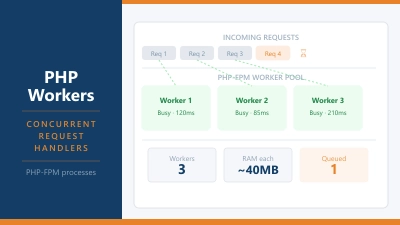
PHP workers. This is the one that catches people out most. A PHP worker is the process that takes your site’s code and turns it into a page a browser can display. Each visitor request uses one worker. If your hosting plan comes with two workers and three customers hit checkout at the same time, one of them waits. On a quiet store, barely noticeable. On a store running a promotion, it’s how you get abandoned carts with no obvious explanation. Five to ten PHP workers is a sensible baseline for a live store. Shared plans often come with far fewer, and many hosts don’t advertise the number at all.
What to Look for in a WooCommerce Host
Skip the marketing copy. These are the five things that actually matter:
- PHP 8.2 or later
- WooCommerce performs noticeably better on newer PHP versions. Any reputable host supports this in 2026, but it’s worth confirming before you commit.
- Object caching (Redis or Memcached)
- This stores the results of database queries in memory so the same query doesn’t run from scratch every time a page loads. One of the most effective speed improvements for a WooCommerce store, and some hosts charge extra for it.
- Caching that excludes cart and checkout pages
- Ask specifically. This is non-negotiable for a real store.
- Enough PHP workers
- Ask the number. A host that can’t or won’t answer that question clearly isn’t a great fit for a production store.
- Automatic daily backups
- A store creates new orders, new customer data, and new inventory changes constantly. Weekly backups aren’t enough.
Free SSL and a CDN are worth having too, but treat them as expected inclusions in 2026 rather than reasons to pick one host over another.
Shared Hosting vs Managed WooCommerce
The honest answer: shared hosting is fine to start on.
If you’re launching with a small product catalogue and modest traffic expectations, a solid shared hosting plan will handle it without issue. The friction appears when your store starts growing:
- You’re running promotions that spike traffic suddenly
- You have hundreds of products with regular stock updates
- Checkout times are noticeably slow
- You’re seeing abandoned carts without an obvious cause
That’s the point where moving to a managed WooCommerce plan pays for itself. Entry-level managed WooCommerce hosting typically runs $15 to $40 per month at renewal. Watch the introductory pricing carefully: plans often advertise at $4 to $6 per month and renew at $17 to $26. That gap is larger than most people expect, and it’s worth knowing before you sign up for 48 months.
For a store that’s generating real sales, the performance improvement is worth the cost. For one that hasn’t launched yet, start on shared hosting from a provider that handles WooCommerce well, and move up when the growth justifies it. InterServer and KnownHost both run WooCommerce stores reliably at shared plan level, and both have managed options with genuine WooCommerce-specific configuration when you need to step up. ScalaHosting and InMotion are also worth looking at for managed plans with solid WooCommerce support.
Questions Worth Asking Before You Buy
Get answers to these before committing to any WooCommerce hosting plan:
- How many PHP workers are included, and can I add more if I need them?
- Is object caching built in, or is it an add-on you charge for?
- Does your caching solution exclude cart and checkout pages automatically?
- What is the renewal price after the introductory period ends?
- Are daily backups included, and how are they restored if something goes wrong?
A host that hedges on the first three questions isn’t a great choice for a store where checkout reliability matters.
The Short Answer
WooCommerce hosting is, in most cases, managed WordPress hosting with configuration that works around how stores behave. Sometimes that configuration is genuinely thorough. Sometimes it’s mostly a label.
What a good WooCommerce host actually gives you: caching that works around dynamic store pages, object caching for database speed, enough PHP workers to handle real traffic, and daily backups because your store data is worth protecting.
If you’re starting out, shared hosting from a reliable provider is enough. When your store is live, growing, and starting to hit the limits of a shared environment, that’s when managed WooCommerce hosting earns its price tag. The upgrade isn’t about prestige. It’s about not losing customers at checkout.
Common Questions About WooCommerce Hosting
Is WooCommerce hosting different from WordPress hosting?
Not always in a meaningful way. WooCommerce is a WordPress plugin, so any WordPress host can technically run it. The practical difference is whether the hosting is configured for ecommerce workloads: caching that works around cart and checkout pages, object caching for database speed, and enough PHP workers to handle concurrent customers. Some hosts do this properly. Others apply the WooCommerce label to a standard managed WordPress plan without meaningful changes underneath.
Can I run WooCommerce on shared hosting?
Yes, and for a new or small store it’s a perfectly reasonable starting point. The limitations show up as traffic grows: shared resources get stretched, PHP workers queue under load, and checkout times slow down. Moving to a managed plan before that becomes a problem is easier than migrating under pressure when it already is one.
How many PHP workers do I need for WooCommerce?
Five to ten is a sensible baseline for a live store. Each concurrent customer request uses one PHP worker, so a plan with two or three will create visible slowdowns during any traffic spike. Ask your host the specific number before signing up. If they don’t publish it, ask support directly before you commit.
Does WooCommerce hosting cost more than regular hosting?
Managed WooCommerce hosting typically runs $15 to $40 per month at renewal, compared to $5 to $15 per month for standard shared hosting. Introductory prices are often much lower for both. Budget shared plans can run WooCommerce, but managed hosting brings meaningful performance improvements once you have real traffic.
What happens if I outgrow my WooCommerce host?
WooCommerce stores are portable. Your store data lives in a WordPress database, so you can migrate to a better host without rebuilding anything from scratch. Most managed hosts include free migration assistance. The main thing is not to wait until performance is actively hurting sales before making the move.