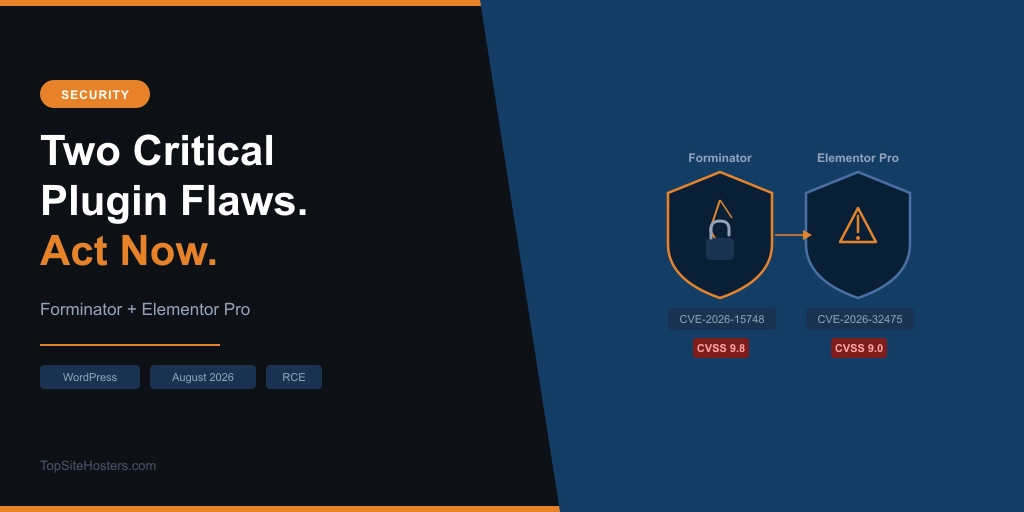
Two popular WordPress form plugins. Two critical security flaws. Both allow a complete stranger to upload a PHP file to your server with no login, no password, and no account required. Both were patched this week. If you run either one and haven’t updated yet, that’s the only thing that matters right now.
Forminator Forms and Elementor Pro together account for more than 6.6 million active installations. The flaws are separate, discovered by different researchers, and work in slightly different ways. But they share the same root problem: file upload handling that trusts input from attackers. This is the pattern, not the exception.
Here is what each bug actually does, who is at risk, and five concrete steps to take before you do anything else today.
What Happened
On 17 August, Wordfence published a critical advisory for Forminator Forms, a drag-and-drop form builder with more than 600,000 active installations. The flaw, tracked as CVE-2026-15748, scores 9.8 out of 10 on the CVSS scale. Two days later, on 19 August, Patchstack disclosed a separate critical flaw in Elementor Pro affecting an estimated 6 million sites, tracked as CVE-2026-32475 and scoring 9.0.
Both flaws are unauthenticated. Both involve file uploads. Both can result in full site compromise. They arrived in the same week, but they’re not connected to each other. That’s what makes this week notable.
The Forminator Flaw (CVE-2026-15748)
Forminator lets you build contact forms, payment forms, quizzes, and polls. When a form includes a file upload field, it runs an extension blocklist to stop dangerous file types. The blocklist uses exact-key matching. The problem is that MIME type keys can be expressed with pipe-separated alternatives, and Forminator’s check doesn’t account for that. An attacker forges the Select field value to inject a manipulated upload configuration, uses a pipe-alternative MIME type key to bypass the blocklist, and gets a PHP file onto your server.
There’s a prerequisite: the form must have both a File Upload field and a Select field present. That’s a common setup for job applications, support tickets, and document submission forms.
The flaw was discovered by security researcher “daroo” through the Wordfence bug bounty programme, who received $2,048 for the report. Wordfence confirmed it on 14 July 2026. A patch landed in version 1.56.2 on 31 July. The public advisory came 17 August, at which point an estimated 300,000 sites were still running a vulnerable version.
The fix: update Forminator to 1.56.2 or later.
The detail most coverage is missing: NGINX
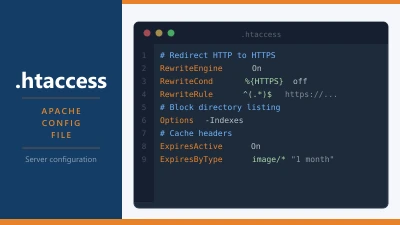
In Forminator’s default configuration, uploaded files go into a directory protected by an .htaccess file that blocks PHP execution. On Apache, that stops the attack cold even if the file upload succeeds. The attacker gets a file onto the server but can’t run it.
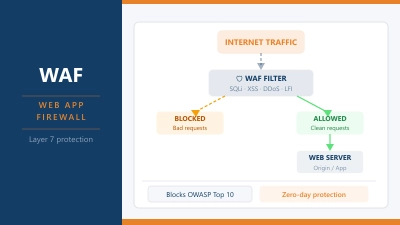
On NGINX, .htaccess does nothing. NGINX doesn’t read it. So if your site runs on NGINX and you have a Forminator form with both a file upload field and a select field, a successful upload leads directly to remote code execution, with no additional step required.
There’s a second risk specific to custom upload storage. If you’ve configured a custom file upload storage root in Forminator’s settings, that directory may have been created without the .htaccess protection entirely. The WordPress helper responsible for writing the .htaccess file isn’t available during a frontend request, so the directory can be initialised without it. This applies regardless of whether you’re on Apache or NGINX.
It’s also worth noting that Forminator has had 12 security releases in 19 days across a cluster of related CVEs, ranging from a low-severity draft entry disclosure to two stored XSS flaws rated high severity. CVE-2026-15748 is the headline, but the pace of patching suggests a broader code review is underway.
The Elementor Pro Flaw (CVE-2026-32475)
Elementor Pro is a premium page builder used on an estimated 6 million WordPress sites. Its Forms module includes a File Upload field, and that field is where the flaw lives.
The file upload handler runs two separate loops: one that validates the file extension against an allow list and a blocklist, and one that actually moves the file to disk. Patchstack, who assigned the CVE, calls it a “textbook desynchronization flaw.” The validation loop exits early when it encounters an empty file entry. The processing loop skips the empty entry and keeps going. Send two file parts for one field: a blank filename first, then a PHP payload. The validator quits before reaching the payload. The processor writes the PHP file to wp-content/uploads/elementor/forms/ and moves on.
That directory is public and accessible from the web, with no .htaccess protection. Once the file is there, requesting its URL runs the code. The filename is generated using PHP’s uniqid() function, which is time-based rather than random, so an attacker can brute-force it from server response timing. In some configurations, the exact URL arrives in the form’s autoresponder confirmation email.
The prerequisite is low: any published page with an Elementor Pro form containing a File Upload field. Elementor’s own communications said only sites with the multi-file upload option enabled are affected, and that option is off by default. Patchstack’s technical analysis says a single file upload field is sufficient. Given that Patchstack assigned the CVE and did the full code review, their assessment is the one to act on.
The fix: update Elementor Pro to 4.2.2.
A note on the timeline
Tin Pham, the researcher who discovered the flaw, reported it to Patchstack on 16 July. Elementor had a working patch prepared by 17 July. Patchstack verified that patch on 3 August. The fix reached users on 19 August: 34 days after a working fix existed.
In that window, Elementor released version 4.2.1 on 28 July, addressing ACF fields and product archives. The security fix wasn’t included. The 4.2.2 changelog describes it only as “Improved code security enforcement in Form widget.” Anyone triaging updates by changelog text would have had no indication this was a critical security release.
That’s not a reason to avoid Elementor Pro. Responsible disclosure timelines involve coordination between researchers and vendors, and delays happen. But it is a reason to run automatic updates on plugins with security implications rather than reviewing changelogs manually.
Why Form Plugins Keep Having This Problem
This isn’t bad luck. Form plugins accept files from anonymous visitors by design. That’s their job. A contact form that lets someone attach a CV or a support ticket that accepts screenshots is doing exactly what it was built to do. But every file upload from an unauthenticated user is a potential attack vector, and the validation logic has to be airtight across every code path that touches the file.
The Forminator flaw bypassed the extension blocklist through MIME type key matching. The Elementor flaw bypassed the extension check through a loop desynchronization. Different mechanisms, same outcome. A PHP file lands in a publicly accessible directory and gets executed.
This is the third significant RCE involving WordPress plugins or core in 2026. Last month’s WordPress core RCE involved malicious Postscript file uploads via Ghostscript. Earlier this year, 30 plugins were backdoored through a supply chain attack. The attack surface keeps being the same: file handling, file uploads, and the gap between what a validator checks and what a processor does.
If you want a broader look at the habits that protect against this class of attack, the WordPress security checklist covers the fundamentals.
Five Things to Do Right Now
- Check your Forminator version. Go to Plugins in your WordPress dashboard and find Forminator Forms. If it shows 1.56.1 or earlier, update to 1.56.2 or later immediately. Don’t wait for your next maintenance window.
- Check your Elementor Pro version. If it shows 4.2.1 or earlier, update to 4.2.2 now. The changelog won’t signal the urgency, but the CVE does.
- If you run Forminator on NGINX with a custom upload storage root, treat this as urgent. The .htaccess protection that limits RCE exposure on Apache doesn’t apply to you. Update first, then check whether your custom upload directory has a working .htaccess file blocking PHP execution.
- Check your uploads directory for unexpected PHP files. Look specifically in
wp-content/uploads/elementor/forms/and any custom Forminator upload paths. PHP files in upload directories are not normal. They shouldn’t be there. - If you find a PHP file that shouldn’t be there, don’t just delete it. Treat the site as compromised. Deleting the visible file doesn’t undo what may have already run. Get proper help to investigate before re-opening the site to traffic.
Common Questions
Do I need a file upload form for my site to be at risk from Forminator?
Yes, for the RCE chain to work, your form needs both a File Upload field and a Select field. A contact form with only text fields isn’t vulnerable to this specific exploit. That said, updating to 1.56.2 is still the right move, as there are additional CVEs of lower severity patched in the same release cycle.
Does updating WordPress itself protect me from these flaws?
No. Both CVE-2026-15748 and CVE-2026-32475 are in third-party plugins, not WordPress core. Keeping WordPress core current is good practice, but it won’t patch a plugin vulnerability. You need to update Forminator and Elementor Pro separately.
I’m on NGINX. Does that make the Forminator flaw worse?
Yes. On Apache, the .htaccess file in Forminator’s default upload directory blocks PHP execution even after a successful file upload. On NGINX, .htaccess is not read at all, so that layer of protection doesn’t exist. If you’re on NGINX with a vulnerable Forminator version and a form that combines file upload and select fields, a successful upload leads directly to code execution.
How do I check whether my site has already been compromised?
Start by searching your uploads directory for .php files that don’t belong there, particularly in wp-content/uploads/elementor/forms/ and any custom Forminator paths. A security plugin like Wordfence can scan for known malware signatures and unexpected executables. If you find anything suspicious, take the site offline before investigating further.