What Is SMTP?
The protocol that powers email delivery, sending messages securely from client to server across the internet.
SMTP stands for Simple Mail Transfer Protocol. It is the standard protocol used to send email across the internet. When you click Send in Gmail, Outlook, or your website’s contact form, SMTP is the protocol handling the transmission. It is how email travels from one mail server to another.
In web hosting, SMTP comes up most often in two places: setting up a professional email address to send and receive mail, and configuring WordPress or another CMS to send transactional emails reliably. Understanding the basics of SMTP helps you troubleshoot delivery problems and configure your site correctly from the start.
How SMTP Works
Email transmission is a multi-step process, and SMTP handles the sending side of it.
When you send an email, your email client connects to an outgoing mail server using SMTP. That server authenticates your credentials, accepts the message, and then forwards it toward the recipient’s mail server. It may pass through one or more relay servers along the way. The recipient’s mail server then accepts the message and stores it until the recipient retrieves it using IMAP or POP3.
SMTP handles sending. IMAP and POP3 handle receiving. You need all three configured for a fully functional email account.
The authentication step is important. When your email client connects to an SMTP server, it provides a username and password. The server verifies those credentials before accepting any messages. This prevents unauthorised senders from using the server to send spam.
SMTP Ports
SMTP operates on several ports, and using the right one matters for both functionality and security.
Port 25 is the original SMTP port and is used for server-to-server email transfer. Most hosting providers block outbound port 25 from web hosting accounts specifically to prevent spam. You will rarely use port 25 directly from a website or email client.
Port 465 is used for SMTPS, which is SMTP over SSL. The SSL connection is established before any SMTP communication begins. Some older mail servers and applications require port 465.
Port 587 is the recommended port for sending mail from an email client or web application. It uses STARTTLS encryption, which begins as a plain connection and then upgrades to an encrypted one. Port 587 is the standard for authenticated mail submission and is what you should use for WordPress SMTP configuration in most cases.
When configuring SMTP, always use 587 with STARTTLS as the first choice. Fall back to 465 with SSL only if 587 is not supported by the server.
SMTP and WordPress
This is where most website owners encounter SMTP in practice. WordPress uses PHP’s mail() function by default to send emails. This covers password reset emails, new user registration notifications, order confirmations for WooCommerce, and messages from contact forms.
The problem is that mail() is unreliable for deliverability. Emails sent through mail() frequently end up in spam or go missing entirely. The reason is that mail() sends without proper authentication headers, and the message originates from a shared server IP that may carry a poor sending reputation because of other accounts on the same server.
Receiving mail servers evaluate incoming email against several criteria. Authenticated senders with established reputations are trusted. Unauthenticated email from unknown shared IPs is treated with suspicion. PHP mail() fails on both counts.
Configuring WordPress to send via SMTP routes outgoing email through a proper, authenticated mail server. The receiving server sees authenticated, legitimate email rather than suspicious unauthenticated output from a PHP function.
Configuring SMTP in WordPress
You will need the following information before you start:
SMTP host: the address of the outgoing mail server. For Hostinger’s email it would look like mail.yourdomain.com. For Gmail it is smtp.gmail.com. For a transactional service like Mailgun it is smtp.mailgun.org.
Port: 587 in most cases.
Encryption: STARTTLS for port 587, SSL for port 465.
Username: usually your full email address.
Password: your email account password, or an app-specific password if the service requires one.
WordPress itself does not have SMTP configuration built in. You need a plugin. WP Mail SMTP is the most widely used and has a setup wizard that walks through connecting to your chosen mail provider. Post SMTP and FluentSMTP are solid alternatives.
Once configured, all WordPress email: password resets, contact form submissions, WooCommerce order confirmations, user notifications, goes through the SMTP server you specified.
Transactional Email Services
If you run a site with significant outgoing email volume, using your hosting provider’s SMTP server may not be the best option. Transactional email services are built specifically for reliable high-volume sending.
Mailgun, SendGrid, Postmark, and Amazon SES are the main options. They provide SMTP relay servers with strong delivery infrastructure, sender reputation management, and detailed sending logs. Most have free tiers that cover small-volume sites.
The practical advantages over using your host’s SMTP are better deliverability through established IP reputations, bounce and complaint handling, and sending analytics that show you what arrived, what bounced, and what was marked as spam.
For a simple blog or small business site, your host’s SMTP is usually sufficient. For an e-commerce store sending hundreds or thousands of transactional emails per month, a dedicated transactional service is worth the setup.
SPF, DKIM, and DMARC
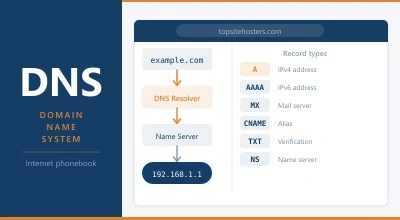
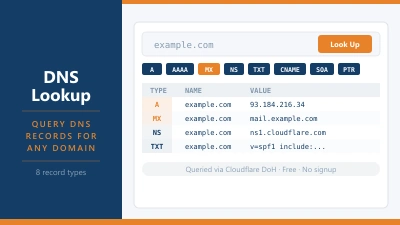
Configuring SMTP is one part of good email deliverability. The DNS records that authenticate your sending domain are the other part.
SPF (Sender Policy Framework) is a DNS TXT record that specifies which mail servers are authorised to send email on behalf of your domain. When you send email from you@yourdomain.com, the receiving server checks your domain’s SPF record to verify you are authorised.
DKIM (DomainKeys Identified Mail) adds a cryptographic signature to outgoing email. The receiving server checks the signature against a public key published in your DNS. A valid DKIM signature confirms the email has not been tampered with in transit and was genuinely sent from your domain.
DMARC (Domain-based Message Authentication, Reporting, and Conformance) builds on SPF and DKIM. It tells receiving servers what to do with email that fails authentication checks: deliver it, quarantine it, or reject it. It also provides a reporting mechanism that sends you data about authentication failures.
Without SPF and DKIM set up correctly, even email sent through a properly configured SMTP server can be marked as spam or rejected. Most transactional email services provide specific DNS records to add to your domain. Your email hosting provider’s setup documentation will include them too.
Gmail SMTP
Using Gmail’s SMTP servers to send WordPress email is a common approach for low-volume sites. The configuration requires creating a Google App Password rather than using your regular Gmail password, because Google does not allow SMTP authentication with standard passwords when two-factor authentication is enabled.
The limitation is sending volume. Google imposes a cap of 500 messages per day for personal Gmail accounts and 2,000 per day for Google Workspace accounts. For a contact form on a small site, this is irrelevant. For an e-commerce store with active order confirmations, it can become a constraint.
Frequently Asked Questions
Why are my WordPress emails going to spam? The most common reason is that WordPress is sending via PHP mail() without authentication. Installing an SMTP plugin and configuring it to send through a properly authenticated mail server usually resolves this. Also check that your domain has correct SPF and DKIM records in your DNS settings.
What port should I use for SMTP? Port 587 with STARTTLS is the standard recommendation for sending authenticated email from a web application or email client. Some servers require port 465 with SSL. Avoid port 25 for outgoing email from websites.
Does my hosting plan include an SMTP server? Most hosting plans that include email hosting also include access to an outgoing SMTP server. The credentials are typically found in your hosting control panel under Email or Mail settings.
Is SMTP the same as IMAP? No. SMTP handles sending email. IMAP handles accessing and syncing received email from the server to your email client. POP3 is an older protocol that also handles received email but downloads messages rather than syncing them. You need SMTP for sending and either IMAP or POP3 for receiving.
What is an SMTP relay? An SMTP relay is a service that accepts email from your application and forwards it to the final recipient on your behalf. Transactional email services like Mailgun and SendGrid are SMTP relays. They handle the sending infrastructure so you do not have to maintain your own mail server.
Can I test whether my SMTP configuration is working? Yes. WP Mail SMTP and most SMTP plugins include a test email feature that sends a message to an address you specify. If the test message arrives and is not in spam, your configuration is working correctly.