APIs in Web Hosting and WordPress Explained
An API (Application Programming Interface) is a set of rules that lets different software applications communicate with each other.
You’ve probably seen the word API thrown around a lot. It sounds technical, but the idea behind it is straightforward. Two pieces of software need to exchange information. An API is the agreed way they do it. That’s it. The rest is just context.
The plain English version
Think about booking a flight on a travel comparison site. The site shows you prices from dozens of airlines. It isn’t logging into each airline’s website and copying prices manually. Each airline has an API. The comparison site sends a request to each API, the airline’s system responds with available flights and prices, and the comparison site displays the results.
Your website works the same way. When someone checks out with PayPal, PayPal’s API handles the payment. When you embed a Google Map, Google’s Maps API serves it. When your contact form sends an email via Mailchimp, Mailchimp’s API does the work.
None of this requires the two systems to be built by the same company or run on the same server. The API is the contract between them: here’s how to ask for something, and here’s what the response will look like.
What API stands for
API stands for Application Programming Interface. Each word is doing something.
Application: a piece of software with a specific function. Programming: this is a developer interface, not a visual one. Interface: a defined point where two systems meet and exchange data.
How APIs work in practice
When your website sends an API request, it typically sends an HTTP request to a specific URL (called an endpoint). That request might include authentication credentials, the data being sent, and what format the response should come back in.
The API processes the request and sends back a response. Usually in JSON format, which is a structured text format that’s easy for code to parse.
A simple example. Your WordPress site uses a weather plugin. When someone loads your homepage, the plugin calls a weather API:
GET https://api.weather.example.com/current?city=London
Authorization: Bearer your-api-key-here
The weather service responds with something like:
{
  "city": "London",
  "temperature": 14,
  "condition": "Cloudy"
}
The plugin reads that response and displays “14°C, Cloudy” on your page. No screen scraping, no manual updates. Just two systems talking to each other through an agreed interface.
REST APIs vs other types
You’ll often hear “REST API” or “RESTful API.” REST (Representational State Transfer) is the most common approach for web APIs. It uses standard HTTP methods that map to common operations:
- GET retrieves data
- POST creates new data
- PUT or PATCH updates existing data
- DELETE removes data
Most APIs you’ll encounter in WordPress, hosting, and e-commerce are REST APIs. WordPress itself has a built in REST API that lets external applications read and write your site’s content.
Other types include SOAP (older, more rigid, still used in banking and enterprise systems) and GraphQL (a more flexible query system used by Facebook and others). For most website owners, REST is what matters.
APIs in WordPress
WordPress has a REST API built into it since version 4.7. It exposes your content, users, settings, and more through a set of endpoints at /wp-json/.
This is how headless WordPress setups work. Instead of WordPress rendering the page, a separate frontend (built in React, Next.js, or something similar) calls the WordPress REST API to fetch content and handles the display itself. WordPress becomes a content backend rather than a full website engine.
It’s also how many plugins integrate with external services. Contact form 7 and WPForms use APIs to connect to Mailchimp, HubSpot, and CRMs. WooCommerce uses payment gateway APIs for Stripe, PayPal, and others. The Yoast SEO Google Search Console integration pulls data via Google’s API.
You might never write API code yourself. But every time one of your plugins connects to an external service, an API is doing the work.
APIs in web hosting
Hosting providers offer APIs so you can manage your account and infrastructure programmatically rather than through a control panel.
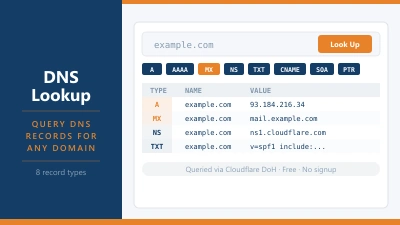
Cloudflare’s API lets you manage DNS records, firewall rules, cache settings, and more from your own scripts or tools. Instead of logging into the Cloudflare dashboard to purge cache after a deployment, you can trigger a cache purge automatically via the API.
Hosting providers like IONOS, DigitalOcean, and Hetzner offer APIs for spinning up and configuring servers, managing domains, creating DNS records, and more. If you’re managing multiple servers or automating deployments, APIs are what make that scalable.
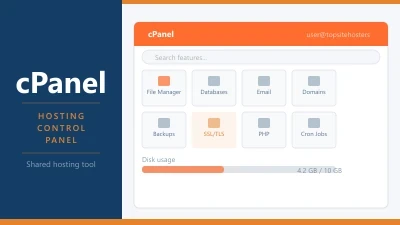
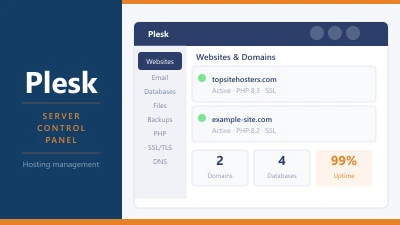
cPanel and Plesk both have APIs. This is how web agencies can provision hosting accounts, create databases, and configure email for clients without logging into the control panel manually for each one.
API keys and authentication
Most APIs require authentication. The most common method is an API key: a long, unique string of characters that identifies you and authorises your requests.
API keys work like passwords. Keep them private. If an API key is exposed (accidentally committed to a public GitHub repository, for example), anyone can use it to act as you. Revoke and replace any key that gets compromised.
Many APIs also use OAuth, a system that lets users authorise your application to access their account on another service without giving you their password. This is how “Sign in with Google” and similar integrations work.
Rate limits
Almost every API has rate limits. These cap how many requests you can make in a given time window. For example, “no more than 1,000 requests per hour.”
Rate limits exist to protect the API provider’s servers from being overloaded by a single user. If your code hits the rate limit, the API returns an error response (usually HTTP 429 “Too Many Requests”) until the window resets.
For most websites, rate limits aren’t a problem because the volume of API calls is low. If you’re building something that makes thousands of requests, you’ll need to design around the limits: caching responses, batching requests, or upgrading to a plan with higher limits.
Webhooks: the reverse API
A related concept worth knowing. With a standard API, you ask for data and the server responds. With a webhook, the situation is reversed. You register a URL with an external service, and that service calls your URL whenever a specific event happens.
Payment gateways use webhooks extensively. When a customer’s payment is confirmed, Stripe or PayPal sends a webhook request to your server to say “this payment went through, update your records.” Your server doesn’t have to keep checking “did that payment arrive yet?” The webhook pushes the notification to you automatically.
In hosting, webhooks are often used for deployment. When you push code to GitHub, a webhook triggers your server to pull the new code and deploy it.
Why this matters for choosing a host
If you’re running a simple brochure site or blog, APIs probably won’t factor into your hosting decision at all.
If you’re building anything more complex, the question of API access matters. Does the host offer an API for managing your account? Can you automate deployments? If you’re on a VPS, can you configure the server environment your API integrations need?
Managed WordPress hosts like Kinsta and WP Engine have well documented APIs for managing sites, triggering deployments, and clearing caches. This makes them practical for agencies managing dozens of sites programmatically.
Frequently Asked Questions
Do I need to know how to code to use APIs? Not to benefit from them. Every WordPress plugin that connects to an external service is using an API on your behalf. You don’t write the code; the plugin does. Coding knowledge matters if you want to build custom integrations.
What’s the difference between an API and a webhook? An API is a pull model: your code asks for data. A webhook is a push model: an external service sends data to your server when something happens. Both are ways for systems to communicate, but the direction is different.
Is the WordPress REST API a security risk? The REST API exposes information about your site’s content and structure. By default, sensitive operations require authentication. You can restrict or disable public REST API endpoints via plugins if you’re concerned. For most sites, the default behaviour is fine.
What is an API endpoint? An endpoint is a specific URL where an API listens for requests. For example, https://api.example.com/v1/users might be the endpoint for fetching user data, and https://api.example.com/v1/posts for fetching posts. Each endpoint has a defined purpose and accepted request format.