What Is HTTP/2? How It Makes Websites Faster
HTTP/2 is an updated version of the HTTP protocol that loads websites faster by allowing multiple files to transfer simultaneously over a single connection
Every time your browser loads a website, it’s having a conversation with a server. The rules of that conversation are defined by HTTP, the HyperText Transfer Protocol. HTTP/2 is a rewrite of those rules that makes the conversation significantly more efficient.The original HTTP was designed in the early 1990s. A lot has changed since then.
The problem with HTTP/1.1
HTTP/1.1 has been the dominant version of HTTP since 1997. It works, but it was designed for a web that looks nothing like the one we have today.
In 1997, a web page might have been a few HTML files and a handful of images. A modern web page routinely loads 50 to 200 separate resources: HTML, stylesheets, JavaScript files, fonts, images, tracking scripts, and more.
HTTP/1.1 handles these resources one at a time per connection. A browser can open several connections to the same server in parallel (typically around 6), but each connection processes requests sequentially. If the first request is waiting on a slow resource, everything behind it in that connection’s queue stalls. This is called head-of-line blocking.
Developers invented workarounds for this. Combining multiple CSS files into one. Combining JavaScript files into bundles. CSS sprites that merge many small images into one large image. Domain sharding, where assets are loaded from multiple subdomains to get more parallel connections. These all work, but they’re hacks around a fundamental limitation of the protocol.
What HTTP/2 changes
HTTP/2 was developed by the IETF (Internet Engineering Task Force) based on Google’s SPDY protocol, which Google created to explore faster alternatives to HTTP/1.1. It became a standard in 2015.
Multiplexing
The biggest improvement. HTTP/2 allows multiple requests and responses to travel over a single connection simultaneously. Instead of queue up, wait, process one at a time, everything flows at once.
In practical terms, your browser can request 50 resources over a single HTTP/2 connection. The server sends responses as they’re ready, interleaved across the same connection. A slow resource doesn’t block the others behind it.
This makes most of the HTTP/1.1 workarounds unnecessary. Combining files into bundles made sense when you only had six parallel connections. With multiplexing, sending dozens of small files is often more efficient than combining them, because the browser can start using each resource as soon as it arrives rather than waiting for an entire bundle to download.
Header compression (HPACK)
Every HTTP request includes headers: metadata about the request. Browser version, accepted content types, cookies, authentication tokens. In HTTP/1.1, these headers are sent in plain text with every single request. On a page loading 100 resources, that same metadata gets sent 100 times.
HTTP/2 uses HPACK compression to dramatically reduce header size. Headers that are identical to previous requests are replaced with a reference to the earlier transmission. Headers that change are compressed. On a typical web page, this reduces header overhead by 80 to 90 percent.
Server push
In HTTP/1.1, the server waits for the browser to request each resource. The browser downloads the HTML, parses it, discovers it needs a stylesheet, requests the stylesheet, parses that, discovers it needs a font, and so on. Each discovery triggers another round trip.
HTTP/2 server push allows the server to anticipate what the browser will need and send it before it’s asked for. When the browser requests the HTML for your homepage, the server can simultaneously push the main stylesheet and critical JavaScript, because it knows those resources are on every page.
In practice, server push is less commonly used than multiplexing and header compression, partly because it can be tricky to implement correctly (pushing too aggressively wastes bandwidth if the browser already has those resources cached) and partly because preload hints in HTML have become a simpler alternative for similar results.
Binary protocol
HTTP/1.1 uses plain text for communication. HTTP/2 uses binary. Binary frames are more compact and more efficient to parse. They’re not human-readable, but servers and browsers don’t read them like humans anyway.
This change also makes HTTP/2 more robust. Text protocols have parsing edge cases and ambiguities. Binary framing is precise.
Request prioritisation
With HTTP/1.1, all requests are equal. The browser has no way to tell the server “this CSS file is more important than this tracking pixel, please send it first.”
HTTP/2 lets the browser assign priority weights to requests. The server can use these priorities to decide which responses to send first. In theory this means the resources that matter most for rendering (above the fold content, blocking scripts) arrive before less critical ones.
In practice, prioritisation is one of the more complex aspects of HTTP/2 and implementations vary in quality across different server software.
HTTP/2 requires HTTPS
HTTP/2 technically doesn’t require encryption. The spec allows an unencrypted version called h2c (HTTP/2 cleartext).
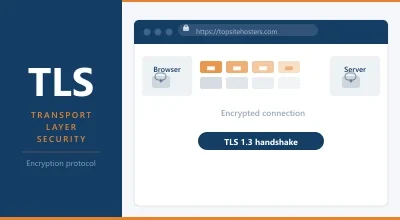
In practice, every major browser only supports HTTP/2 over TLS (HTTPS). If your site doesn’t have HTTPS enabled, browsers will use HTTP/1.1 regardless of whether your server supports HTTP/2.
This means the move to HTTP/2 is also a requirement to have HTTPS. Since Google has been using HTTPS as a ranking signal since 2014 and browsers now actively warn visitors about HTTP sites, this shouldn’t be a barrier for any modern site.
How much faster is HTTP/2?
The answer depends on your site’s characteristics.
HTTP/2 makes the biggest difference on pages with many assets. A page loading 100 JavaScript files, stylesheets, and images sees substantial improvement. A simple page with a handful of resources sees less.
Independent testing consistently shows HTTP/2 loading pages 10 to 30 percent faster than HTTP/1.1 under typical conditions. On slow or high latency connections (like mobile networks), the improvement can be larger because HTTP/2 reduces the number of round trips required.
Sites that were heavily optimised for HTTP/1.1 using file concatenation and domain sharding sometimes see only modest gains from HTTP/2, or even need to undo those optimisations to benefit fully from multiplexing.
Does your host support HTTP/2?
Most modern hosts support HTTP/2. The question is whether it’s enabled for your account.
To check, open Chrome DevTools (F12), go to the Network tab, load your page, click on any resource, and look at the Protocol column (you may need to right-click the column headers and enable it). You’ll see either h2 for HTTP/2 or http/1.1.
You can also use online tools like HTTP/2 Test (tools.keycdn.com/http2-test) or WebPageTest to check and see the performance comparison directly.
If you’re using Cloudflare, HTTP/2 is enabled by default on all plans, including free.
If you’re on a VPS running Nginx, HTTP/2 is straightforward to enable:
listen 443 ssl http2;
For Apache, you need the mod_http2 module:
Protocols h2 http/1.1
Most modern Apache and Nginx installations support this. If your shared hosting provider is still on HTTP/1.1, that’s a sign their infrastructure may be dated.
HTTP/2 and WordPress
WordPress itself doesn’t need to do anything special to work over HTTP/2. The protocol operates at the server layer, below the application.
What changes with HTTP/2 is some of the optimisation advice. With HTTP/1.1, concatenating JavaScript and CSS files into single bundles reduced the number of requests and was a significant speed optimisation. With HTTP/2, this matters less because many small files transfer efficiently over a single multiplexed connection.
That said, concatenation isn’t harmful under HTTP/2 either. And because many users still browse on HTTP/1.1 (particularly on older devices or via proxies), most WordPress caching plugins continue to offer bundling as an option.
The real HTTP/2 gains for WordPress come from hosting infrastructure improvements, faster servers, HTTPS being in place, and CDN support for HTTP/2.
HTTP/3: what comes next
HTTP/3 is the next step, already supported by major browsers and CDNs. Where HTTP/2 still uses TCP (a network protocol that requires connections to be established and lost packets to be retransmitted in order), HTTP/3 is built on QUIC, a protocol that runs over UDP.
The main advantage is that QUIC handles connection setup and packet loss recovery more efficiently than TCP. On unreliable connections like mobile data, HTTP/3 can make a significant difference.
If your CDN (Cloudflare, Fastly, Akamai) supports HTTP/3, you’re probably already using it for visitors whose browsers and networks support it. Server-level HTTP/3 support is still rolling out but growing quickly.
Frequently Asked Questions
Is HTTP/2 enabled automatically on my hosting? It depends on your host and plan. Most modern hosts enable it by default. Check using Chrome DevTools Network tab or an online HTTP/2 checker. If your host doesn’t support it, that’s worth factoring into any upgrade decisions.
Do I need to change my website code to use HTTP/2? No. HTTP/2 operates at the server and protocol layer. Your HTML, CSS, and JavaScript don’t need modification. The gains happen automatically once the server is configured for HTTP/2.
Should I still combine and minify CSS and JavaScript with HTTP/2? Minification (removing whitespace and comments from code) is still worthwhile regardless of HTTP version. File concatenation (combining multiple files into one) matters less with HTTP/2 than it did with HTTP/1.1. Most caching plugins still do both, and it doesn’t hurt, but the performance gain from bundling is smaller in an HTTP/2 world.
What’s the difference between HTTP/2 and HTTPS? HTTPS is about encryption: your data travels securely between browser and server using TLS. HTTP/2 is about efficiency: the protocol for how that data is structured and transferred. They’re different things, but in practice HTTP/2 requires HTTPS because browsers only implement HTTP/2 over TLS.