

Most hosting companies want you to stay on shared hosting for as long as possible. It’s cheap to run and easy to oversell. Scala Hosting takes the opposite approach. Their whole pitch is getting you onto a managed VPS sooner, and making that transition as painless as possible. Whether that’s a feature or a sales tactic depends on which plan you end up on.
- What Is Scala Hosting?
- Quick Verdict
- Scala Hosting Plans and Pricing
- What Is SPanel and Why Does It Matter?
- Web Server Options: LiteSpeed, OpenLiteSpeed, Apache, and Nginx
- AI Website Builder
- Performance and Uptime
- Security Features
- Data Centres and European Hosting
- Customer Support
- Who Should Use Scala Hosting?
- Frequently Asked Questions
- Final Verdict
We tested the Entry Cloud plan, which sits right at the crossover point between shared and VPS hosting. It’s the plan most readers on this site will actually consider, and it turned out to be the most interesting product in Scala’s lineup. This review covers pricing, the SPanel control panel, performance, support, and the European hosting angle that every other review ignores.
One quick note before you read further: we tested Scala’s setup, ran speed checks, and reviewed their pricing as of March 2026. Introductory prices change, so verify the live rates at checkout before you commit.
What Is Scala Hosting?
Scala Hosting was founded in 2007 and is headquartered in Dallas, Texas. It was co-founded by three people who still run the business today: Vladislav Georgiev (CTO), and co-founders Chris and Lyubomir Lyubenov. The company employs around 55 people and currently hosts over 700,000 websites.
That independent ownership matters more than it might sound. The web hosting market has spent the last several years being consolidated by private equity groups. Newfold Digital and World Host Group have bought up dozens of recognisable names, and the pattern is consistent: prices go up, support quality drops, and the product that earned the host its reputation quietly gets hollowed out. Scala has not gone that route. The same founders who built it are still running it, and that shows in both the product decisions and the support culture.
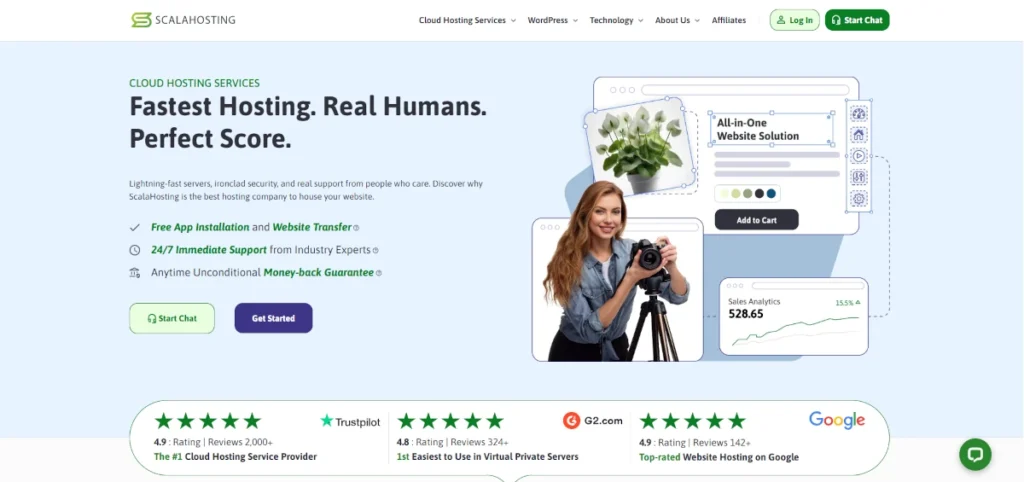
Scala has built a reputation that reaches beyond typical hosting review circles. They are the exclusive hosting provider endorsed by Joomla’s founder Brian Teeman, and the official recommended host for OpenCart, the open-source ecommerce platform. On Trustpilot they hold a 5-star rating from over 2,100 reviews and rank first in the Cloud Computing Service category. These are not bought placements, Trustpilot’s model does not allow that.
Their focus has always been managed cloud VPS. Shared hosting exists on their platform, but it is not where they put their energy. If you are looking at Scala, the products worth your attention are the Entry Cloud plan and the managed Build VPS tiers. That is where the hardware investment, the SPanel development work, and the support infrastructure are actually pointed.
Quick Verdict
Scala Hosting is a strong choice for anyone who has outgrown basic shared hosting and wants more performance without the complexity of managing a server themselves. The Entry Cloud plan is genuinely good value. The shared plans are fine but not remarkable.
Best for: Small businesses, growing blogs, WooCommerce stores, and developers who want managed VPS without the overhead of server administration.
Scala Hosting Plans and Pricing
Scala offers four shared hosting tiers and a range of managed VPS plans. The shared and WordPress hosting pages use the same plan names and pricing, so you’re looking at the same infrastructure regardless of which page you land on.
Here’s what the shared plans currently look like at their introductory rates:
| Plan | Storage | Sites | Bandwidth | Intro Price |
|---|---|---|---|---|
| Mini | 10 GB NVMe | 1 only | Unlimited | $2.95/mo |
| Start | 50 GB NVMe | Unlimited | Unlimited | $5.95/mo |
| Advanced | 100 GB NVMe | Unlimited | Unlimited | $9.95/mo |
| Entry Cloud | 50 GB NVMe | Unlimited | Unlimited | $14.95/mo |
Every plan comes with free SSL, free site migration, Cloudflare CDN, daily backups, and SShield security. There’s no nickel-and-diming on the basics.
The Entry Cloud is the one worth pausing on. At $14.95/mo it costs more than the Advanced plan, but it’s a fundamentally different product. You get dedicated CPU and RAM rather than shared resources, a dedicated IP address, and priority support. It bridges the gap between shared hosting and a full VPS, which makes it useful for anyone whose site is growing but who isn’t ready to manage a server.
Managed VPS plans start at $29.95/mo and scale from there. Resources are customisable individually: $3 per CPU core and $1 per 1 GB of RAM. If you want 4 cores and 8 GB RAM, for example, that runs to around $35–40/mo on a longer term. Comparable specs on Cloudways or SiteGround Cloud cost two to three times that.
Managed VPS (WordPress Cloud Hosting)
These are Scala’s Build plans, fully managed. Scala handles all server setup, updates, security patching, and monitoring. You focus on your website.
| Plan | CPU Cores | RAM | Storage | Monthly Rate |
|---|---|---|---|---|
| Build #1 | 2 cores | 4 GB | 50 GB NVMe | from $29.95/mo |
| Build #2 | 4 cores | 8 GB | 100 GB NVMe | from $44.95/mo |
| Build #3 | 8 cores | 16 GB | 150 GB NVMe | from $69.95/mo |
| Build #4 | 12 cores | 24 GB | 200 GB NVMe | from $94.95/mo |
Monthly rates shown are without a term discount. On a 1 or 3-year plan these come down considerably. Build #2 drops to around $35–40/mo on longer terms depending on storage configuration. All managed VPS plans include SPanel, SShield, daily offsite backups, free migration, a dedicated IP, and unmetered bandwidth.
Resources are fully customisable: $3 per CPU core and $1 per 1 GB of RAM. You can add or remove resources at any time, and if you scale down Scala credits back the unused portion automatically.
For comparison, a 4-core, 8 GB RAM server on Cloudways Vultr High Frequency costs $118/mo. The SiteGround Cloud equivalent runs $100/mo. On Scala’s Build #2 at a longer term, you’re looking at roughly $35–40/mo for the same specs.
Unmanaged VPS (Self-Managed Cloud Hosting)
If you are an experienced developer or sysadmin who wants full root access and does not need Scala’s team managing the server for you, the unmanaged plans offer the same hardware at a lower price.
| Plan | CPU Cores | RAM | Storage | Monthly Rate |
|---|---|---|---|---|
| Build #1 | 2 cores | 4 GB | 50 GB NVMe | from $19.95/mo |
| Build #2 | 4 cores | 8 GB | 100 GB NVMe | from $36.95/mo |
| Build #3 | 8 cores | 16 GB | 160 GB NVMe | from $66.95/mo |
| Build #4 | 16 cores | 32 GB | 240 GB NVMe | from $122.95/mo |
The hardware is the same AMD EPYC infrastructure as the managed plans. What you do not get is Scala managing software, updates, or troubleshooting. Support covers hardware and network issues only. SPanel is available as an optional add-on if you want the control panel without the full managed service. Servers deploy in under 30 seconds after payment
This tier suits developers running custom stacks, agencies managing their own server environments, or anyone who prefers not to pay for management they do not need.
A Word on Renewal Pricing
Introductory prices apply to your first billing term only. Renewals are higher across the board, which is standard in the hosting industry but worth spelling out clearly because Scala’s promotional rates are attractively low and the jump can come as a surprise.
Scala is actually fairer than most on renewals for VPS plans. Independent testing found that even after renewal, the managed VPS plans come in cheaper than Cloudways and SiteGround Cloud at equivalent specs. The shared plans are closer to industry average at renewal.
The practical advice: lock in the longest term you’re comfortable with upfront. Scala offers 1 and 3-year plans, and the savings on a 3-year term are significant. Verify the exact renewal rates at checkout before you commit.
What Is SPanel and Why Does It Matter?
If you’ve used web hosting before, you’ve probably used cPanel. It’s the industry standard control panel, the dashboard where you manage your files, databases, email, and domains. The problem is that cPanel licensing now costs hosts a significant amount per account, and most pass that cost on through their pricing.
Scala built their own replacement. SPanel is a control panel they developed themselves, and it’s included on all Scala accounts at no extra cost.
In practice, SPanel works a lot like cPanel. The layout is familiar, the core functions are all there (file manager, database tools, one-click app installer via Softaculous, email management), and you don’t need technical experience to navigate it. Where it differs is under the hood: SPanel uses roughly one fewer CPU core and eight times less RAM than cPanel, which means more of your server’s resources go to your actual website rather than the control panel running it.
It also includes a few things cPanel doesn’t bundle by default:
- SShield, the real-time security system, runs directly within SPanel
- SWordPress Manager lets you manage WordPress installations, auto-updates, and security locks from one place
- Resource monitoring shows you CPU and RAM usage in real time, which is genuinely useful if you’re on the Entry Cloud or VPS plans
The main thing SPanel doesn’t have is cPanel branding and ecosystem familiarity. If you’re moving from a host where you’ve used cPanel for years, expect a short adjustment period. Most users find their footing within a day or two. If you specifically need cPanel, Scala does offer it as a paid add-on at checkout.
Web Server Options: LiteSpeed, OpenLiteSpeed, Apache, and Nginx
This is a section that genuinely sets Scala apart from most shared hosts, and almost no review covers it properly.
On shared and Entry Cloud plans, Scala runs OpenLiteSpeed by default. OpenLiteSpeed is the free, open-source version of LiteSpeed Web Server. It handles static files and PHP faster than Apache in most benchmarks, supports HTTP/3 out of the box, and works well with WordPress caching plugins. For the vast majority of users, this is more than enough and you will not need to change it.
On VPS plans, you have a full choice from within SPanel’s Web Server Manager:
- OpenLiteSpeed: free, fast, and the default for most WordPress sites. Pairs directly with the free LiteSpeed Cache WordPress plugin for full-page caching, object caching, and image optimisation with minimal configuration.
- LiteSpeed Enterprise: a paid licence that adds commercial support, ESI (Edge Side Includes), and more aggressive caching controls. Worth considering for high-traffic stores or complex applications that need the extra headroom.
- Apache: the most widely compatible option. If you are running a legacy application or .htaccess-dependent configuration, Apache is the safe choice.
- Nginx: used as a reverse proxy. Suited to high-concurrency applications and static file serving. Experienced developers often prefer it for custom server setups.
The practical recommendation for most WordPress site owners is to stay on OpenLiteSpeed and install the LiteSpeed Cache plugin. It is free, specifically built for the LiteSpeed stack, and delivers genuine performance gains without any complicated configuration. Combined with Scala’s AMD EPYC hardware, it is one of the faster WordPress configurations available at this price point.
LiteSpeed Enterprise requires a separately purchased licence. If you are unsure whether you need it, Scala’s support team will advise you honestly rather than pushing you toward the paid option.
AI Website Builder
Scala includes an AI website builder on all plans, accessible through SPanel when you create a new WordPress account.
The builder is powered by Spectra, a WordPress block-based page builder, combined with an AI generation layer. It is not a Scala-proprietary tool, but it is integrated directly into the signup and account creation flow. When you create a new WordPress account, you are offered three routes:
- Standard WordPress installation (blank canvas, full control)
- WordPress with the Spectra Website Builder (template-based, AI-assisted)
- Empty account (for non-WordPress setups)
The AI builder sequence works like this: you describe your business type, optionally add contact details and images, select a design template, and Spectra generates a working WordPress site in a few minutes. Starting points are Online Store, Business Website, or Blog. The last step requires setting up a ZipWP account, which is the tool Spectra uses to enable live editing.
The honest assessment: it is a useful on-ramp for complete beginners who want something live quickly. The generated sites are functional and can be customised further with WordPress’s block editor or Elementor. That said, the process involves more steps than you might expect, you navigate through WordPress Manager, Softaculous, and then Spectra before you reach the actual building stage. It is not as instant as Wix or Squarespace.
For anyone already comfortable with WordPress, the standard installation is faster and gives you more control from day one. The AI builder is a nice option to have for clients or beginners who need a quick starting point, just not a reason to choose Scala on its own merits.
Performance and Uptime
In early 2025, Scala upgraded their cloud infrastructure to AMD EPYC 9474F processors. These are genuinely fast server CPUs: ranked around 31st out of over 1,100 server processors on PassMark, the standard benchmark used to compare server CPU performance. They paired this with DDR5 RAM and PCIe 5.0 NVMe storage, which delivers read speeds of around 2,400 MB/s. For reference, most budget shared hosts use standard SSD storage running at a fraction of that speed.
What does that mean for your website? Faster page loads, smoother handling of concurrent visitors, and better performance for database-heavy sites like WooCommerce stores. You’ll notice it most if you’re moving from a slow shared host.
Independent testing recorded 100% uptime across their full monitoring period on Scala’s Entry Cloud plan. Sites typically load in under two seconds in performance tests. You can check your own server’s response time using the TSH Server Response Time Tester after you’re set up.
Scala’s uptime guarantee is 99.9%, which works out to a maximum of around 8.7 hours of downtime per year. You can see what that actually means in real hours and minutes using the uptime calculator. In practice, they tend to outperform that guarantee rather than scrape against it.
Security Features
Scala’s security setup is genuinely one of the better ones at this price point, particularly on the cloud and VPS plans.
SShield is the headline feature. It’s a real-time threat detection system that monitors your server for malicious activity, blocks attacks automatically, and alerts you when something needs attention. It claims to block 99.998% of attacks before they reach your site. We can’t independently verify that figure, but the system is active and the underlying approach (real-time monitoring with automated response) is sound.
Free SSL certificates are included on every plan, with automatic renewal handled by Scala. If you want to check the SSL status of your current site before migrating, the SSL checker will give you a quick read on it.
Daily backups are included across all plans. There’s a catch worth knowing about: the automatic daily backup only retains one day’s worth of data by default. If you need to roll back further than 24 hours, you’ll need to have done a manual backup yourself or upgrade to extended retention, which costs extra. For a hobby blog this isn’t a serious concern. For a WooCommerce store or a client site, it is. Factor it into your plan choice.
Migrations are handled free of charge by Scala’s team, including file transfers, database moves, and email accounts. They do the work and verify everything functions correctly before they’re done. It’s one of the more generous migration offers in the market.
Data Centres and European Hosting
This is something every other review of Scala Hosting skips, and it matters if your audience is in Europe.
Scala’s managed VPS plans give you access to 16 server locations. European options include the United Kingdom, France, Germany, Ireland, and Bulgaria. That’s a solid spread for European coverage, and it means you can host your site on servers physically located within the EU if that’s relevant to your GDPR data residency requirements.
For a UK-based business serving UK customers, hosting in London rather than Dallas cuts your server’s physical distance from your visitors, which reduces latency and can shave meaningful milliseconds off your page load times. The same logic applies to any European audience. Google has confirmed that page speed is a ranking factor, so this isn’t a trivial decision.
The shared hosting plans use Scala’s own data centres in Texas, New York, and Europe. The VPS plans give you the full 16-location choice, including the option to deploy on AWS or DigitalOcean infrastructure through Scala’s managed wrapper if you need even more geographic flexibility.
This is the kind of detail worth asking your host about before you sign up. If you’re building a site for a European audience and your host’s only data centre is in the US, your visitors are paying a latency tax every time they load a page.
Customer Support
Scala’s support is one of the things they’re most consistent on, and the Trustpilot record backs it up. They hold a 5-star rating from over 2,000 reviews, which is unusually clean for a hosting company of their size.
Live chat connects to a real human in around 30 seconds on average, even late at night. This was independently verified in multiple tests by different reviewers, and it held up. The agents are technically competent and don’t default to scripted replies for straightforward questions.
Ticket support averages a first response in under 15 minutes, often faster. Phone support exists but is inconsistent: available weekdays during EST business hours, but some testers couldn’t get through. Don’t count on phone as your primary support channel.
The honest caveat is this: a small number of Trustpilot reviewers flagged that support occasionally provides basic troubleshooting rather than actually solving the underlying problem, particularly on more complex technical configurations. It’s not the majority experience, but it’s real. If you hit a wall with one agent, asking to escalate to a senior team member has generally worked for users who’ve tried it.
Support is available 24/7. If your site goes down at 2am on a Saturday, someone will respond. That consistency matters more than any individual support interaction.
Who Should Use Scala Hosting?
Scala works best for a specific type of user: someone who has moved beyond the very basics and wants performance and control without having to become a server administrator.
It’s a good fit if you’re:
- Running a WordPress site that’s grown past the point where shared hosting keeps up
- Operating a WooCommerce store where slow load times are costing you sales
- A freelancer or small agency managing multiple client sites and wanting a single managed environment
- A European business that needs EU-based hosting for GDPR or latency reasons
- Someone who wants to move from cPanel to a lighter control panel without giving up functionality
It’s probably not the right call if you’re:
- An absolute beginner who wants the cheapest possible option and the most hand-holding. Hostinger or SiteGround are better starting points at that stage
- Someone who specifically needs cPanel for compatibility with a third-party tool (though it can be added as a paid option)
- Looking for the absolute cheapest shared hosting. Scala’s Mini plan isn’t bad value, but it’s not a budget play
The Entry Cloud plan is where Scala makes the strongest case. At around $15/mo intro, you’re getting dedicated resources, a unique IP, and SPanel on a cloud infrastructure with EU server options. That’s a genuinely competitive product for small businesses that have outgrown typical shared hosting but aren’t ready to pay $30/mo and above for a full VPS.
One thing worth mentioning for readers building their own sites with an eye on monetisation: Scala has an affiliate programme paying $50 per referral (no application needed) or up to $200 per sale through their full affiliate programme. The 60-day cookie window is twice the industry standard. It’s worth knowing about if you plan to write about your hosting experience.
Frequently Asked Questions
Does Scala Hosting include cPanel?
No. Scala uses SPanel, their own control panel, which is included free on all plans. SPanel handles the same core functions as cPanel: file management, databases, email, one-click app installs, and domain management. If you specifically need cPanel, it can be added as a paid option at checkout, but most users find SPanel sufficient after a brief adjustment period.
Does Scala Hosting offer a free domain?
A free domain for the first year is included on the Entry Cloud plan and above. It’s not included on the Mini, Start, or Advanced shared plans. After the first year, the domain renews at the standard registration price. Always check whether you’re buying the domain through Scala or separately, as porting later is straightforward but adds a step.
What are Scala Hosting’s renewal prices?
Introductory prices apply to your first billing term only. Renewal rates are higher, as they are with virtually every host on the market. Scala’s VPS renewal rates are still competitive against equivalents like Cloudways and SiteGround Cloud, but the shared plan renewals are closer to market average. Check exact renewal rates at checkout before committing, and consider locking in a 3-year term upfront to maximise the introductory savings.
Is Scala Hosting good for WordPress?
Yes, particularly on the Entry Cloud and VPS plans. The SWordPress Manager inside SPanel lets you manage WordPress installations, handle updates, and apply security locks from a single dashboard. The Entry Cloud plan gives WordPress dedicated CPU and RAM, which makes a noticeable difference for sites with growing traffic. Their AMD EPYC infrastructure handles database-heavy WordPress setups well.
How does Scala Hosting compare to SiteGround?
Scala’s managed VPS plans are significantly cheaper than SiteGround’s cloud plans for equivalent resources, with a 4-core, 8 GB RAM setup costing roughly a third of the SiteGround equivalent. SiteGround is generally considered easier to start on and has stronger name recognition. Scala wins on price-to-performance at the VPS level, and offers more control panel flexibility with SPanel. For a head-to-head breakdown, see the SiteGround review.
Final Verdict
Scala Hosting isn’t trying to be everything to everyone. The shared plans are decent but not where they shine. The Entry Cloud and managed VPS plans are where the value proposition becomes hard to argue with.
You get dedicated resources, a capable in-house control panel, real-time security, EU data centre options, and support that actually responds in under a minute. The renewal pricing is worth reading carefully, and the one-day default backup retention is a gap you should plan around. Those are real limitations, not dealbreakers.
For a small business, growing blog, or WooCommerce store that needs more than shared hosting can reliably deliver, Scala’s Entry Cloud plan is one of the more compelling options at its price point. The fact that they’re still independently owned, with the same founders running the business since 2007, is a quiet but meaningful signal in a market where hosts get bought and degraded on a regular basis.
Prices and plan details are verified as of March 2026. Hosting pricing changes regularly. Always check the provider’s website for current rates before purchasing.
Pricing Plans
Mini
- 1 Website
- 10GB NVMe Storage
- Free SSL
- Free CDN
- SShield Security
- Daily Backups
Start
- Unlimited Websites
- 50GB NVMe Storage
- Free SSL
- Free CDN
- SShield Security
- Daily Backups
Advanced
- Unlimited Websites
- 100GB NVMe Storage
- Free SSL
- Free CDN
- SShield Security
- Daily Backups
Entry Cloud
- Unlimited Websites
- 50GB NVMe Storage
- Dedicated Resources
- Dedicated IP
- Free Domain
- Priority Support
Build #1 Managed
- 2 CPU Cores
- 4GB RAM
- 50GB NVMe
- SPanel
- SShield
- Daily Backups
- Free Migration
Build #2 Managed
- 4 CPU Cores
- 8GB RAM
- 100GB NVMe
- SPanel
- SShield
- Daily Backups
- Free Migration
Build #3 Managed
- 8 CPU Cores
- 16GB RAM
- 150GB NVMe
- SPanel
- SShield
- Daily Backups
- Free Migration
Build #4 Managed
- 12 CPU Cores
- 24GB RAM
- 200GB NVMe
- SPanel
- SShield
- Daily Backups
- Free Migration
Pros and Cons
✓ Pros
- Entry Cloud gives you dedicated resources at a price close to shared hosting
- SPanel is a capable cPanel replacement, and it's included free
- SShield security is built in on all VPS plans, not sold separately
- European data centre options are available (UK, Germany, France, Ireland, Bulgaria)
- Live chat support consistently responds in under 30 seconds
- Independently owned, not part of a private equity group
✗ Cons
- Renewal prices are higher than introductory rates. Read the small print
- Daily backups only retain one day by default. Longer retention costs extra
- The shared Mini plan is limited to one website
- SPanel can feel slightly dated in places compared to modern dashboards
Key Features
| Infrastructure | AMD EPYC 9474F CPUs, DDR5 RAM, PCIe 5.0 NVMe SSDs (US, EU: UK, Germany, France, Ireland, Bulgaria, + 10 more locations) |
|---|---|
| Backups | Daily automated offsite on all plans, 1-day retention by default, extended retention available as paid add-on |
| Caching | OpenLiteSpeed with LiteSpeed Cache plugin, Cloudflare CDN included on all plans |
| Control Panel | SPanel (proprietary, free) — cPanel available as paid add-on |
| Security | SShield AI real-time protection, free SSL (Let's Encrypt), 2FA, ClamAV, SpamAssassin, Firewall Manager |
| Support | 24/7 live chat (~30 sec response) and ticket (~15 min response) on all plans, phone support weekdays EST |
| Best For | Growing WordPress sites, WooCommerce stores, agencies, developers wanting VPS without server management, European businesses needing EU data residency |