

Namecheap has a reputation that most hosting companies would kill for. Ask anyone in the WordPress community where to register a domain, and Namecheap comes up within the first three answers. Free privacy protection, competitive pricing, clean interface. As a domain registrar, it’s genuinely hard to beat at the budget end.
- Quick Verdict
- What Is Namecheap?
- Shared Hosting Plans and Pricing
- EasyWP Managed WordPress
- Website Builder
- VPS Hosting
- Dedicated Servers
- Performance and Uptime
- Data Centres and European Hosting
- Security Features
- Customer Support
- Is Namecheap Good for Domains?
- Who Should Use Namecheap?
- Frequently Asked Questions
- Final Verdict
The hosting side is a different story. Not a bad story, but a different one. Namecheap’s shared hosting and managed WordPress plans are affordable and functional, and they’re a natural choice if you already manage your domains there. They’re just not where the company’s real energy goes. This review covers both sides honestly, so you can decide whether to consolidate everything with Namecheap or split your domain registration and hosting between providers.
We reviewed Namecheap’s shared hosting, EasyWP managed WordPress, and VPS plans as of March 2026, including pricing changes.
We have tested Namecheap’s domain registration system firsthand. Hosting performance data in this review is drawn from independent third-party testing and verified user reports.
Quick Verdict
Namecheap is the right choice if you want a trusted, affordable domain registrar and are happy with solid, uncomplicated shared hosting in the same place. It’s a budget-friendly option for first sites, simple blogs, and small businesses that don’t need top-tier performance.
Best for: First-time site owners, bloggers, and small businesses registering a domain and wanting hosting in one place. Also strong for anyone who values free domain privacy and competitive domain renewal pricing above all else.
Not ideal for: Performance-focused WordPress sites, WooCommerce stores that need to handle traffic spikes, or anyone who relies on third-party caching plugins on their managed WordPress setup.
What Is Namecheap?
Namecheap was founded in 2000 by CEO Richard Kirkendall and is headquartered in Phoenix, Arizona. It’s an ICANN-accredited domain registrar, which means it can register, transfer, and manage domain names directly. Over two decades it has grown into one of the largest registrars in the world, now managing over 24 million domains for more than 10 million customers.
The company is privately held. One note worth knowing if you’re considering EasyWP, their managed WordPress product: CVC Capital Partners, a private equity firm, acquired EasyWP in September 2025. The parent Namecheap brand remains independently operated, but the managed WordPress arm specifically has changed ownership. One sentence of context, not alarm. But it’s a fact most reviews haven’t mentioned, and readers making a long-term choice deserve to have it.
Beyond domains and hosting, Namecheap offers SSL certificates, private email hosting, a VPN service called FastVPN, a CDN called Supersonic, and reseller hosting. It’s a full ecosystem for running a small web presence at a low price point.
Shared Hosting Plans and Pricing
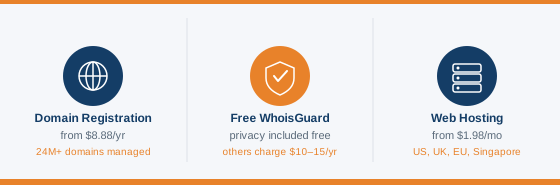
Namecheap’s shared hosting sits under the Stellar branding and comes in three tiers. All plans include cPanel, free domain privacy (WhoisGuard), free SSL, unmetered bandwidth, a website builder, and a 30-day money-back guarantee.
The table below shows both introductory and renewal rates, because the gap between the two is where most readers get caught out.
| Plan | Storage | Sites | Intro (2yr) | Intro (1yr) | Renewal |
|---|---|---|---|---|---|
| Stellar | 20 GB SSD | 3 only | $1.58/mo | $1.98/mo | $4.07/mo |
| Stellar Plus | Unmetered | Unlimited | $2.48/mo | $2.98/mo | $6.24/mo |
| Stellar Business | 50 GB SSD | Unlimited | $4.48/mo | $4.98/mo | $9.41/mo |
The Stellar plan is worth a second look before you dismiss it as the obvious choice. It caps you at three websites, which is enough for most beginners but becomes limiting fast if you manage multiple projects. Stellar Plus is where the value really opens up: unlimited sites and unmetered storage for around $2.50/mo on a three-year term.
Stellar Business adds an automated backup tool, which sounds minor until you need it. The basic two-tier plans give you backups twice a week rather than daily, and restore is not guaranteed on entry plans. For anyone running a site with regular content updates or e-commerce, the automated daily backup on Stellar Business is the right call.
One note for European readers: hosting on a UK data centre costs an extra $1/mo or about $12/yr on top of your plan price. It’s worth it if your audience is primarily in the UK, since it reduces the distance between your server and your visitors, which shows up in load times. The UK, Amsterdam, and Singapore data centres all run on 100% renewable energy, which Namecheap doesn’t shout about much but is worth knowing.
Renewal prices more than double on the 3-year intro rate once your first term is up. That’s not unusual in the hosting industry, but the gap is wider here than with some competitors. The renewal rates themselves are reasonable at $3.88 to $9.88/mo. Just factor them in before you sign up.
EasyWP Managed WordPress
EasyWP is Namecheap’s managed WordPress platform, and it’s a distinct product from their shared hosting. It uses a custom dashboard rather than cPanel, it runs on Namecheap’s own cloud infrastructure, and it’s built specifically for WordPress with no other CMS supported.
There are three tiers, each covering a single WordPress installation.
| Plan | Storage | CPU/RAM | Monthly Rate | Free Domain |
|---|---|---|---|---|
| Starter | 10 GB NVMe | Base | $9.88/mo | No |
| Turbo | 50 GB NVMe | 1.5x | $13.88/mo | Yes (yearly plan) |
| Supersonic | 100 GB NVMe | 2x | $20.88/mo | Yes (yearly plan) |
One thing to flag upfront: the Starter plan previously cost $3.88/mo. Since August 2025, that price increased to $9.88/mo. Most reviews you’ll find online still show the old figure. The pricing above reflects what you’ll actually pay today.
EasyWP’s dashboard is clean and stripped back. You get site creation, backups, SSL, domain connection, and traffic stats. What you don’t get is the full depth of cPanel. For a beginner who just wants WordPress running, that’s fine. For anyone who wants to install third-party caching plugins like WP Rocket or W3 Total Cache, this is where EasyWP becomes a problem: those plugins are disabled on the platform. Namecheap uses its own caching layer, which works, but you can’t swap it out for something you prefer or are already familiar with.
Backups are another thing to check carefully. The Starter plan has manual backups only. If you forget to back up and something goes wrong, there’s no automatic restore point. Turbo and Supersonic include automated backups. For any site you genuinely care about, Turbo should be the minimum.
Free domain and free business email are included with Turbo and Supersonic on yearly plans. The free domain covers a range of TLDs at no cost (.me, .online, .site, and others), with .com and .net available at a 60% discount. RelateSEO, their SEO tool, is bundled free for three months on yearly Turbo and Supersonic plans.
On performance: EasyWP has recorded 100% uptime in independent monitoring. The concern is traffic spikes. In load testing, EasyWP recorded a 56.80% error rate under concurrent traffic. If your site has unpredictable traffic, or if you’re building something that could go viral or run a flash sale, EasyWP’s infrastructure may not hold up reliably. For steady, moderate-traffic WordPress blogs and small business sites, it performs fine.
Website Builder
Namecheap includes two website builder options depending on which hosting product you’re on.
On shared hosting plans, you get access to both an AI Website Builder and Sitejet. The AI builder is the simpler of the two, you answer a few questions about your business, pick a template, and it generates a basic site. It’s aimed at complete beginners who want something live quickly without touching code. Sitejet sits a step up, offering more control over layout and design, and is particularly suited to web designers or agencies building sites for clients. It supports responsive design tools and client collaboration features, which makes it more useful as a professional tool than a beginner shortcut.
On EasyWP managed WordPress plans, Turbo and Supersonic include the Brizy site builder. Brizy is a block-based drag-and-drop builder that works within WordPress. It’s more capable than the AI builder and gives you proper page layout control without needing to write code. Starter does not include Brizy.
None of these replace a full page builder like Elementor or a dedicated website builder platform like Squarespace. But for a hosting provider including them at no extra cost, the selection is reasonable. If you are starting from scratch and just need something functional, the AI builder or Sitejet will get you there. If you are building a WordPress site and want design flexibility, Brizy on Turbo or Supersonic is the better route.
VPS Hosting
Namecheap offers three main VPS plans, all Linux-based with full root access, SSD RAID 10 storage, and a choice of operating system (AlmaLinux, Ubuntu, or Debian).
| Plan | CPU | RAM | Storage | Bandwidth | Monthly | Renewal |
|---|---|---|---|---|---|---|
| Spark | 1 core | 1 GB | 20 GB SSD RAID 10 | 1 TB | $3.88/mo | $4.88/mo |
| Pulsar | 2 cores | 2 GB | 40 GB SSD RAID 10 | 1 TB | $6.88/mo | $8.88/mo |
| Quasar | 4 cores | 6 GB | 120 GB SSD RAID 10 | 3 TB | $12.88/mo | $15.88/mo |
| Magnetar | 8 cores | 12 GB | 240 GB SSD RAID 10 | 6 TB | $24.88/mo | $28.88/mo |
| Hypernova | 12 cores | 24 GB RAM | 500 GB SSD RAID 10 | 10 TB | $46.88/mo | $52.88/mo |
Two things to know before you pick a plan. First, cPanel is not included. It’s a paid add-on at $10.88/mo, which is a meaningful extra cost on top of an already affordable plan. Webuzo is available at $2.88/mo as a lighter alternative. Second, the Pulsar plan only supports unmanaged (user-responsible) server management. If you want Namecheap’s team to handle server maintenance and updates, you need Quasar or above.
The bandwidth allocations are on the conservative side compared to some competitors. If you expect high traffic volumes, compare these limits against what providers like Hostinger or Hetzner offer at similar price points before committing. For VPS hosting in general, Namecheap is competitively priced at the entry level, but the hardware specs are not as modern as some dedicated VPS-focused hosts.
Dedicated Servers
Namecheap offers dedicated servers for users who need an entire physical machine rather than a shared or virtualised environment. These are unmanaged by default and hosted in the Phoenix, Arizona data centre.
The range spans entry-level single-processor servers through to dual-processor configurations with NVMe storage. Here is the current lineup at yearly billing rates:
| Server | CPU | RAM | Storage | Bandwidth | Yearly Price |
|---|---|---|---|---|---|
| Xeon E3-1230 v5 | 4 cores @ 3.4 GHz | 8 GB DDR4 | 480 GB SSD | 100 TB/mo | $37.66/mo |
| Xeon E-2136 | 6 cores @ 3.3 GHz | 32 GB DDR4 | 2x 480 GB SSD | 100 TB/mo | $56.52/mo |
| Dual Xeon Silver 4208 | 2×8 cores @ 2.1 GHz | 64 GB DDR4 | 2x 1 TB NVMe | Unmetered | $135.41/mo |
| Dual Xeon Gold 5218 | 2×16 cores @ 2.3 GHz | 128 GB DDR4 | 4x 1 TB NVMe | Unmetered | $160.64/mo |
Dedicated servers are not the right choice for most readers on this site. They require technical knowledge to configure and maintain, and the US-only data centre location means European businesses will not benefit from the reduced latency that makes dedicated servers worth the cost. For high-traffic sites needing dedicated resources in Europe, providers like Hetzner offer a stronger hardware-to-price ratio with EU-based infrastructure.
That said, if you are already managing your domains and hosting with Namecheap and need to step up to a dedicated environment, keeping everything under one account has its own convenience value.
Prices shown are introductory yearly billing rates. Renewal rates are higher — verify current pricing at checkout.
Performance and Uptime
Namecheap’s shared hosting performs well for the price. In independent testing, a WordPress test site recorded a TTFB of 232ms, an LCP of 526ms, and a total blocking time of 21ms. GTmetrix gave a 100% performance score. All of those figures sit comfortably within Google’s Core Web Vitals good thresholds.
Uptime held at 99.95% over a 30-day monitoring period in one independent test, and Namecheap claims 100% uptime on shared plans with compensation if they miss it. In practice, the occasional outage does occur, but it’s rare and typically brief. You can check how much downtime a 99.9% or 100% guarantee actually translates to using the uptime calculator.
Shared hosting runs on a mix of Apache and LiteSpeed servers, which contributes to the solid speed figures. The caveat is location: performance is strong for US and EU visitors, but noticeably slower for audiences in Asia or other regions without a CDN in place. In one test, loading from a US server to a Bangalore connection took over four seconds. If your audience is global, activating the free Supersonic CDN tier helps, though the free version caps at 50 GB/mo traffic.
You can test your own server’s response time from multiple global locations using the server response tester once you’re set up.
Data Centres and European Hosting
Namecheap has four data centre locations: Phoenix (Arizona, USA), Nottingham and Farnborough (UK), Amsterdam (Netherlands), and Singapore. The UK, EU, and Singapore locations all run on 100% renewable energy, which isn’t something Namecheap promotes heavily but is worth knowing if sustainability factors into your supplier decisions.
For shared hosting, you choose your data centre at signup. The UK data centre costs an extra $1/mo on top of your plan price, which is reasonable if your audience is primarily in the UK or Ireland. The Amsterdam location covers mainland Europe well. VPS and dedicated server plans are currently US only, hosted in Phoenix. To host on a EU data centre, you need to select a 2-year billing plan for shared hosting. Monthly and 1-year plans are US-only.
Choosing the right location matters more than most people expect. Hosting a UK-focused site on a US server adds physical latency every time a visitor loads a page. It’s rarely dramatic at small traffic volumes, but it does affect your Core Web Vitals scores and, over time, your search rankings.
Security Features
All Namecheap plans include free SSL certificates from Sectigo, automatically installed and covering up to 50 websites on shared hosting plans. You can check the SSL status of your current site with the SSL checker before you migrate.
WhoisGuard, Namecheap’s domain privacy service, is included free with domain purchases. This hides your personal details from the public WHOIS record, preventing spam and protecting your identity. Most registrars charge $10–15/yr for this. Namecheap includes it at no cost, and it’s one of the strongest reasons to use them specifically for domain registration.
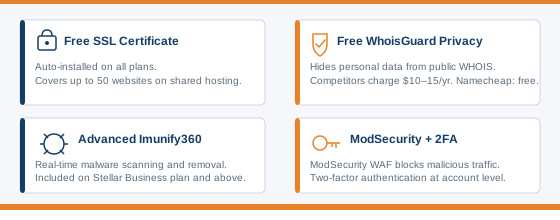
Other security features across plans include ModSecurity for basic traffic filtering, two-factor authentication at the account level, and basic DDoS protection through the free Supersonic CDN tier. An advanced Web Application Firewall is available on paid Supersonic CDN plans. VPS plans come with software firewalls and a security package built into the infrastructure.
Customer Support
Namecheap offers 24/7 support through live chat and ticketing. There is no phone support, which is a genuine gap for business users who want to talk to someone when something breaks urgently.
The live chat response time is generally fast, and the knowledge base is well-regarded and comprehensive. During peak periods, ticket responses can take several hours, which has been a recurring complaint in user reviews. Shopper Approved gives them a 4.7 out of 5 rating, which is strong across a large volume of reviews.
Priority support is only available on EasyWP Supersonic. On all other plans, including shared hosting and the lower EasyWP tiers, you’re in the same queue as everyone else.
Is Namecheap Good for Domains?
Yes. This is the honest answer, and it’s worth saying clearly.
Namecheap’s domain product is one of the best at the budget end of the market. Free WhoisGuard privacy is included as standard, which competitors charge separately for. Renewal pricing is competitive and transparent, something Namecheap shows upfront rather than hiding until checkout. The Beast Mode bulk search tool lets you search hundreds of domain ideas at once, which is useful if you’re building a portfolio of sites. PremiumDNS is available as a paid add-on at around $5/yr, adding DNS failover and faster global propagation for sites where DNS reliability matters.
The domain marketplace lets you buy and sell domains directly on the platform, and there’s FreeDNS for domains hosted elsewhere that need Namecheap’s DNS infrastructure.
For anyone building a web presence from scratch, registering the domain at Namecheap and hosting elsewhere is a completely valid approach. The hosting is good. The domain product is great. Those are different things. You can check if your domain is available before registering with Namecheap
Who Should Use Namecheap?
Namecheap works well for a specific type of user, and it’s worth being direct about who that is.
It’s a good fit if you’re:
- Registering a domain and want affordable hosting in the same place
- Building a first website, personal blog, or small business site that won’t see huge traffic
- Based in the UK or EU and want data centre options with green energy credentials
- Running multiple simple sites and want the value of Stellar Plus’s unlimited plan
- A developer or agency that wants clean domain management at scale
It’s probably not the right call if you’re:
- Running a WooCommerce store or any site that needs to handle traffic spikes reliably. EasyWP’s load test results are a concern here
- Someone who relies on third-party caching plugins. EasyWP blocks them
- Looking for managed WordPress with a strong performance track record. Hostinger or SiteGround are better fits at similar price points
- A developer who needs a modern, spec-heavy VPS. Providers like Hetzner or Scala Hosting offer more hardware for the money at the VPS level
The sweet spot for Namecheap is the user who wants simplicity, a trusted registrar, and hosting that just works without costing much. For that person, it delivers.
Frequently Asked Questions
Is Namecheap good for WordPress hosting?
It depends on which product you use. The shared hosting plans run LiteSpeed servers and perform well for standard WordPress sites, with TTFB around 230ms in independent tests. EasyWP is more convenient but restricts third-party caching plugins and struggled under load testing with concurrent traffic. For a simple blog or small business site, either works fine. For a WooCommerce store or a site expecting traffic surges, look at alternatives like Hostinger or SiteGround.
Does Namecheap include cPanel?
Yes, on shared hosting and VPS plans. All three Stellar shared hosting plans include cPanel at no extra cost. On VPS plans, cPanel is a paid add-on at $10.88/mo. EasyWP uses a custom dashboard and does not include cPanel at all.
Does Namecheap include free domain privacy?
Yes. WhoisGuard, Namecheap’s domain privacy protection, is included free with domain registrations. This hides your personal information from the public WHOIS database. Most registrars charge $10–15/yr for this. Namecheap includes it as standard, which is one of the clearest reasons to use them specifically as a registrar.
What is EasyWP and is it worth it?
EasyWP is Namecheap’s managed WordPress hosting platform. It runs on Namecheap’s own cloud infrastructure, uses a simplified custom dashboard instead of cPanel, and handles WordPress setup, updates, and SSL automatically. It’s convenient for beginners who want WordPress running without technical setup. The limitations worth knowing: the Starter plan only has manual backups, third-party caching plugins are blocked, and the platform has shown error rates under high concurrent traffic in independent testing. For a low-traffic blog or small business site, it’s worth considering. For anything more demanding, compare it carefully against alternatives before committing.
How does Namecheap compare to Hostinger?
Hostinger is faster, more generous with storage, and performs better under load. Namecheap wins on domain pricing, free WhoisGuard privacy, and simplicity for users who want everything under one roof. If raw hosting performance is the priority, Hostinger edges it. If domain management and keeping costs low across multiple domains is the priority, Namecheap has the stronger case. See the full Hostinger review for a direct breakdown.
Final Verdict
Namecheap has built something genuinely useful: a domain registrar that most people trust, combined with hosting that’s affordable and uncomplicated. The shared Stellar plans are honest value. The EasyWP platform is convenient for beginners, though the recent price increase and the caching plugin restrictions are real things to weigh before signing up.
The domain product is the standout. Free privacy, transparent renewal pricing, and clean management tools at a budget price point. If you’re registering a domain, Namecheap belongs on the shortlist. If you’re choosing hosting on its own merits, it’s a solid option for simple sites and less compelling for anything performance-critical.
For most readers on this site, the best approach is straightforward: use Namecheap for your domain if price and privacy matter, and make a separate hosting decision based on what your site actually needs.
Pricing Plans
Stellar
- 3 websites
- 20 GB SSD
- unmetered bandwidth
- 30 mailboxes
- free SSL
- twice-weekly backups
- free migration
Stellar Plus
- Unlimited websites
- unmetered SSD
- unlimited mailboxes
- AutoBackup
- free SSL
- free migration
Stellar Business
- Unlimited websites
- 50 GB SSD
- unlimited mailboxes
- AutoBackup
- Cloud Storage
- Advanced Imunify360 security
- free SSL
EasyWP Starter
- 1 site
- 10 GB NVMe
- unlimited bandwidth
- free CDN
- free SSL
- WordPress auto updates
- HackGuardian
- 1st month free
EasyWP Turbo
- 1 site
- 50 GB NVMe
- unlimited bandwidth
- 2x more CPU
- 1.5x more RAM
- free CDN
- free SSL
- Brizy site builder
- HackGuardian
- MalwareGuardian
EasyWP Supersonic
- 1 site
- 100 GB NVMe
- unlimited bandwidth
- 4x more CPU
- 2x more RAM
- free CDN
- free SSL
- Brizy site builder
- HackGuardian
- MalwareGuardian
- priority support
Spark
- 1 CPU core
- 1 GB RAM
- 20 GB SSD RAID 10
- 1000 GB bandwidth
- full root access
Pulsar
- 2 CPU cores
- 2 GB RAM
- 40 GB SSD RAID 10
- 1000 GB bandwidth
- cPanel and Webuzo available
- full root access
Quasar
- 4 CPU cores
- 6 GB RAM
- 120 GB SSD RAID 10
- 3000 GB bandwidth
- cPanel and Webuzo available
- full root access
Xeon E3-1230 v5
- 4 cores @ 3.4 GHz
- 8 GB DDR4
- 480 GB SSD
- 100 TB/mo bandwidth
Xeon E-2136
- 6 cores @ 3.3 GHz
- 32 GB DDR4
- 2x 480 GB SSD
- 100 TB/mo bandwidth
Dual Xeon Silver 4208
- 2x8 cores @ 2.1 GHz
- 64 GB DDR4
- 2x 1 TB NVMe
- 500 GB backup
- unmetered bandwidth
Dual Xeon Gold 5218
- 2x16 cores @ 2.3 GHz
- 128 GB DDR4
- 4x 1 TB NVMe
- 500 GB backup
- unmetered bandwidth
Pros and Cons
✓ Pros
- cPanel included free on all shared hosting plans
- Four data centre locations including UK, EU, and Singapore
- UK, EU, and Singapore data centres run on 100% renewable energy
- Free SSL certificates on all plans, auto-installed
- Unmetered bandwidth on all shared hosting plans
- Stellar plan allows up to 3 websites at entry price
- Free site migration included
✗ Cons
- Renewal prices more than double the introductory rates
- No phone support on any plan
- VPS bandwidth limits are low compared to competitors
- VPS and dedicated servers are US data centre only
- Priority support only available on EasyWP Supersonic
Key Features
| Infrastructure | Own data centres (Phoenix US, Nottingham UK, Amsterdam EU, Singapore), Dell enterprise hardware, Dual Intel Xeon processors |
|---|---|
| Green Credentials | UK, EU, and Singapore data centres run on 100% renewable energy |
| Backups | Twice weekly on Stellar, daily automated on Stellar Business, manual only on EasyWP Starter, automatic from EasyWP Turbo upward |
| Caching | Apache and LiteSpeed servers on shared hosting, Supersonic CDN included free on all plans (50 GB/mo limit) |
| Storage | SSD on shared and VPS plans, NVMe on EasyWP plans |
| Control Panel | cPanel included free on all shared hosting plans, paid add-on ($10.88/mo) on VPS |
| Domains | Free WhoisGuard privacy on all domain registrations, Beast Mode bulk search, PremiumDNS add-on, domain marketplace, FreeDNS service |
| WordPress | EasyWP managed platform with custom dashboard, NVMe storage, automated updates, free SSL, Brizy builder on Turbo and Supersonic |