

Kinsta is a premium managed WordPress hosting provider built on Google Cloud Platform infrastructure. Since launching in 2013, it has grown to serve over 140,000 businesses and is widely considered one of the top tier managed WordPress hosts alongside Rocket.net and WP Engine. Kinsta’s pitch is simple: fast, secure, fully managed WordPress hosting with expert support, backed by infrastructure that most site owners could never build or manage themselves.
- Company Background
- Infrastructure and Data Centres
- CDN and Edge Caching
- Hosting Plans and Pricing
- Performance
- Automatic Updates with Visual Regression Testing
- Security
- MyKinsta Dashboard
- Developer Tools
- Customer Support
- What Kinsta Does Not Include
- Kinsta vs Rocket.net
- Who Kinsta Is Best Suited For
- When Alternatives May Be a Better Fit
- Final Verdict
The trade off is price. Kinsta starts at $35/month and scales well into the hundreds. It is not competing with budget shared hosting. It is competing with the time, plugins, and expertise you would need to achieve equivalent performance on a cheaper platform. This review examines whether that premium is justified in 2026.
Company Background
Kinsta was founded in 2013 by Mark Gavalda in London. The company was built from the start on Google Cloud Platform, making it one of the first managed WordPress hosts to adopt cloud native infrastructure rather than traditional data centre leasing.
Unlike many hosting companies in this space, Kinsta is independently owned and not part of a private equity portfolio. This matters because it means product decisions are driven by customer needs and long term growth rather than short term revenue extraction. There are no legacy brands being consolidated, no cost cutting on infrastructure to improve margins, and no aggressive upselling during checkout.
Kinsta has expanded beyond WordPress hosting in recent years, adding application hosting and database hosting to its portfolio. However, WordPress hosting remains the core product and the focus of this review.
The company is trusted by notable organisations including Tripadvisor, Hootsuite, Flipboard, Buffer, and universities around the world. It holds a 4.8 star rating on G2 from over 1,200 reviews.
Infrastructure and Data Centres
Every Kinsta WordPress site runs on Google Cloud Platform’s Premium Tier network, which provides the highest performance networking available within the Google Cloud ecosystem. This is not the standard tier that some competitors use but the premium tier with optimised routing and lower latency.
Each WordPress site runs in an isolated software container using LXD containerisation. This means your site has its own dedicated resources and cannot be affected by traffic spikes or problems on other sites sharing the same server. This is fundamentally different from traditional shared hosting where hundreds of sites compete for the same CPU, RAM, and I/O.
Kinsta offers 37 data centre locations worldwide, giving customers granular control over where their site is hosted:
North America: Iowa, South Carolina, Virginia, Oregon, Texas, Ohio, Montreal, Toronto Europe: Belgium, Netherlands, Finland, Frankfurt, London, Paris, Madrid, Milan, Warsaw, Zurich Asia Pacific: Tokyo, Osaka, Singapore, Sydney, Melbourne, Mumbai, Delhi, Seoul, Hong Kong, Jakarta, Taipei South America: São Paulo, Santiago Middle East: Tel Aviv, Doha, Dammam
This is one of the widest data centre selections of any managed WordPress host. You choose your primary location during site creation, and Kinsta’s CDN handles global delivery from there.
CDN and Edge Caching
All Kinsta plans include a CDN powered by Cloudflare with 260+ points of presence worldwide. This is not just a standard CDN for static assets. Kinsta’s Edge Caching stores the full cached version of your WordPress pages at Cloudflare’s edge locations, reducing time to first byte by up to 50% for visitors outside your primary data centre region.
In practical terms, a site with its origin in Frankfurt can serve cached pages to visitors in Tokyo, Sydney, or São Paulo with latency comparable to having a local server in each of those regions. This is a significant performance advantage over hosts that only cache static files at the edge.
The CDN bandwidth allocation scales with your plan. The entry level Single 35k plan includes 125 GB of CDN bandwidth. Higher plans include proportionally more.
Hosting Plans and Pricing
Kinsta recently restructured its plans into two measurement models: visit based and bandwidth based. Both models include the same infrastructure, features, and support. The difference is how usage is tracked. Bandwidth based plans are generally simpler to predict and manage. Prices below reflect the bandwidth based model.
Single Site Plans
These plans are for hosting one WordPress installation.
Single 35k Monthly: $35 | Annual: $29.17/month 1 WordPress site, 10 GB SSD storage, 125 GB CDN bandwidth, 35,000 monthly visits equivalent, 2 PHP workers.
This is Kinsta’s entry point and suits small blogs, portfolio sites, and low traffic business sites. The first month is free for new customers on this plan.
Single 65k Monthly: $42 | Annual: $35/month 1 WordPress site, 10 GB SSD storage, 250 GB CDN bandwidth, 65,000 monthly visits equivalent, 2 PHP workers.
Same storage as the 35k plan but with double the CDN bandwidth and higher traffic allowance.
Single 125k Monthly: $75 | Annual: $62.50/month 1 WordPress site, 10 GB SSD storage, 500 GB CDN bandwidth, 125,000 monthly visits equivalent, 4 PHP workers.
The jump to 4 PHP workers is significant. This allows more concurrent requests to be processed, which matters for WooCommerce stores and membership sites.
Single 315k Monthly: $142 | Annual: $118.33/month 1 WordPress site, 10 GB SSD storage, 750 GB CDN bandwidth, 315,000 monthly visits equivalent, 6 PHP workers.
For high traffic single sites that need substantial concurrent processing capacity.
Multi Site Plans
For users hosting multiple WordPress installations.
WP 2 Monthly: $70 | Annual: $58.33/month 2 WordPress sites, 20 GB SSD storage, 250 GB CDN bandwidth, 2 PHP workers per site.
The most popular plan for freelancers and small agencies managing a couple of client sites alongside their own.
WP 5 Monthly: $115 | Annual: $95.83/month 5 WordPress sites, 30 GB SSD storage, 500 GB CDN bandwidth, 4 PHP workers per site.
Kinsta recommends this as the minimum for WooCommerce stores due to the 4 PHP workers handling concurrent checkout sessions.
WP 10 Monthly: $225 | Annual: $187.50/month 10 WordPress sites, 50 GB SSD storage, 750 GB CDN bandwidth, 4 PHP workers per site.
Aimed at growing agencies managing multiple client sites.
WP 20 Monthly: $340 | Annual: $283.33/month 20 WordPress sites, 60 GB SSD storage, 1,000 GB CDN bandwidth, 4 PHP workers per site.
WP 40 Monthly: $675 | Annual: $562.50/month 40 WordPress sites, 100 GB SSD storage, 1,500 GB CDN bandwidth, 6 PHP workers per site.
Enterprise Plans
Enterprise plans start at approximately $675/month for 60+ sites with dedicated account management, custom SLA agreements, and higher resource allocations. Custom plans are available through Kinsta’s account management team.
Pricing Notes
Annual billing saves approximately two months compared to monthly billing (roughly 16% discount). There are no setup fees, no hidden costs, and no renewal price increases. The price you pay in year one is the same in year three. This transparent pricing is one of Kinsta’s strongest selling points compared to shared hosting providers where introductory rates mask steep renewals.
Overage fees apply if you exceed plan limits: $1 per 1,000 visits (visit based plans) or per GB of bandwidth over the allocation. Additional disk space is available as an add on.
Kinsta offers a 30 day money back guarantee on all WordPress hosting plans. Select entry level plans also offer a first month free for new customers.
Performance
Performance is Kinsta’s primary differentiator and the core justification for its premium pricing.
Every site runs on Google Cloud’s C2 compute optimised virtual machines, which provide the highest per core performance available on the platform. Combined with NVMe SSD storage, LXD container isolation, and Nginx web server with custom caching rules, the raw server performance is excellent.
Kinsta’s built in caching operates at multiple levels. Server level full page caching eliminates the need for WordPress caching plugins. Edge caching at 260+ Cloudflare locations serves cached content globally with minimal latency. Redis object caching (available as an add on) accelerates database queries for dynamic content.
In real world testing across multiple independent review sites, Kinsta consistently delivers TTFB under 200ms for locations near the primary data centre and under 400ms globally with edge caching active. These are among the best results in the managed WordPress hosting space.
The MyKinsta dashboard includes a built in Application Performance Monitoring (APM) tool that identifies slow database queries, slow PHP processes, and external API calls dragging down your page speed. This is a feature typically found in standalone tools like New Relic, included at no extra cost.
Automatic Updates with Visual Regression Testing
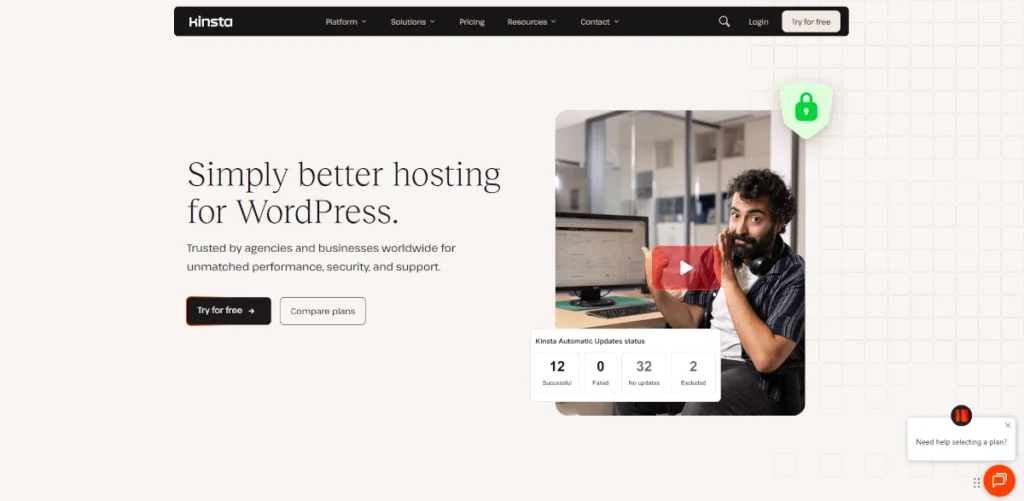
Kinsta introduced Kinsta Automatic Updates, a feature that automatically updates WordPress plugins and themes on a daily schedule. What makes this different from standard auto updates is the visual regression testing that runs after each update.
The system takes screenshots of your site before and after the update and compares them. If a visual change is detected that suggests something broke, the system automatically rolls back to the pre update backup. This addresses one of the biggest maintenance headaches in WordPress: plugin updates that silently break functionality.
This feature is included on all plans and removes a significant portion of the routine maintenance burden that WordPress sites require.
Security
Kinsta integrates Cloudflare Enterprise on all plans, providing enterprise grade DDoS protection, web application firewall, and bot management. Beyond Cloudflare, Kinsta adds its own security layers.
Uptime monitoring checks every site 720 times per day (every two minutes). Hardware firewalls and active/passive security measures are in place at the server level. Free SSL certificates via Cloudflare with wildcard support and automatic renewal. Automatic daily backups with the option to create manual backups at any time. Backups are retained for 14 days (30 days on higher plans). Each site runs in an isolated container, preventing cross contamination between sites. Free malware removal is included. If your site is compromised, Kinsta’s team will clean it at no additional charge. Two factor authentication for all dashboard access. IP geolocation blocking and password protection for specific pages.
For businesses handling sensitive data, the combination of Cloudflare Enterprise protection, container isolation, and proactive monitoring provides a security posture that would be expensive and complex to replicate independently.
MyKinsta Dashboard
Kinsta does not use cPanel. Instead, it provides MyKinsta, a custom built dashboard that is widely regarded as one of the best hosting control panels available.
The interface is clean, modern, and organised around practical tasks. Site management, staging environments, backup and restore, redirect rules, CDN configuration, PHP version management, SSH access, database access, and analytics are all accessible without needing to navigate cluttered menus.
Staging environments are available with one click. Push changes from staging to production (or vice versa) instantly. This is essential for testing WordPress updates, theme changes, and new plugins without risking your live site.
The dashboard includes built in analytics showing bandwidth usage, visitor counts, cache hit ratios, response times, and top requests. For most sites, this eliminates the need for separate server monitoring tools.
Kinsta also provides a REST API for programmatic management of sites, environments, and deployments, which is particularly valuable for agencies and developers integrating hosting into their workflows.
Developer Tools
Kinsta is explicitly designed with developers in mind and includes tools that most managed hosts charge extra for or do not offer at all.
SSH access on all plans. WP CLI for command line WordPress management. Git integration for version controlled deployments. Staging environments with one click push to production. PHP version switching (8.0, 8.1, 8.2, 8.3, and later versions as released). Nginx configuration for custom redirect rules and headers. DevKinsta, a free local WordPress development environment for building and testing sites on your own machine before deploying. Kinsta API for automated site management.
For agencies, the multi user system allows creating unlimited users with granular permission levels, so clients, designers, and developers each see only what they need.
Customer Support
Kinsta provides 24/7/365 expert support via live chat, available directly from the MyKinsta dashboard. Support is offered in English, Spanish, French, German, Italian, and Portuguese.
Unlike many hosting providers where frontline support follows scripts and escalates complex issues, Kinsta operates a single tier support model. Every agent is a WordPress expert capable of diagnosing and resolving technical issues without escalation. Response times are typically under two minutes.
From the WP 5 (Business 1) plan and above, customers receive access to a dedicated account manager. Enterprise plans include priority support with custom SLA response time guarantees.
Free site migrations are included on all plans. Kinsta’s migration team handles the transfer, and the process is designed to be zero downtime.
Support quality is consistently rated as one of Kinsta’s strongest features across independent reviews. The G2 rating of 4.8 out of 5 from over 1,200 reviews reflects this.
What Kinsta Does Not Include
No email hosting. Kinsta deliberately separates email from hosting. You will need Google Workspace, Microsoft 365, Zoho Mail, or another email provider. Kinsta recommends this approach for better email deliverability and separation of concerns.
No domain registration. You register domains through a separate registrar (Namecheap, Cloudflare Registrar, etc.) and point them to Kinsta.
WordPress only. Kinsta’s managed hosting platform is exclusively for WordPress. They do offer separate application hosting and database hosting products for non WordPress projects, but the managed WordPress product cannot host other CMSs or custom PHP applications.
No cPanel. If you specifically need cPanel for compatibility with certain tools or workflows, Kinsta’s custom dashboard will not work. For most users, MyKinsta is superior, but the distinction matters for some use cases.
Kinsta vs Rocket.net
Both are premium managed WordPress hosts with Cloudflare integration, NVMe storage, and expert support. The key differences:
Kinsta runs on Google Cloud Platform. Rocket.net runs on its own infrastructure with Cloudflare Enterprise.
Kinsta offers 37 data centre locations. Rocket.net has 275+ edge locations through Cloudflare but fewer origin server choices.
Kinsta starts at $35/month for one site. Rocket.net starts at $30/month for one site.
Kinsta includes more developer tools (API, DevKinsta, APM, Git integration). Rocket.net is more streamlined and opinionated.
Kinsta has visual regression testing for automatic updates. Rocket.net does not.
Both deliver excellent performance. The choice between them often comes down to whether you value Kinsta’s developer tooling and data centre selection or Rocket.net’s simpler, more hands off approach.
Who Kinsta Is Best Suited For
Business websites where speed directly affects conversions and revenue. WooCommerce stores needing fast checkout performance and reliable uptime. Agencies managing multiple client WordPress sites. Developers who want SSH, Git, staging, API access, and modern tooling. High traffic WordPress publishers and content sites. Organisations that need data centres in specific global regions.
When Alternatives May Be a Better Fit
Personal blogs or hobby sites where $35/month is hard to justify. Users who need email and domain registration included in their hosting plan. Sites running non WordPress applications. Users who prefer cPanel over a custom dashboard. Budget conscious users better served by Hostinger or IONOS.
For a similar premium experience with a simpler approach, see our Rocket.net review. For strong WordPress hosting at a lower price point, see our SiteGround review. For developer focused infrastructure with full server control, see our Hetzner review.
Final Verdict
Kinsta is one of the best managed WordPress hosting platforms available in 2026. The combination of Google Cloud Premium Tier infrastructure, Cloudflare Enterprise CDN with edge caching, container isolated environments, automatic updates with visual regression testing, expert single tier support, and a genuinely excellent custom dashboard creates a hosting experience that few competitors match.
The price is premium. There is no way around that. Starting at $35/month for a single site, Kinsta costs significantly more than shared hosting alternatives. But the comparison is misleading. Kinsta replaces your caching plugin, CDN service, security plugin, monitoring tools, and backup solution. It eliminates plugin update anxiety through visual regression testing. It provides support from WordPress experts rather than scripted agents. And it delivers consistent, measurable performance that directly impacts SEO and conversions.
For businesses, agencies, and serious WordPress users, Kinsta’s pricing is an investment in reliability and reduced operational overhead. For hobby sites and personal blogs, the cost is harder to justify when capable alternatives exist at a fraction of the price.
If your WordPress site earns money or represents your business, Kinsta belongs on your shortlist. Start with the Single 35k plan (first month free), test the performance and support for yourself, and decide from there.
Pricing Plans
Single 35k
- 1 Site
- 10 GB Storage
- 125 GB CDN
- 2 PHP Workers
Single 65k
- 1 Site
- 10 GB Storage
- 250 GB CDN
- 2 PHP Workers
Single 125k
- 1 Site
- 10 GB Storage
- 500 GB CDN
- 4 PHP Workers
WP 2
- 2 Sites
- 20 GB Storage
- 250 GB CDN
- 2 PHP Workers
WP 5
- 5 Sites
- 30 GB Storage
- 500 GB CDN
- 4 PHP Workers
WP 10
- 10 Sites
- 50 GB Storage
- 750 GB CDN
- 4 PHP Workers
WP 20
- 20 Sites
- 60 GB Storage
- 1000 GB CDN
- 4 PHP Workers
WP 40
- 40 Sites
- 100 GB Storage
- 1500 GB CDN
- 6 PHP Workers
Pros and Cons
✓ Pros
- Google Cloud Platform Premium Tier infrastructure
- Cloudflare Enterprise CDN with edge caching
- Expert support available 24/7 via live chat
- No renewal price increases
- 30 day money back guarantee
✗ Cons
- Starting price of $35/month
- No email hosting included. You need a separate email provider
- No domain registration. You must use a third party registrar
- WordPress only. No support for other CMS platforms
- Custom MyKinsta dashboard only
Key Features
| Infrastructure | Google Cloud Platform Premium Tier (37 global data centres) |
|---|---|
| CDN | Cloudflare Enterprise with edge caching at 260+ locations |
| Support | 24/7 live chat in 6 languages, dedicated account manager from WP 5 |
| Security | Cloudflare Enterprise DDoS/WAF, container isolation, free malware removal |
| Control Panel | MyKinsta custom dashboard with staging, APM, and REST API |
| Backups | Automatic daily with manual on demand, 14-30 day retention |