

Most hosting companies claim to care about the environment. GreenGeeks actually does something about it. Since 2009, they’ve been a verified EPA Green Power Partner, and for every unit of energy they use, they put three times that amount back into the grid through renewable energy credits. That’s not a marketing slogan. It’s a verifiable, decade-plus commitment.
- What Is GreenGeeks?
- Shared Hosting Plans and Pricing
- The Renewal Pricing Reality
- The One Plan Limit You Need to Know About
- VPS Hosting: Managed and Worth Knowing About
- Performance and Uptime
- The Green Credentials: Real or Marketing?
- WordPress and cPanel Experience
- Security Features
- Customer Support
- How to Cancel GreenGeeks (Read This Before You Sign Up)
- Who GreenGeeks Is Best Suited For
- When Alternatives May Be a Better Fit
- Frequently Asked Questions
- Final Verdict
The hosting itself is solid too. Good performance, daily backups included on all plans, LiteSpeed servers, and support that most users are genuinely happy with. For bloggers, small businesses, and anyone who wants their website to have a smaller carbon footprint, GreenGeeks makes a strong case.
There’s one thing you need to know before you sign up, though. The renewal price is steep, and the cancellation process has a few traps that catch people off guard every year. This review covers both in full, so you’re not surprised later.
What Is GreenGeeks?
GreenGeeks was founded in 2008 by Trey Gardner, who still runs the company today as CEO. Based in Agoura Hills, California, it’s an independent, founder led business, which is increasingly rare in an industry that’s been heavily consolidated by private equity.
They host over 600,000 websites across 55,000 customers, and their environmental credentials are the real deal. The company works with the Bonneville Environmental Foundation to match 300% of their energy use with renewable energy credits, and partners with One Tree Planted to plant a tree for every new hosting account. The EPA has recognised them as a Green Power Partner every year since 2009 and you can verify the renewable energy purchase records going back that far.
If sustainability matters to your business or brand, GreenGeeks is the most credible option in the shared hosting space. No other host comes close to the 300% renewable match.
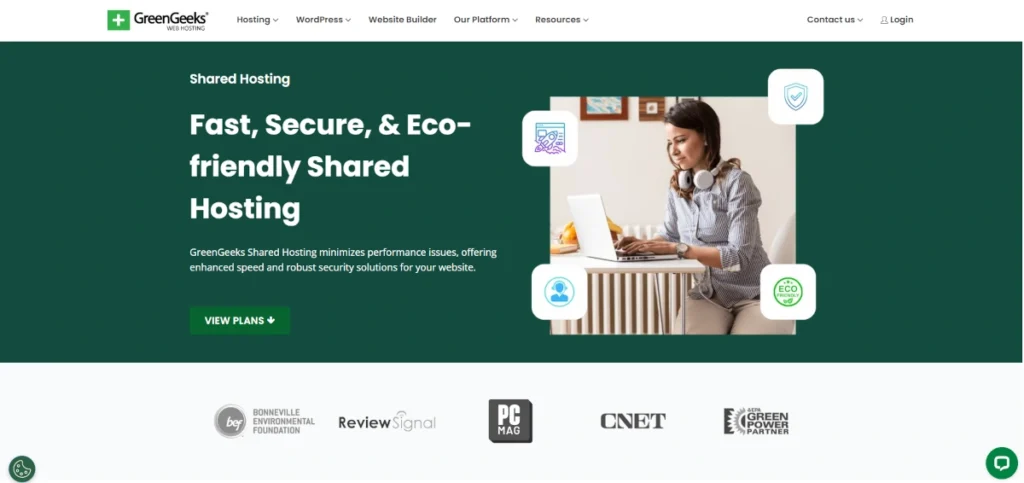
Shared Hosting Plans and Pricing
GreenGeeks offers three shared hosting plans. They all include free SSL, free domain for the first year, daily backups, free migration, LiteSpeed caching, cPanel, and the 300% green energy match.
| Plan | Price 12/mo | Renewal | Sites | Storage | Key Extras |
|---|---|---|---|---|---|
| Lite | $2.95/mo | $13.95/mo | 1 only | 25 GB | Basics |
| Pro | $4.95/mo | $18.95/mo | Unlimited | 50 GB | On-demand backups, priority support |
| Premium | $8.95/mo | $30.95/mo | Unlimited | 100 GB | Dedicated IP, AlphaSSL, Redis caching |
All prices are based on a 12-month prepaid term. Monthly billing is available but comes with a $15 setup fee, which makes it a poor deal unless you genuinely need flexibility. The annual plan removes that fee and gives you the promotional rate.
The Lite plan is a decent starting point if you’re building one website and want to keep costs low. The Pro plan is the better choice for most people. It removes the one site limit, adds on-demand backups, and gives you priority support. The jump from $2.95 to $4.95 a month is small, and the difference in what you get is significant.
The Premium plan makes sense for a busy WooCommerce store or a site with high traffic that would benefit from Redis object caching and the included dedicated IP.
The Renewal Pricing Reality
This is the part most reviews gloss over, and it’s the one that matters most for your long-term budget.
After your first annual term, the Lite plan goes from $2.95 to $13.95 per month. That’s a 373% increase. The Pro plan jumps from $4.95 to $18.95. The Premium goes from $8.95 to $30.95.
These are among the steeper renewal increases in the shared hosting market. For comparison, Hostinger’s renewal prices sit around $10.99/month for their comparable plan. Bluehost’s Starter renews at $9.99. GreenGeeks’ Lite plan renewing at $13.95 is noticeably higher than either.
The advice here is the same as with most shared hosts: commit to the longest term you’re comfortable with upfront. The 12-month plan is the sweet spot. The 24 and 36-month plans don’t add a further discount, so there’s no financial reason to lock in beyond a year.
Be aware of the monthly setup fee too. If you choose monthly billing to test the service, you’ll pay an extra $15 at signup that you won’t get back.
The One Plan Limit You Need to Know About
The Lite plan supports exactly one website. Not two. One.
This trips up a lot of buyers because most shared hosting plans at this price point allow multiple sites as standard. GreenGeeks is an exception at the entry level. If you plan to run more than one website, even a small personal project alongside your main site, you need to start on the Pro plan at $4.95/month.
It’s not a dealbreaker. The Pro plan is still affordable. But it’s worth knowing before you see $2.95 and assume you can host your whole portfolio on it.
VPS Hosting: Managed and Worth Knowing About
For sites that have outgrown shared hosting, GreenGeeks offers three VPS plans. The important thing to understand here is that these are fully managed plans. GreenGeeks handles the server software, security patches, operating system updates, and monitoring. cPanel is included on every plan.
| Plan | Price | RAM | vCPU | Storage | Transfer |
|---|---|---|---|---|---|
| 4GB | $69.95/mo | 4 GB | 4 | 75 GB SSD | 10 TB |
| 8GB | $129.95/mo | 8 GB | 6 | 150 GB SSD | 10 TB |
| 16GB | $179.95/mo | 16 GB | 6 | 250 GB SSD | 10 TB |
At first glance, $69.95 looks expensive for a base VPS plan. When you factor in that it’s fully managed with cPanel included, it becomes more reasonable. An unmanaged VPS from a cheaper provider might cost $10 to $20 a month, but then you’re responsible for everything: OS maintenance, security hardening, software updates, and troubleshooting when things go wrong. That’s a significant time commitment if you’re not a sysadmin.
GreenGeeks VPS is aimed at business owners and agencies who want dedicated resources without the server management overhead. If that describes you, the pricing is fair. If you’re technically confident and happy to manage your own server, cheaper unmanaged options exist elsewhere.
VPS renewal prices stay the same as the initial purchase, which is a genuine advantage over the shared hosting plans.
Performance and Uptime
GreenGeeks uses LiteSpeed web servers with LSCache built in, SSD storage on all plans, HTTP/3, and Cloudflare CDN integration. The platform is genuinely well put together for speed.
Independent long-term testing puts their TTFB (time to first byte) at around 395ms for North America and 447ms for Europe, with uptime consistently around 99.96%. Use our server response tester to check any live GreenGeeks site before committing. That uptime figure is above the industry average and puts them ahead of some more prominent hosts.
Performance drops in Asia and Australia, where response times climb to around 580 to 610ms. GreenGeeks only has four data centres: Chicago, Montreal, Amsterdam, and Singapore. If your audience is primarily in Asia Pacific, this is worth factoring in. Use our uptime calculator to understand what 99.96% uptime actually means in hours of downtime per year.
One small but genuine frustration: GreenGeeks has no public status page. If your site goes down, you can’t quickly check whether the issue is on their end or yours. They do send emails during maintenance windows, but that’s not the same as a live status dashboard. It’s a gap most hosts have solved by now.
The Green Credentials: Real or Marketing?
It’s a fair question. Plenty of companies slap “eco-friendly” on their homepage without much behind it.
GreenGeeks is different. Their EPA Green Power Partner status dates back to 2009 and is independently verifiable. The renewable energy credits they purchase through the Bonneville Environmental Foundation are documented and traceable. The tree planting partnership with One Tree Planted is ongoing and genuine.
The 300% match is the headline claim, and it holds up. For every unit of electricity GreenGeeks consumes (servers, staff workstations, offices), they invest three times that amount in renewable energy credits. It doesn’t mean the servers run on wind power directly, but it does mean the environmental offset is real and significant.
If your business has sustainability goals, or if you simply want your website’s carbon footprint to be as small as possible, GreenGeeks is the most credible shared hosting option available. No other major shared host has matched this commitment over this length of time.
WordPress and cPanel Experience
WordPress installation is one click through the Softaculous installer, and GreenGeeks’ LiteSpeed server with LSCache plugin is well-suited to WordPress. Automatic WordPress updates, free migration, staging environments, and Git integration are all included. WooCommerce works out of the box on all plans.
The control panel is cPanel, which is the industry standard. It’s clean, well organised, and most WordPress users will find everything they need within a few minutes. There’s no proprietary dashboard getting in the way.
The free website migration is worth calling out. Their team will move your existing site from another host at no charge, which removes one of the main barriers to switching. Based on user feedback, the migration process is generally smooth.
Security Features
Every plan includes free Let’s Encrypt SSL certificates with automatic renewal, an AI powered firewall, real time security scanning, DDoS protection, and daily automated backups. If your site is compromised, GreenGeeks offers free malware cleanup as part of the package, which is genuinely unusual at this price point and something most budget hosts charge extra for.
The Premium plan adds AlphaSSL (a premium SSL certificate worth around $99/year) and a dedicated IP, which matters if you’re running a WooCommerce store or need greater control over your SSL configuration.
There are no hidden security upsells at checkout. What’s listed in the plan is what you get, which is a refreshing contrast to some competitors.
Customer Support
GreenGeeks offers 24/7 support via live chat, phone, and email tickets, plus an extensive knowledge base with tutorials and webinars. Response times are consistently praised in user reviews. On Trustpilot, they hold a 4-star rating from over 1,577 verified reviews, with most complaints centred on billing rather than technical support.
From independent testing, live chat connects you to a real person within a minute, and the quality of answers is generally good. Phone support is available, which not every shared host offers. For beginners or anyone who’s not comfortable with hosting technicalities, the support quality here is a genuine selling point.
The negative reviews worth taking seriously are the ones about billing disputes and the cancellation process specifically, covered below.
How to Cancel GreenGeeks (Read This Before You Sign Up)
GreenGeeks’ cancellation process has a few specifics that catch people out every year. Here’s what you need to know.
The process: You must submit a cancellation form (found in your account dashboard) at least 5 business days before your renewal date. Not 5 calendar days. Business days.
GreenGeeks automatically renews your account 24 hours before the renewal date and charges the full renewal fee at that point. If your cancellation request arrives late, even by one day, you’ll be billed for another full year and there’s no refund available after the 30-day money-back window.
What to do: The moment you sign up, go into your account settings and note your renewal date. Set a reminder for yourself 10 days before that date to review whether you want to continue. If you decide to cancel, submit the form well before the 5-day cutoff.
If you’re happy with the service and planning to stay, check the renewal pricing in advance so you’re not surprised by the rate increase. The email notification GreenGeeks sends before renewal does include the price, but many users miss it.
This isn’t a reason not to use GreenGeeks. It’s a reason to go in informed.
Who GreenGeeks Is Best Suited For
- Bloggers, freelancers, and small businesses who want reliable hosting with a genuine green commitment
- WordPress users who want LiteSpeed performance without managing a server
- Anyone running a single website on a tight budget (Lite plan at $2.95 is competitive)
- Businesses with sustainability goals or eco-conscious audiences
- Users who value strong included security without upsells at checkout
When Alternatives May Be a Better Fit
- Users who need to host multiple sites from day one and want the cheapest possible entry price (the Lite plan’s one site limit means you’re on Pro at $4.95 minimum)
- European users who want data centres beyond Amsterdam (Bluehost’s Oracle Cloud expansion now covers Frankfurt, Paris, London, Madrid, and more)
- Users who need VPS hosting at low cost and are comfortable managing their own server
- Anyone who wants the lowest possible renewal price (Hostinger and IONOS both renew cheaper)
For more on managed WordPress performance, see our Rocket.net review. For strong all-round performance with competitive European pricing, see our SiteGround review.
Frequently Asked Questions
How much does GreenGeeks cost per month?
The Lite plan starts at $2.95/month on a 12-month term. Pro starts at $4.95/month, and Premium at $8.95/month. Monthly billing is available but adds a $15 setup fee, making it poor value unless you genuinely need a short-term commitment.
Does GreenGeeks price go up at renewal?
Yes, significantly. The Lite plan renews at $13.95/month, which is a 373% increase from the introductory rate. Pro renews at $18.95 and Premium at $30.95. This is one of the steeper renewal increases in the shared hosting market, and worth factoring into your decision before signing up.
Is GreenGeeks really eco-friendly?
Yes, and it’s verifiable. GreenGeeks has been an EPA Green Power Partner since 2009, purchases renewable energy credits equal to 300% of their energy consumption through the Bonneville Environmental Foundation, and plants a tree for every hosting account via One Tree Planted. The records are traceable and the commitment predates the current wave of corporate green marketing by over a decade.
Is GreenGeeks good for WordPress?
It’s a strong choice. LiteSpeed servers with LSCache, one-click WordPress installation, automatic updates, free migration, staging environments, and WooCommerce support are all included. The performance numbers for North America and Europe are solid. It’s not a specialist managed WordPress host, but for most WordPress sites it performs well above the shared hosting average.
How do I cancel GreenGeeks hosting?
Log into your account dashboard, find the cancellation form, and submit it at least 5 business days before your renewal date. GreenGeeks auto renews 24 hours before the renewal date, so don’t leave it to the last minute. After the first 30 days, no refunds are available, so timing matters. Set a reminder well in advance of your renewal date rather than waiting for their email notification.
Final Verdict
GreenGeeks is a genuinely good shared hosting provider. The performance is solid, the security features are strong without hidden upsells, the WordPress experience is smooth, and the eco credentials are the most credible in the industry. Support quality is above average. For anyone building a website who wants to feel good about where it’s hosted, GreenGeeks makes that easy.
The two things that hold it back from a stronger recommendation are the renewal pricing and the cancellation process. A 373% price increase after year one is among the steepest in the market. And the 5-day-before renewal cancellation requirement, combined with 24 hour auto renewal, has caught enough users off guard that it’s worth being direct about it.
Neither issue is fatal. Both are manageable if you go in informed. Sign up on the annual plan, note your renewal date immediately, and decide well before renewal whether you want to continue at the standard rate.
For most small businesses, bloggers, and anyone with an eye on sustainability, GreenGeeks is a solid choice. Just know what you’re getting into at renewal.
Pricing Plans
Lite
- 1 Website
- 25GB Storage
- Free SSL
- Free CDN
- Free Domain
Pro
- Unlimited Websites
- 50GB Storage
- On-Demand Backups
- Priority Support
Premium
- Unlimited Websites
- 100GB Storage
- Dedicated IP
- AlphaSSL
- Redis Caching
4GB VPS
- 4 vCPU
- 4GB RAM
- 75GB SSD
- 10TB Transfer
8GB VPS
- 6 vCPU
- 8GB RAM
- 150GB SSD
- 10TB Transfer
16GB VPS
- 6 vCPU
- 16GB RAM
- 250GB SSD
- 10TB Transfer
Pros and Cons
✓ Pros
- 300% renewable energy match, verified by the EPA since 2009
- Daily backups included on all plans, no extra charge
- Free malware cleanup if your site is compromised
- LiteSpeed servers with LSCache on all plans
- Free migration handled by their team
- Strong uptime, consistently around 99.96%
✗ Cons
- Lite plan only supports one website
- Renewal prices are steep (Lite jumps 373% from $2.95 to $13.95)
- Only 4 data centres globally (fewer than most major competitors)
- Cancellation requires a form submitted 5 business days before renewal
- Auto renews 24 hours before the renewal date with no post-30-day refund
- No public status page to check outages
Key Features
| Infrastructure | 4 data centres (Chicago USA, Montreal Canada, Amsterdam Netherlands, Singapore) |
|---|---|
| Backups | Daily automated on all plans, on-demand backups on Pro and Premium |
| Caching | LiteSpeed with LSCache, Cloudflare CDN integration, Redis on Premium |
| Support | 24/7 live chat, phone and email, extensive knowledge base and webinars |
| Green Credentials | 300% renewable energy match, EPA Green Power Partner since 2009, 1 tree planted per account |
| Best For | Eco-conscious users, bloggers, small businesses, WordPress sites, single-site owners |