

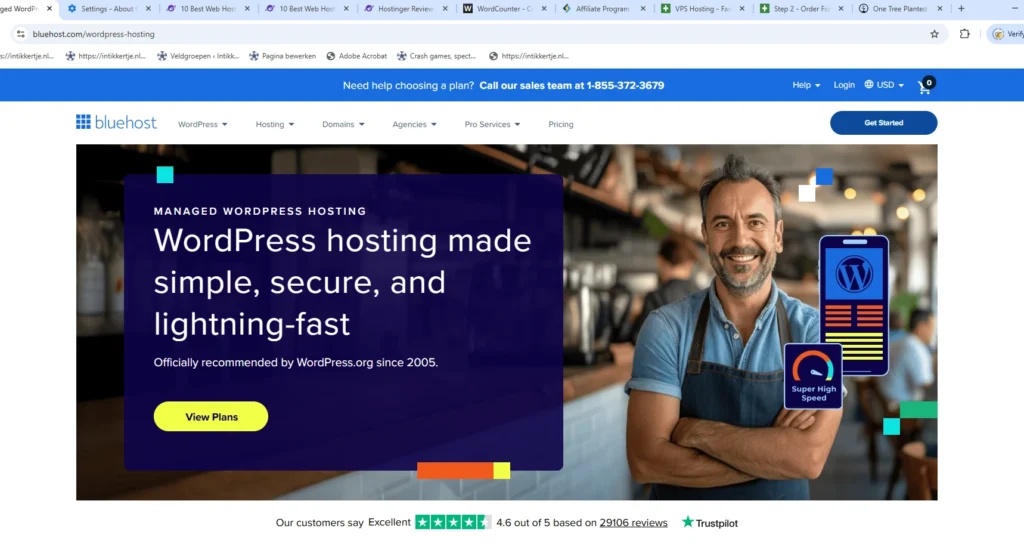
Bluehost is one of the most recognised names in web hosting. Founded in 2003, it has grown into one of the largest hosting providers in the world, powering over two million websites. It is one of only three hosting companies officially recommended by WordPress.org, a partnership that has been in place since 2005. For beginners starting their first website, Bluehost is often the first name they encounter.
- Company Background and Ownership
- Data Centre Locations
- Shared Hosting Plans
- The Renewal Pricing Reality
- VPS Hosting
- Dedicated Hosting
- Cloud Hosting
- Website Builder and AI Tools
- Performance
- Uptime and Reliability
- Security
- WordPress Integration
- Control Panel
- Customer Support
- Who Bluehost Is Best Suited For
- When Alternatives May Be a Better Fit
- Final Verdict
But brand recognition and a WordPress endorsement do not automatically mean it is the best option for everyone. In 2026, the hosting market is more competitive than ever. This review takes an honest look at what Bluehost actually delivers in terms of performance, pricing, support, and long term value, and where it falls short compared to alternatives.
Company Background and Ownership
Bluehost was founded by Matt Heaton and Danny Ashworth in Provo, Utah. In 2010, the company was acquired by Endurance International Group (EIG), which merged with Web.com in 2021 to form Newfold Digital. Today, Bluehost is the flagship brand in Newfold Digital’s portfolio, which also includes HostGator, Network Solutions, Domain.com, Web.com, and several other hosting brands.
In a notable consolidation move, Newfold Digital has begun redirecting several legacy brands (iPage, FatCow, HostMonster, IX Web Hosting) to Bluehost, signalling a strategy to consolidate resources under the Bluehost name.
Newfold Digital also owns Yoast SEO and YITH WooCommerce plugins, creating an ecosystem that spans hosting, WordPress SEO, and ecommerce tools. Bluehost is led by CEO Sachin Puri and positions itself as an AI forward platform focused on simplifying the website building journey for entrepreneurs and small businesses.
The ownership structure is worth noting because private equity backed hosting companies have historically prioritised cost reduction and revenue optimisation, which can affect infrastructure investment, support quality, and product development. Whether this applies to Bluehost in 2026 depends on your experience, but it is context worth having.
Data Centre Locations
Historically, Bluehost operated from two data centres in the Provo/Orem area of Utah, USA. Customers had no choice of server location.
In 2025, Bluehost migrated its infrastructure to Oracle Cloud, and in March 2026 announced a major expansion of data centre locations globally. The current server locations include:
North America: United States (Utah, multiple locations), Canada Europe: Germany (Frankfurt), United Kingdom (London), France (Paris), Spain (Madrid) Asia Pacific: India (Mumbai), Australia (Sydney) South America: Brazil (São Paulo)
This expansion is significant. For the first time, Bluehost customers can select a server location during signup, which allows European and Asian users to host closer to their audience. Previously, all traffic had to travel to Utah, which added latency for non US visitors.
All plans also include a free Cloudflare CDN integration, which caches static content at edge locations worldwide to improve delivery speed regardless of origin server location.
Shared Hosting Plans
Bluehost’s shared hosting is the most popular product and what the majority of customers use. The plans are also marketed as WordPress Hosting and WooCommerce Hosting, but the underlying infrastructure and pricing are largely identical. WordPress specific plans add pre installation, automatic updates, and optimised configurations.
Starter
Introductory price: $3.99/month (36 month term) Renewal price: $9.99/month
Up to 10 websites, 10 GB NVMe SSD storage, unmetered bandwidth, free SSL, free domain for the first year, free CDN, one click WordPress installation, and 24/7 chat support. Email hosting is included as a one month free trial, then $2.99/month.
The Starter plan is Bluehost’s entry point and suitable for a single small website or blog. The 10 GB storage is adequate for a content focused site but tight for anything image heavy. Note that phone support is not included on this plan.
Business
Introductory price: $6.99/month (36 month term) Renewal price: $13.99/month
Up to 50 websites, 50 GB NVMe SSD storage, unmetered bandwidth, everything in Starter plus daily automated backups, malware scanning, free professional email for one year, phone support, and marketing tools.
The Business plan is the most popular tier and represents the best balance of features and value. Daily backups and malware scanning are important additions that the Starter plan lacks. For anyone running a business website, this is the minimum recommended tier.
eCommerce
Introductory price: $6.99/month (36 month term) Renewal price: $21.99/month
Up to 100 websites, 100 GB NVMe SSD storage, unmetered bandwidth, everything in Business plus WooCommerce pre installed, advanced ecommerce tools (wishlists, one click checkout, email templates), enhanced security features, and unlimited professional email accounts.
The eCommerce plan is designed for online stores and includes tools that would otherwise require paid plugins. If you are planning to sell products through WordPress and WooCommerce, this plan bundles the essentials.
The Renewal Pricing Reality
Like most shared hosting providers, Bluehost uses aggressive introductory pricing that increases significantly at renewal. This is standard industry practice, but Bluehost’s renewal jumps are worth understanding before you commit.
The Starter plan goes from $2.99 to $9.99/month (a 402% increase). Business goes from $5.99 to $14.99/month. eCommerce goes from $6.99 to $21.99/month.
These renewal rates are roughly in line with the shared hosting industry average, and actually lower than SiteGround’s renewals ($17.99 to $44.99/month). Compared to Hostinger ($10.99/month renewal) and IONOS (around $10/month renewal), Bluehost sits in the middle.
Hidden costs to watch for. Bluehost’s checkout process includes several pre selected add ons that can significantly increase your bill. Domain privacy ($1/month), CodeGuard backup ($2.99/month), SiteLock security ($2.99/month), and professional email ($2.99/month after the free trial) are commonly added by default. Review your cart carefully before payment and remove anything you do not need.
Our advice: Commit to the longest term you are comfortable with to lock in the introductory rate. The 36 month term offers the best monthly price. Be aware of auto renewal settings and review your cart for pre selected add ons before checkout.
VPS Hosting
For sites that have outgrown shared hosting, Bluehost offers VPS plans with dedicated resources. All VPS plans include NVMe SSD storage, root access, cPanel, dedicated IP addresses, and unmetered bandwidth.
Standard VPS
36 month price: $4.99/month Monthly price: $46.99/month 2 CPU cores, 4 GB DDR5 RAM, 100 GB NVMe SSD
Enhanced VPS
36 month price: $12.99/month Monthly price: $59.99/month 4 CPU cores, 8 GB DDR5 RAM, 200 GB NVMe SSD
Ultimate VPS
36 month price: $49.99/month Monthly price: $89.99/month 6 CPU cores, 16 GB DDR5 RAM, 450 GB NVMe SSD
VPS renewal prices remain the same as the initial purchase, which is a significant advantage over the shared hosting plans. The Standard VPS plan at $4.99/month on a 36 month term is competitively priced for managed VPS hosting with cPanel included.
Dedicated Hosting
Bluehost’s dedicated server plans provide an entire physical server for maximum performance and control. Bluehost runs its infrastructure on Dell rack servers equipped with AMD EPYC processors, DDR5 memory, and NVMe storage.
Standard Dedicated
36 month price: $89.98/month 4 CPU cores, 8 GB RAM, 500 GB NVMe SSD, 5 TB bandwidth
Enhanced Dedicated
36 month price: $121.88/month 8 CPU cores, 16 GB RAM, 1 TB NVMe SSD, 10 TB bandwidth
Premium Dedicated
36 month price: $144.19/month 21 CPU cores, 128 GB RAM, 3 TB NVMe SSD, 15 TB bandwidth
Dedicated hosting is aimed at high traffic sites, resource intensive applications, and businesses that need full server control. At the premium tier, the specifications are substantial. Monthly payment options are available but significantly more expensive.
Cloud Hosting
Bluehost recently introduced cloud hosting as part of its infrastructure modernisation. Cloud plans are built on the same Oracle Cloud infrastructure and offer distributed resources across multiple servers for better redundancy and scalability than shared hosting.
Cloud hosting is positioned between shared and VPS hosting in terms of price and capability, and is aimed at growing businesses that need more reliability than shared hosting provides without the complexity of managing a VPS.
Website Builder and AI Tools
Bluehost includes a drag and drop website builder powered by AI across all hosting plans. The builder generates personalised website layouts based on your business type and preferences, and includes AI content generation for pages, product descriptions, and marketing copy.
The website builder is not as feature rich as standalone platforms like Squarespace or Wix, but for users who want a quick way to get a basic site online without learning WordPress, it provides a usable starting point. WordPress remains the recommended approach for anyone who wants full control over their site.
Bluehost has also added AI powered tools for SEO optimisation, image generation, and ad campaign creation, available as add ons at additional cost ($4.99/month and up).
Performance
Bluehost’s performance has been a subject of debate in the hosting community. Official claims state a 99.9% uptime guarantee and server response times around 350ms in the US.
Independent testing from multiple review sites in 2026 shows mixed results. TTFB of 300 to 600ms is typical for US locations, which is acceptable but not exceptional. European and Asian performance has improved significantly since the Oracle Cloud migration and data centre expansion, with latency reduced by up to 120ms compared to the previous Utah only infrastructure.
Bluehost uses NVMe SSD storage on all current plans, which is a meaningful upgrade from the older SATA SSDs used previously. The shared hosting plans run on LiteSpeed web servers with built in caching, which provides better WordPress performance than the Apache servers used in earlier years.
For small to medium sites with moderate traffic, Bluehost delivers acceptable performance. For high traffic sites or performance critical applications, VPS or dedicated hosting is recommended, or consider alternatives like Rocket.net or SiteGround that specialise in optimised WordPress delivery.
Uptime and Reliability
Bluehost guarantees 99.99% uptime. If actual uptime drops below this threshold, customers can claim a 5% monthly credit within 30 days. Independent monitoring generally confirms uptime around 99.9% to 99.99%, with occasional brief outages.
The Oracle Cloud migration has improved reliability through region specific replication and localised failover architecture. Sites hosted closer to their target audience benefit from reduced dependence on a single US data centre.
Security
All Bluehost plans include free SSL certificates, Cloudflare CDN integration, and basic security monitoring. Higher tier plans add daily automated backups, malware scanning, and enhanced security features.
However, some important security features that competitors include for free are offered as paid add ons at Bluehost. SiteLock security ($2.99/month), CodeGuard backups ($2.99/month), and domain privacy ($1/month) are commonly pushed during checkout. SiteGround, Hostinger, and Hetzner include daily backups and malware scanning in their base plans at no extra cost.
If you opt for the Starter plan, you are responsible for arranging your own backup solution (WordPress plugins like UpdraftPlus can handle this for free).
WordPress Integration
This is one of Bluehost’s genuine strengths. As an officially recommended WordPress.org host, the platform is deeply integrated with the WordPress ecosystem.
One click WordPress installation (or automatic pre installation on WordPress plans). Automatic WordPress core, theme, and plugin updates on managed plans. A curated marketplace of free and premium themes and plugins. Free WordPress migration tool for moving sites from other hosts. Integration with Yoast SEO (also owned by Newfold Digital) for on page optimisation. WooCommerce pre installed and configured on ecommerce plans.
For beginners who want to get a WordPress site online quickly, Bluehost makes the process straightforward. The guided setup experience is genuinely well designed and reduces the friction that often overwhelms new users.
Control Panel
Bluehost uses a custom dashboard built on top of cPanel. The interface is clean and beginner friendly, with guided setup wizards and clear navigation. Common tasks like domain management, email configuration, file management, and database access are accessible without needing technical knowledge.
Advanced users can access the full cPanel interface underneath for more granular control. SSH access is available on VPS and dedicated plans. Shared hosting does not provide root access or full server control.
Customer Support
Bluehost offers 24/7 support through live chat, email, and phone (phone support requires the Business plan or higher). The company also maintains an extensive knowledge base with tutorials, guides, and FAQs.
Support quality is inconsistent based on user reviews and independent testing. Simple issues like domain configuration, WordPress installation, and billing questions are handled competently. More complex technical issues may require escalation, and response times can vary. Some users report being directed through AI chatbot interactions before reaching a human agent.
For comparison, SiteGround and Rocket.net consistently receive higher marks for technical support quality and response times. If fast, expert level support is a priority, factor this into your decision.
Who Bluehost Is Best Suited For
Complete beginners launching their first website or blog. Small businesses that need an affordable, easy to set up WordPress site. WooCommerce store owners who want an integrated ecommerce hosting solution. Users who value WordPress.org endorsement and ecosystem integration. Sites targeting audiences in regions covered by Bluehost’s expanded data centres.
When Alternatives May Be a Better Fit
Performance focused users who need the fastest possible TTFB and load times. Businesses that rely on fast, expert level technical support. Developers wanting root access, LiteSpeed, or advanced server configurations on shared hosting. European users who want a host with a strong European presence and GDPR focus. Budget conscious users who want low renewal prices (consider Hostinger or IONOS).
For premium managed WordPress hosting, see our Rocket.net review. For strong all round performance with excellent support, see our SiteGround review. For European focused infrastructure at competitive prices, see our Hetzner review and IONOS review.
Final Verdict
Bluehost remains a solid choice for beginners and small businesses in 2026, particularly for users who want a straightforward WordPress hosting experience at an affordable entry price. The WordPress.org recommendation, one click setup, AI website builder, and integrated ecommerce tools make it genuinely easy to get started.
The 2025/2026 infrastructure changes, including the Oracle Cloud migration, global data centre expansion, and NVMe storage upgrades, have meaningfully improved performance and reliability compared to previous years. European users in particular now have viable server locations where previously they had no choice.
The drawbacks are real but manageable. Renewal prices increase significantly after the introductory term. Some features that competitors include for free (backups, malware scanning) are paid extras on lower tier plans. Support quality is decent but not best in class. And the aggressive checkout upselling requires careful attention.
If you choose Bluehost, start with the Business plan for the best feature set, commit to a 36 month term for the lowest rate, remove pre selected add ons at checkout, and plan ahead for the renewal price increase. For most small business and personal websites, Bluehost will serve you well. For performance critical or high traffic sites, invest in a provider that specialises in optimised WordPress hosting.
Pricing Plans
Starter
- 10 Websites
- 10GB NVMe Storage
- Free Domain
- Free SSL
- Free CDN
Business
- 50 Websites
- 50GB NVMe Storage
- Daily Backups
- Malware Scanning
- Phone Support
eCommerce
- 100 Websites
- 100GB NVMe Storage
- WooCommerce Tools
- Advanced Security
Standard VPS
- 2 CPU Cores
- 4GB DDR5 RAM
- 100GB NVMe
- Root Access
Enhanced VPS
- 4 CPU Cores
- 8GB DDR5 RAM
- 200GB NVMe
- Root Access
Standard Dedicated
- 4 CPU Cores
- 8GB RAM
- 500GB NVMe
- 5TB Bandwidth
Pros and Cons
✓ Pros
- Officially recommended by WordPress.org
- Easy beginner friendly setup and onboarding
- Global data centres since 2026 (Europe, Asia, Americas)
- NVMe SSD storage on all plans
- Free domain, SSL, and CDN included
- VPS prices stay the same on renewal
✗ Cons
- Significant renewal price increases on shared hosting
- Backups and malware scanning are paid extras on Starter plan
- Pre selected add ons inflate checkout cost
- Support quality inconsistent, AI chatbot before human agent
- Phone support only on Business plan and above
Key Features
| Infrastructure | Oracle Cloud (USA, Canada, UK, Germany, France, Spain, India, Australia, Brazil) |
|---|---|
| Backups | Daily automated (Business+), paid add-on on Starter |
| Caching | LiteSpeed with built-in caching, Cloudflare CDN |
| Support | 24/7 chat and email, phone on Business plan and above |
| Best For | Beginners, WordPress sites, small businesses, WooCommerce stores |