Whats is Apache?
The world's most widely used web server and the default on most shared hosting plans.
Apache HTTP Server is a web server: software that runs on your hosting server, receives requests from browsers, and sends back web pages. It’s been the most widely used web server in the world for most of the internet’s history and remains the default on the majority of shared hosting plans.
If you’re on cPanel-based hosting, you’re almost certainly on Apache. It’s well-supported, widely documented, and compatible with more tools and configurations than any other web server.
What Apache Does
When you type a URL into your browser and hit enter, your browser sends a request to a server. Apache is the software on that server that receives the request, finds the right files, processes any PHP, and sends a response back.
It handles the full request-response cycle: incoming connection management, URL routing, authentication, file serving, compression, and access control. Most of what happens between “you click a link” and “the page appears” passes through Apache on a typical shared hosting server.
Apache also manages virtual hosting: the ability to host multiple websites on a single server, each with its own domain, files, and configuration. This is how shared hosting works. One server runs Apache, Apache serves hundreds of different websites based on the domain in the incoming request.
The .htaccess File
Apache’s most distinctive feature for end users is .htaccess. This is a plain text configuration file that sits in your website’s directory and controls how Apache handles requests for that site.
You can use .htaccess to:
- Set up redirects (301 and 302)
- Enable HTTPS rewrites
- Block specific IP addresses or user agents
- Set custom error pages
- Control browser caching headers
- Protect directories with passwords
- Enable or disable directory listing
- Set PHP configuration values on some hosts
All of this without touching the main server configuration, which requires root access. For shared hosting customers who can’t SSH into the server and edit global config files, .htaccess is the only way to control server behaviour at the directory level.
WordPress uses .htaccess for its permalink structure. The file tells Apache how to route requests like /blog/what-is-apache/ to index.php for WordPress to handle. Without the correct .htaccess rules, WordPress permalinks return 404 errors.
This is something Apache offers that Nginx does not. On Nginx, all configuration lives at the server level, not in per-directory files. For shared hosting where users can’t access the main server config, .htaccess is a practical necessity. It’s one of the main reasons Apache remains dominant in shared hosting despite being slower than Nginx and LiteSpeed under load.
How Apache Processes Requests
Apache’s default processing model uses either prefork or worker MPM (Multi-Processing Module).
In prefork mode, Apache spawns multiple child processes, each capable of handling one request at a time. A request arrives, a child process handles it, and that process is occupied until the response is sent. This is the most compatible mode but the least efficient under high concurrency.
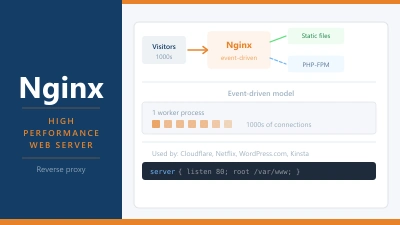
Worker mode uses threads within processes, allowing each process to handle multiple requests. More efficient than prefork, still less efficient than Nginx’s fully asynchronous event-driven model.
Event MPM, introduced in later Apache versions, comes closer to Nginx’s approach. It handles keep-alive connections more efficiently and performs better under concurrent load. Most modern Apache installations use Event MPM, though it’s still generally less performant than Nginx at scale.
The practical effect: Apache works well for low to medium traffic. Under high concurrency, resource usage climbs faster than on Nginx or LiteSpeed, and response times can suffer.
Apache Modules
Apache’s functionality is extended through modules. These are compiled add-ons that expand what Apache can do: mod_rewrite for URL rewriting, mod_ssl for TLS connections, mod_deflate for compression, mod_expires for cache headers, mod_security for web application firewall rules.
On shared hosting, the host decides which modules are available. You can usually check via phpinfo() or by creating a test script. Some hosts enable a wide range of modules. Others are more restrictive.
WordPress relies heavily on mod_rewrite for its permalink system. On shared hosting, this is almost always available. On a bare Apache installation on a VPS, you may need to enable it manually with a2enmod rewrite.
Apache vs LiteSpeed
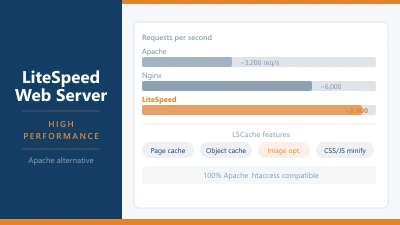
LiteSpeed was designed as a drop-in Apache replacement. It reads the same configuration files and .htaccess rules without modification. From your perspective as a site owner, nothing changes when a host switches from Apache to LiteSpeed.
What does change is performance. LiteSpeed handles concurrent connections more efficiently and comes with built-in caching via LSCache. Many shared hosts have migrated from Apache to LiteSpeed specifically to offer better performance without changing the customer-facing experience.
If your host offers a choice or runs LiteSpeed, there’s no reason to stick with Apache for performance reasons. If they run Apache and you’re on shared hosting with moderate traffic, it’s likely fine. The limitations of Apache at scale only become a practical problem when your shared hosting plan is genuinely under sustained heavy load.
Apache and WordPress
Apache has served WordPress sites for as long as WordPress has existed. The combination is well-understood and well-documented.
The WordPress .htaccess file generated during setup includes the rewrite rules needed for permalink functionality. Beyond that, WordPress doesn’t require any specific Apache configuration. It works on the defaults.
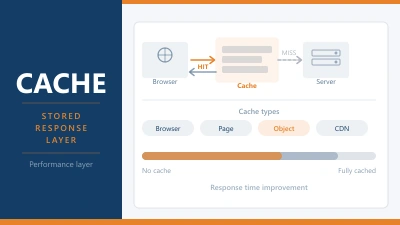
For performance, you can improve Apache’s behaviour with your site by adding caching headers to your .htaccess, enabling compression, and configuring browser caching. Many caching plugins write these rules automatically. WP Super Cache, for example, creates its own .htaccess rules for serving cached pages.
If you’re migrating from Apache to Nginx or LiteSpeed, the main task is converting .htaccess rules to the target server’s format. WordPress permalink rules have well-documented equivalents for both. Any custom redirects or security rules need to be translated manually.
Frequently Asked Questions
How do I know if my host uses Apache? Check your response headers. The Server header will say Apache if it’s running. Some hosts remove or mask this header for security. Alternatively, cPanel-based hosting almost always uses Apache or LiteSpeed (which is backward-compatible with Apache).
Can I edit .htaccess on shared hosting? Yes. Your .htaccess file is in your site’s root directory, accessible via the File Manager in cPanel or via FTP. Be careful editing it: a syntax error takes your site offline until the error is corrected. Always keep a backup before making changes.
What happens if .htaccess has an error? Apache returns a 500 Internal Server Error for the affected directory. This means your site is down. To fix it, access the file via FTP or cPanel’s File Manager, correct the syntax error, and save. The site comes back immediately. Using a text editor with syntax highlighting reduces the risk of introducing errors.
Is Apache still worth using? For shared hosting, yes. The ecosystem of tools, documentation, and support around Apache is unmatched. The .htaccess system works well for the configuration tasks most site owners need. For a VPS where you have full control and expect significant traffic, Nginx or LiteSpeed offer better performance per server resource.
What’s the difference between Apache and Apache Tomcat? Apache HTTP Server serves web pages (HTML, CSS, static files, PHP via modules). Apache Tomcat is a Java application server that runs Java Servlet and JSP applications. They’re separate projects from the Apache Software Foundation with different use cases. Unless you’re running Java-based applications, you’ll never encounter Tomcat in a web hosting context.