What Is TTFB (Time to First Byte)
TTFB measures how fast your server starts responding to a visitor's request. Here's what affects it, what a good score looks like, and how to improve yours.
TTFB stands for Time to First Byte. It measures the time between a visitor’s browser requesting your page and receiving the very first byte of data back from the server. That’s before any images load, before any text appears, before anything renders on screen. TTFB is the starting gun for everything else.
A fast TTFB means your server responded quickly and the browser can start building the page. A slow TTFB means the visitor is staring at a blank screen while the server figures out what to send.
You can test your own site’s TTFB right now with our Server Response Time Tester.
What Happens During TTFB
When someone clicks a link to your site, several things happen before that first byte arrives:
DNS lookup. The browser translates your domain name into an IP address. This usually takes 20 to 120ms depending on your DNS provider and whether the result is cached.
TCP connection. The browser establishes a connection with your server. This is a handshake process that adds latency based on the physical distance between the visitor and the server.
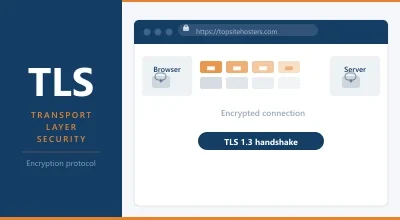
TLS handshake. If your site uses HTTPS (and it should), there’s an additional handshake to establish the encrypted connection. This adds another round trip.
Server processing. The server receives the request, runs whatever code is needed to build the page (PHP, database queries, template rendering), and starts sending the response.
Network transit. The first byte of the response travels back across the network to the visitor’s browser.
TTFB captures all of these steps combined. That’s why it’s sometimes called a “foundational metric.” Every other loading metric, including First Contentful Paint and Largest Contentful Paint, has to wait for TTFB to finish first. Time added to TTFB is time added to everything.
What’s a Good TTFB?
Google recommends that 75% of your visitors experience a TTFB of 800ms or less. But that’s the ceiling, not the target.
| TTFB | Rating | What It Means |
|---|---|---|
| Under 200ms | Excellent | Fast server, good caching, close data centre. This is what well configured hosts deliver. |
| 200 to 500ms | Good | Acceptable for most sites. Room to improve but visitors won’t notice delays. |
| 500 to 800ms | Needs work | Your server is responding slowly. Caching, server configuration, or hosting quality may need attention. |
| Over 800ms | Poor | Visitors see a blank screen for nearly a second before anything starts loading. This hurts both experience and SEO. |
For shared hosting, a TTFB under 300ms is realistic with decent caching. Managed WordPress hosts and VPS setups regularly hit under 200ms. If your TTFB is above 600ms on shared hosting, your server is either overloaded, poorly configured, or too far from your visitors.
Why TTFB Matters for Your Website
It affects every other speed metric. TTFB is the foundation that LCP and FCP are built on. If your server takes 1.5 seconds to send the first byte, your LCP can’t possibly be under 2.5 seconds (Google’s “good” threshold) because you’ve already burned most of that budget waiting for the server.
Google uses it as a diagnostic signal. TTFB isn’t officially a Core Web Vital, but it directly impacts LCP and FCP, which are. A study in the 2025 Web Almanac found that sites with poor LCP spent an average of 2.27 seconds on TTFB alone. Fix TTFB, and LCP often fixes itself.
Visitors feel it. A 200ms TTFB feels instant. An 800ms TTFB feels like the site is thinking. Over 1.5 seconds and visitors start reaching for the back button. Research shows that a one second improvement in page speed can reduce bounce rates by up to 9%.
What Affects TTFB
Your TTFB is shaped by a combination of hosting quality, server configuration, and geography. Here’s what has the biggest impact.
Your hosting provider. This is the single biggest factor. A well configured host with fast hardware, NVMe storage, and enough CPU and RAM per account will deliver a lower TTFB than a budget host cramming hundreds of sites onto a slow server. The difference between a good host and a bad one can be 50ms versus 800ms.
Server location. Data travels at a finite speed. A server in Frankfurt responds faster to a visitor in Berlin than a server in Dallas does. If your audience is primarily European, hosting on a European server makes a measurable difference. This is also why CDNs help: they serve cached content from a location closer to the visitor.
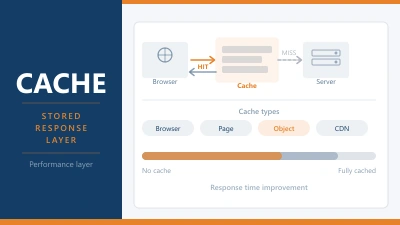
Caching. Without caching, every page request requires your server to run PHP code, query the database, assemble the HTML, and send it back. With page caching enabled, the server sends a pre-built version of the page. The difference can be 500ms+ on dynamic sites like WordPress. LiteSpeed Cache, Redis, and Varnish are the most common server side caching tools.
PHP version. Newer versions of PHP are faster. PHP 8.3 handles more requests per second and uses less memory than PHP 7.4. Upgrading to the latest stable PHP version is one of the easiest TTFB improvements you can make.
Web server software. LiteSpeed is generally faster than NGINX for dynamic PHP content, and both are faster than Apache under load. The web server your host runs affects how quickly requests are processed.
Database performance. WordPress sites make database queries on every dynamic page load. Slow queries, unoptimized tables, or a database server that’s shared with too many other sites will push TTFB higher. Object caching (Redis or Memcached) stores query results in memory to avoid hitting the database on every request.
DNS provider. A slow DNS provider adds latency before the server even receives the request. Cloudflare, Google DNS, and Quad9 are among the fastest. Some hosting providers use slower DNS infrastructure, which adds 50 to 100ms before anything else happens.
How to Improve Your TTFB
Start with the changes that make the biggest difference for the least effort.
Enable page caching. If you’re running WordPress, install a caching plugin. LiteSpeed Cache (for LiteSpeed servers), WP Super Cache, or W3 Total Cache will serve static versions of your pages instead of rebuilding them on every request. This alone can cut TTFB by 50% or more.
Upgrade your PHP version. Log into your hosting control panel and switch to the latest stable PHP version. Most cPanel hosts make this a single dropdown change. Check that your plugins and theme are compatible first.
Use a CDN. A content delivery network caches your static files (and sometimes full pages) on servers around the world. Cloudflare’s free tier is the most common starting point. For full page edge caching, QUIC.cloud (for LiteSpeed) and Cloudflare APO (for WordPress) go further.
Choose a server close to your audience. If your visitors are in Europe and your server is in the US, you’re adding 100 to 200ms of latency on every request. Pick a data centre in the same region as your primary audience.
Upgrade your hosting. If you’ve done everything above and TTFB is still above 500ms, the server itself is the bottleneck. A better hosting plan with more resources, NVMe storage, and fewer accounts per server will make a direct difference. Moving from a crowded shared host to a quality provider can cut TTFB from 800ms to under 200ms.
Enable object caching. If your host supports Redis or Memcached, enable it. Object caching stores database query results in memory. For WordPress sites with complex queries (WooCommerce stores, membership sites, sites with lots of plugins), this reduces the database load on every request.
How to Test TTFB
There are several ways to check your TTFB:
Our Server Response Time Tester lets you test from multiple locations to see how your server performs globally.
Google PageSpeed Insights shows TTFB as part of its performance audit. Look for the “Reduce initial server response time” recommendation.
GTmetrix displays TTFB in the Waterfall view for every request. The first HTML document request is the one that matters most.
Browser DevTools. Open Chrome DevTools (F12), go to the Network tab, reload the page, and click the first HTML request. The “Waiting (TTFB)” value shows how long the browser waited for the first byte.
When testing, keep in mind that your results depend on where you’re testing from, which server you hit, and whether the page was cached. Run multiple tests from different locations and use the median result for a fair picture.
TTFB vs Server Response Time
You’ll sometimes see these terms used interchangeably, but they’re not exactly the same thing. Server Response Time measures how quickly the server processes a request and starts sending data. TTFB includes that, plus the network latency between the visitor and the server.
A server in Frankfurt might have a 50ms server response time. For a visitor in Frankfurt, the TTFB might be 60ms. For a visitor in Sydney, the same server might show a 300ms TTFB because of the distance the data has to travel. The server’s speed hasn’t changed. The network transit has.
This distinction matters when diagnosing performance issues. If your TTFB is high from every location, the server is slow. If it’s low from nearby locations but high from far away, you need a CDN or a data centre closer to your audience.
Frequently Asked Questions
Is TTFB a Core Web Vital?
No. TTFB is classified as a diagnostic metric, not a Core Web Vital. The three Core Web Vitals are LCP, INP, and CLS. But TTFB directly affects LCP and FCP, so improving it almost always improves your Core Web Vitals scores too.
Does TTFB affect SEO?
Indirectly, yes. Google uses Core Web Vitals (particularly LCP) as a ranking signal. Since a slow TTFB delays LCP, it can hold your pages back in search results. Google also crawls your site faster when server response times are low, which helps with indexing.
What causes high TTFB on WordPress?
The most common causes are: no page caching enabled, an outdated PHP version, slow or overloaded hosting, too many database queries from plugins, and no object caching. Fixing page caching alone resolves the issue for most WordPress sites.
Can a CDN fix my TTFB?
A CDN can significantly reduce TTFB for cached content by serving it from a server closer to the visitor. For dynamic pages that can’t be cached at the edge, a CDN won’t help with the server processing time, but it will reduce the network latency portion of TTFB.
← Back to Web Hosting Glossary