What Is TLS (Transport Layer Security)?
TLS encrypts the connection between your visitors and your server. Here's how it works, how it relates to SSL, and why your hosting setup matters.
TLS stands for Transport Layer Security. It’s the protocol that encrypts the connection between a visitor’s browser and your web server. When you see the padlock icon and https:// in your browser’s address bar, TLS is what’s making that happen.
Every login form, every payment page, every contact form submission on your site travels through this encrypted connection. Without TLS, that data is sent in plain text where anyone on the same network could read it.
TLS vs SSL: What’s the Difference?
You’ll hear people say “SSL certificate” constantly. Hosting providers sell them, tutorials tell you to install them, and browsers warn you when a site doesn’t have one. But here’s the thing: SSL (Secure Sockets Layer) is the old protocol. TLS replaced it.
SSL was developed by Netscape in the 1990s. SSL 3.0 was the last version, released in 1996. TLS 1.0 arrived in 1999 as its direct successor. Since then, SSL has been officially deprecated. Modern browsers don’t support it at all. What the industry still calls an “SSL certificate” is actually a TLS certificate running on the TLS protocol.
The name stuck because everyone was already using it. When your host says they provide “free SSL,” they mean a TLS certificate. When a plugin says it “forces SSL,” it’s forcing a TLS connection. The security you get is the same regardless of what people call it. Just know that TLS is the real technology behind the padlock.
Here’s the timeline:
| Protocol | Released | Status |
|---|---|---|
| SSL 2.0 | 1995 | Deprecated. Known vulnerabilities. |
| SSL 3.0 | 1996 | Deprecated. Vulnerable to POODLE attack. |
| TLS 1.0 | 1999 | Deprecated since 2020. No longer supported by major browsers. |
| TLS 1.1 | 2006 | Deprecated since 2020. No longer supported by major browsers. |
| TLS 1.2 | 2008 | Widely supported. Still considered secure. |
| TLS 1.3 | 2018 | Current standard. Fastest and most secure. |
Any decent host in 2026 should support TLS 1.2 at minimum and TLS 1.3 ideally. If your host is still running TLS 1.0 or 1.1, that’s a red flag.
How TLS Works
When a visitor loads your site over HTTPS, a process called the TLS handshake happens before any page content is transferred. It takes milliseconds, but there are several steps.
Step 1: Client Hello. The visitor’s browser contacts your server and says “I want a secure connection.” It sends a list of TLS versions and encryption methods it supports.
Step 2: Server Hello. Your server responds with the TLS version and encryption method it wants to use, plus its TLS certificate. The certificate contains your domain name and a public key.
Step 3: Verification. The browser checks the certificate against a list of trusted Certificate Authorities (CAs). It confirms the certificate is valid, hasn’t expired, and matches the domain being visited. If anything is wrong, the browser shows a security warning.
Step 4: Key exchange. The browser and server agree on a shared encryption key using the public key from the certificate. This is done through asymmetric encryption so that only the server can decrypt the message.
Step 5: Encrypted connection. Both sides now have the same session key. All data sent between the browser and server from this point on is encrypted with this key. The handshake is complete and the page starts loading.
TLS 1.3 streamlines this process by reducing the handshake from two round trips to one. That means faster connections, especially on mobile networks where every round trip adds noticeable latency.
Why TLS Matters for Your Website
Browser trust. Every major browser flags sites without HTTPS as “Not Secure.” Chrome shows this warning right in the address bar. For visitors, especially anyone entering personal information, that warning is a reason to leave. A valid TLS certificate removes it and shows the padlock instead.
Google ranking signal. Google has used HTTPS as a ranking factor since 2014. A site with TLS won’t automatically outrank one without it, but all else being equal, the secure site gets the edge. In practice, nearly all sites in competitive search results use HTTPS now, so not having it puts you at a disadvantage.
Data protection. TLS encrypts everything between the visitor and your server: login credentials, form submissions, payment details, cookies, and session data. Without it, anyone intercepting the connection (on a public WiFi network, for example) can read everything in plain text. For any site handling personal data, TLS isn’t optional.
Compliance. If you process payments, you need TLS to meet PCI DSS requirements. If you handle personal data from European visitors, GDPR expects you to take reasonable measures to protect data in transit. TLS is the baseline for both.
TLS Certificates: Free vs Paid
A TLS certificate is what your server presents to browsers to prove its identity. There are three validation levels and a choice between free and paid.
Domain Validation (DV) confirms you control the domain. That’s it. No verification of who you are or whether your business exists. This is what Let’s Encrypt provides for free. For the vast majority of websites, DV is all you need.
Organization Validation (OV) verifies that a real organization owns the domain. The Certificate Authority checks business registration details before issuing. Costs $50 to $200 per year. Useful for business sites that want an extra layer of trust, though visitors won’t see a visible difference in the browser.
Extended Validation (EV) involves the most thorough verification, including legal entity checks and physical address confirmation. Used to show the company name in the address bar, but most browsers have removed that visual indicator. Costs $100 to $500+ per year. Rarely worth it in 2026 for most sites.
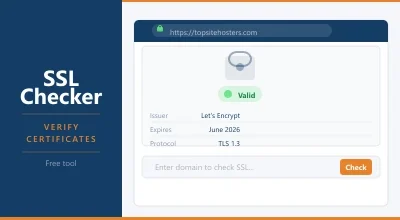
For the vast majority of websites, a free Let’s Encrypt certificate with DV is the right choice. Most good hosting providers include automatic Let’s Encrypt certificates on all plans, with automatic renewal so you never have to think about it. You can check any site’s certificate with our SSL Certificate Checker.
How Your Hosting Provider Affects TLS
Not all hosts handle TLS the same way, and the differences matter more than you might think.
Free certificates. Most modern hosts include free TLS certificates through Let’s Encrypt or a similar CA. If a host charges extra for a basic SSL certificate in 2026, that’s a warning sign. It should be included on every plan.
Automatic renewal. TLS certificates expire (Let’s Encrypt certificates every 90 days). Good hosts renew them automatically. Bad hosts let them expire, and your visitors see a full page security warning until you notice and fix it manually.
TLS version support. Your host controls which TLS versions the server accepts. TLS 1.3 is faster and more secure than 1.2. Check whether your host supports it. Most quality hosts do. You can verify this with our SSL Certificate Checker which shows the protocol version in use.
HTTP/2 and HTTP/3. Both of these faster protocols require TLS. HTTP/2 has been standard for years. HTTP/3 (built on QUIC) is newer and reduces connection latency further. Your host needs to support TLS properly for either of these to work.
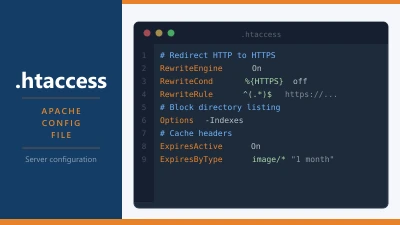
Mixed content warnings. Even with TLS enabled, if your site loads any resources (images, scripts, fonts) over plain HTTP, the browser may show a warning or block them. Good hosts force all traffic to HTTPS automatically. If yours doesn’t, you may need to set up a redirect or use a plugin.
Frequently Asked Questions
Do I need to buy an SSL certificate?
For most websites, no. Free TLS certificates from Let’s Encrypt provide the same encryption as paid ones. The only reason to buy a certificate is if you need Organization Validation or Extended Validation for compliance or branding reasons. Most people never will.
What happens if my TLS certificate expires?
Visitors see a full page security warning in their browser saying the connection isn’t private. Most people will immediately leave. Search engines may also temporarily drop your pages from results. This is why automatic renewal matters. If your host handles it, you’ll never face this problem.
Is TLS 1.2 still safe to use?
Yes. TLS 1.2 is still considered secure and is widely supported. TLS 1.3 is faster and has a simpler handshake, but 1.2 isn’t vulnerable to any known practical attacks. Most servers support both and will use 1.3 when the browser supports it.
Does TLS slow down my website?
The TLS handshake adds a small amount of time (typically 50 to 100ms) to the first connection. After that, the encrypted connection runs at essentially the same speed as an unencrypted one. TLS 1.3 reduces the handshake to a single round trip, making the overhead even smaller. The security benefit far outweighs the negligible speed cost.
← Back to Web Hosting Glossary