What Is Plesk?
Plesk is a web based control panel for managing web hosting servers. It handles the same core tasks as cPanel (domains, email, files, databases, SSL, backups) but with a different interface and some features that set it apart. The biggest differences: Plesk supports both Linux and Windows servers, has a built in WordPress Toolkit, and […]
Plesk is a web based control panel for managing web hosting servers. It handles the same core tasks as cPanel (domains, email, files, databases, SSL, backups) but with a different interface and some features that set it apart. The biggest differences: Plesk supports both Linux and Windows servers, has a built in WordPress Toolkit, and uses a unified interface where admins and users work in the same panel.
Plesk was created in 2000 and is now owned by WebPros, the same holding company that owns cPanel. It’s particularly popular with European hosts and VPS providers.
What You Can Do With Plesk
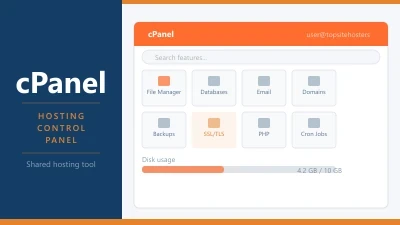
Plesk organises its features in a sidebar menu rather than cPanel’s icon grid. The sections cover the same ground, but the layout feels more like a modern web application.
Websites and Domains. Add domains, create subdomains, manage DNS records, install SSL certificates, and configure hosting settings for each site. Everything for a specific domain is grouped in one place.
WordPress Toolkit. This is Plesk’s standout feature. It gives you a centralised dashboard for all your WordPress installations. You can install, update, clone, stage, and harden WordPress sites from one interface. Plugin and theme management works across multiple sites simultaneously. Security scanning identifies vulnerabilities and offers fixes with one click. No other major control panel has anything this comprehensive for WordPress.
Files. A built in file manager for browsing, uploading, editing, and managing permissions. Supports FTP and SFTP account creation for external access.
Email. Create mailboxes, forwarders, autoresponders, and mailing lists. Manage spam filtering and configure SPF, DKIM, and DMARC records. Plesk uses its own email interface rather than relying on a separate webmail tool, though Roundcube and Horde are available.
Databases. Create and manage MySQL, MariaDB, and PostgreSQL databases. phpMyAdmin is included for visual database management.
Security. SSL certificate management with Let’s Encrypt integration, Fail2Ban for brute force protection, ModSecurity WAF, and directory password protection. Plesk’s security layer is slightly more integrated than cPanel’s, with advisors that scan your setup and recommend improvements.
Docker and Git. Plesk includes native support for Docker containers and Git version control. You can deploy containers, manage images, and set up Git based deployment workflows directly from the panel. This makes Plesk popular with developers who want panel convenience without sacrificing modern workflow tools.
Extensions. Plesk has an extension catalog similar to an app store. You can add functionality like ImunifyAV (malware scanning), SEO tools, monitoring, and additional backup solutions. Some extensions are free, others are paid.
Plesk vs cPanel
The two panels cover similar ground, but the experience is different.
| Feature | Plesk | cPanel |
|---|---|---|
| OS support | Linux and Windows | Linux only |
| Interface | Sidebar menu, unified | Icon grid, separate WHM |
| WordPress tools | Full Toolkit (staging, cloning, security) | Basic (via Softaculous) |
| Docker support | Built in | Not available |
| Git integration | Built in | Via third party |
| RAM usage | 2 GB+ | 2 GB+ |
| Community size | Smaller | Larger (more tutorials available) |
| Owner | WebPros (Oakley Capital) | WebPros (Oakley Capital) |
The practical difference comes down to your situation. If you manage multiple WordPress sites, Plesk’s Toolkit is genuinely better than anything cPanel offers. If you need Windows server support, Plesk is your only option among the major panels. If you’re on shared hosting and your host uses cPanel, there’s no reason to switch. You use what your host provides.
Both panels are owned by WebPros, and both face annual price increases. That shared ownership means there’s no competitive pressure between them to keep costs down.
Plesk Editions and Pricing
Plesk uses an edition based licensing model. Each edition limits the number of domains you can host.
| Edition | Domains | Approx. Monthly Price (2026) |
|---|---|---|
| Web Admin | 10 | ~$15 to $20 |
| Web Pro | 30 | ~$30 to $35 |
| Web Host | Unlimited | ~$45 to $58 |
Plesk raised prices by approximately 26% in January 2026, the steepest single year increase in its history. It also eliminated annual billing discounts, making monthly the default payment option with new quarterly and semi-annual alternatives. For the full pricing history, see our article on cPanel and Plesk price increases.
Like cPanel, shared hosting plans include the Plesk license in your monthly fee. On a VPS, you pay the license yourself or choose a managed VPS that bundles it.
Who Is Plesk Best For?
WordPress agencies and developers. The WordPress Toolkit is the strongest reason to choose Plesk. If you manage five or more WordPress sites and want centralised updates, staging, cloning, and security scanning, nothing else in the control panel market matches it.
Windows server users. Plesk is the only major panel that supports Windows Server environments. If you’re running ASP.NET applications or MSSQL databases, Plesk is effectively your only option with a visual interface.
VPS users who want Docker and Git. If your workflow involves containers or Git deployments and you still want a visual panel for the basics (email, SSL, DNS), Plesk integrates both natively.
European hosts. Plesk has historically been more popular in Europe than the US. Many European VPS providers offer it as the default or primary panel option.
Frequently Asked Questions
Is Plesk easier to use than cPanel?
That depends on what you’re used to. Plesk’s sidebar layout feels more modern and logical to some users. cPanel’s icon grid is familiar to anyone who’s used shared hosting before. If you’re starting fresh with no preference, most people find Plesk slightly easier to navigate. If you’ve used cPanel for years, switching to Plesk has a brief adjustment period.
Is Plesk free?
No. Plesk is a commercial product with monthly licensing fees. Some managed VPS providers include a Plesk license in their plans, but the cost is built into the price. There’s a 14 day free trial if you want to test it before committing.
Can I use Plesk on shared hosting?
Only if your host provides it. You can’t install Plesk on someone else’s shared server. Some hosts offer Plesk as their default panel on shared plans (particularly European providers). On a VPS, you choose and install it yourself.
Are Plesk and cPanel owned by the same company?
Yes. Both are owned by WebPros, which is controlled by Oakley Capital. They operate as separate products with separate development teams, but pricing strategy comes from the same parent company. Both have raised prices every year since the acquisitions.
← Back to Web Hosting Glossary