What Is MariaDB?
MariaDB is an open source database system created as a fork of MySQL. It's fully compatible with MySQL but offers performance improvements.
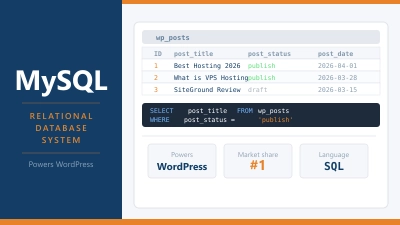
MariaDB is an open-source relational database management system. It was created as a community-developed fork of MySQL and is designed to be a drop-in replacement for it. The two are largely compatible at the application level: WordPress, Drupal, Magento, and most web applications that run on MySQL work on MariaDB without modification.
MariaDB was created in 2009 by Michael “Monty” Widenius, one of the original founders of MySQL, along with other core MySQL developers. The fork happened after Oracle acquired Sun Microsystems in 2010, which brought MySQL under Oracle’s control. The development community wanted an independent, community-governed alternative.
The name comes from Widenius’s daughter Maria, following the same pattern as MySQL (named after his other daughter, My).
Why MariaDB Exists
The context behind MariaDB’s creation matters. MySQL had been open-source software for many years, but its acquisition by Oracle raised concerns in the developer community. Oracle is primarily a commercial database company. Having them control the most widely used open-source database created uncertainty about MySQL’s future direction, licensing, and commitment to the open-source model.
MariaDB was created to ensure there would always be a genuinely community-governed, open-source alternative. Development is overseen by the MariaDB Foundation, a non-profit organisation. All MariaDB releases are published under the GNU General Public License. There’s no commercial edition with proprietary features hidden behind a paywall in the same way Oracle manages MySQL.
Today, MariaDB has become the default database in many Linux distributions and hosting environments. Debian and Ubuntu switched their default from MySQL to MariaDB. Red Hat Enterprise Linux and CentOS moved to MariaDB as the default. Many hosting providers have made the same switch.
MariaDB vs MySQL: Key Differences
For most web hosting purposes, MariaDB and MySQL are interchangeable. But there are genuine technical differences worth understanding.
Storage engines: MariaDB includes additional storage engines not found in MySQL. The Aria storage engine is MariaDB’s own crash-safe alternative to MyISAM. ColumnStore supports analytical workloads. These additional engines give MariaDB more flexibility for specific use cases.
Performance improvements: MariaDB has introduced various query optimiser improvements and performance enhancements that aren’t present in equivalent MySQL versions. For complex queries, MariaDB sometimes outperforms MySQL, particularly on read-heavy workloads.
Replication: MariaDB uses its own GTID (Global Transaction Identifier) format for replication, which is not compatible with MySQL’s GTID format. This matters if you’re setting up master-slave replication between MariaDB and MySQL servers, which you’d generally want to avoid.
JSON handling: MySQL introduced native JSON support in version 5.7. MariaDB’s JSON handling has historically been implemented differently. Newer MariaDB versions have improved compatibility, but there are edge cases where JSON queries behave differently between the two.
Authentication plugins: MariaDB and MySQL use different default authentication plugins. This is rarely an issue for web applications but can matter for database administration tools that connect directly.
Version numbering: MariaDB’s version numbers diverged from MySQL after version 5.5. MariaDB 10.x doesn’t correspond to MySQL 10.x. The current stable MariaDB series is 10.x and 11.x. Confusingly, these are direct replacements for MySQL 5.7 and 8.0 respectively, just with different version numbers.
Compatibility with WordPress
WordPress officially supports both MySQL 5.7+ and MariaDB 10.4+. For the vast majority of WordPress installations, there’s no practical difference between running on MySQL or MariaDB.
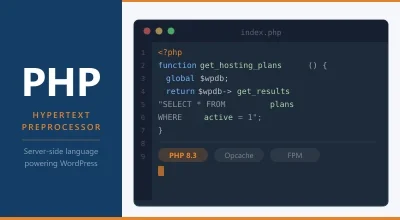
WordPress’s database abstraction layer ($wpdb) handles interactions with the database without knowing or caring whether the underlying system is MySQL or MariaDB. Queries written for MySQL run on MariaDB. Table structures work the same. Indexes work the same. Backups and imports work the same.
Some plugins that use very specific MySQL features or that check explicitly for MySQL version strings might behave unexpectedly on MariaDB, but this is uncommon with well-maintained plugins.
How to Tell If Your Hosting Uses MariaDB
Many hosting providers use MariaDB but still call it “MySQL” in their documentation and control panels. This is because they’re functionally equivalent for most purposes and the MySQL name is more widely recognised.
To check which database system your hosting actually uses:
In phpMyAdmin: Log in and look at the top of the dashboard. The server information section shows the database software and version. You’ll see “MariaDB” explicitly if that’s what’s running.
In WordPress admin: Go to Tools > Site Health > Info > Database. This shows the database server type and version.
Via WP-CLI: Run wp db version to get the database version string. MariaDB versions include “MariaDB” in the output.
Via SSH: Run mysql --version and the output will indicate whether it’s MySQL or MariaDB.
MariaDB on Different Hosting Types
Shared hosting: The hosting provider manages the database software. You use what they’ve installed. Many modern shared hosts run MariaDB, often without explicitly stating it. It makes no difference for your site.
VPS hosting: You choose and manage the database software. When setting up a new VPS server, most Linux distributions install MariaDB by default through their package managers. You can install either MySQL or MariaDB depending on your preference.
Managed WordPress hosting: Providers like Kinsta, WP Engine, and Rocket.net run their own database infrastructure tuned for WordPress. Most use MySQL or MariaDB on dedicated database servers, separate from the web servers.
MariaDB Performance for WordPress
MariaDB’s performance improvements over equivalent MySQL versions are real but context-dependent. For typical WordPress workloads (read-heavy, relatively simple queries), the performance difference is minor. Both are more than capable of handling substantial traffic when properly configured.
The more impactful factors for database performance are:
- Hardware: NVMe storage, adequate RAM for buffer pools
- Configuration: Properly tuned
innodb_buffer_pool_sizeand other parameters - Indexing: Well-indexed tables reduce query execution time dramatically
- Object caching: Redis or Memcached reducing database queries per request
- PHP workers: Efficient PHP execution means database connections are held for less time
Whether you’re on MySQL or MariaDB has less impact than any of these factors.
Frequently Asked Questions
Can I switch from MySQL to MariaDB without losing data? Yes. MariaDB is designed as a drop-in replacement. You can export your MySQL databases using mysqldump, install MariaDB, and import the dumps. WordPress will work without any changes. Always back up your data before any database migration.
Is MariaDB faster than MySQL for WordPress? For typical WordPress use, the difference is negligible. MariaDB may have marginal advantages for certain query patterns, but this rarely translates to a measurable improvement in page load times. The bottlenecks are almost always elsewhere: PHP execution time, plugin overhead, lack of caching.
Does it matter which one my host uses? Not really, for most sites. Both are mature, well-supported, and capable of handling substantial WordPress workloads. When evaluating hosting, the database software matters far less than server hardware quality, configuration, and support for caching.
Which is more actively developed? Both are actively developed. MySQL continues to receive updates from Oracle. MariaDB has an active community and regular releases from the MariaDB Foundation. Neither is at risk of being abandoned.
Will WooCommerce work on MariaDB? Yes. WooCommerce uses the same WordPress database abstraction as everything else and works on both MySQL and MariaDB without issues.