What Is LiteSpeed?
A high-performance web server used by many shared hosting providers. It handles more traffic than Apache using less server resources, and includes LSCache.
LiteSpeed is a web server: software that runs on your hosting server and handles requests from browsers. When someone visits your site, LiteSpeed receives the request, processes it, and sends back the page.
It’s a direct alternative to Apache, the web server most shared hosting runs on. LiteSpeed is compatible with Apache configurations, so the switch is transparent to you as a site owner. But it handles traffic more efficiently, especially under load, and it comes with a powerful built-in caching system that makes a real difference for WordPress performance.
How LiteSpeed Differs from Apache
Apache handles each request by spawning a new process or thread. Under low traffic, this works well. When hundreds of requests arrive simultaneously, the overhead adds up. Server resources fill quickly, and response times climb.
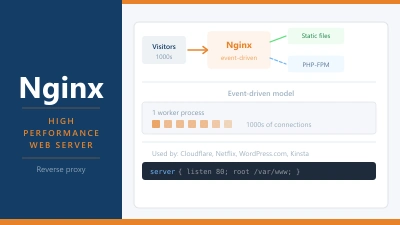
LiteSpeed uses an event-driven architecture. Instead of creating a new process per request, it handles thousands of concurrent connections from a single process. Less overhead, more throughput, faster responses under the same server load.
For shared hosting, this matters more than on a VPS with dedicated resources. Multiple websites share the same server. LiteSpeed handles the combined traffic more efficiently, which means individual sites are less likely to slow down when neighbouring sites get busy. On Apache, a traffic spike on one account can drag response times across the whole server.
The practical difference shows up in benchmarks. Under sustained concurrent load, LiteSpeed consistently outperforms Apache on requests per second while using less memory. For individual low-traffic sites, you won’t notice the gap. For a shared server under real-world conditions, the headroom matters.
LSCache: LiteSpeed’s Built-in Cache
LiteSpeed’s biggest advantage for WordPress isn’t just the server itself. It’s LSCache: a full-page caching system built directly into the web server layer.
Most WordPress caching plugins work at the PHP layer. They intercept a request, check for a cached version, and serve it. LiteSpeed Cache works lower in the stack. The cached page is served by the web server itself, before PHP even starts. There’s no WordPress, no PHP-FPM, no database involved. Just the web server reading a cached file and sending it to the browser. That’s as fast as caching gets.
LSCache is also comprehensive. It handles page caching, browser caching, image optimisation, CSS and JS minification, critical CSS generation, and object caching via Redis. What normally requires several separate plugins, WP Rocket, Imagify, and Autoptimize, LSCache handles in one.
The LiteSpeed Cache plugin for WordPress is free. It connects your WordPress installation to the server-level LSCache system. Without the plugin, WordPress doesn’t know to use LSCache. With it, the two communicate: when you update a post, WordPress tells LSCache to purge that page’s cache. When a visitor hits an uncached page, WordPress generates it and LSCache stores the result for subsequent visitors.
LiteSpeed and .htaccess
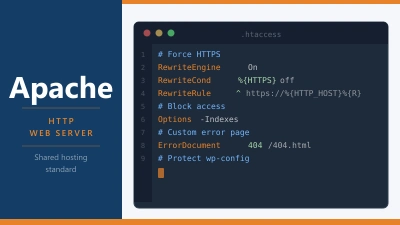
One of LiteSpeed’s practical advantages over Nginx is that it reads Apache’s .htaccess files natively. This matters for shared hosting.
On Apache, your .htaccess file controls redirects, rewrite rules, security headers, and access control at the directory level. If a host switches from Apache to LiteSpeed, all your existing .htaccess rules keep working without modification.
Nginx doesn’t support .htaccess at all. Rules have to be rewritten in Nginx’s configuration syntax, which requires server-level access. For shared hosting customers who rely on .htaccess for WordPress permalinks, redirects, and security rules, Nginx isn’t a viable drop-in replacement. LiteSpeed is.
This compatibility is one reason LiteSpeed gained traction in the shared hosting market. Hosts can switch from Apache to LiteSpeed and their customers’ sites keep working.
OpenLiteSpeed vs LiteSpeed Web Server
LiteSpeed comes in two versions. The commercial LiteSpeed Web Server (LSWS) is what most shared hosts deploy. It requires a licence, which the host pays. It supports all LSCache features, HTTP/3, and the full range of PHP handler options.
OpenLiteSpeed (OLS) is the free, open-source version. It’s well-suited for VPS deployments where you control the server. It’s fast and supports most LSCache features, but there are some differences: PHP handling works slightly differently, and some edge features of the commercial version aren’t included.
If you’re evaluating a host and they advertise LiteSpeed without specifying which version, it’s almost always the commercial LSWS. If you’re setting up your own VPS and want LiteSpeed’s performance without a licence cost, OpenLiteSpeed is the route.
Which Hosts Use LiteSpeed
LiteSpeed is most common on shared and reseller hosting. Hostinger runs LiteSpeed across its shared hosting infrastructure. A2 Hosting offers LiteSpeed on its Turbo plans. Namecheap uses it on shared hosting. SiteGround has migrated to a custom Nginx-based stack, but many other hosts have moved to LiteSpeed specifically because of the performance gains with LSCache.
If you’re evaluating a host and WordPress performance matters to you, LiteSpeed with LSCache is one of the better combinations available on shared hosting. It’s worth checking the server software before signing up.
LiteSpeed vs Nginx
Nginx is the other major high-performance web server. Both handle concurrency more efficiently than Apache. The differences come down to use case.
LiteSpeed is better for shared hosting: .htaccess compatibility, LSCache integration, and the fact that the host manages everything. Nginx is better for VPS and dedicated setups where you have full server control, especially for high-traffic sites where the finer-grained configuration control pays off.
Managed WordPress hosts like Kinsta and Rocket.net use Nginx. Their platform-level caching handles what LSCache does on LiteSpeed. For a self-managed VPS, Nginx with FastCGI cache or Redis page caching is a comparable stack to LiteSpeed with LSCache, just configured differently.
Frequently Asked Questions
How do I know if my host uses LiteSpeed? Check the Server header in your browser’s DevTools. Open Network, reload the page, click the first request, and look in the Response Headers section. It will show Server: LiteSpeed or Server: OpenLiteSpeed. Some hosts mask this header for security.
Does LiteSpeed work with WordPress? Yes, and it’s one of the better combinations for shared hosting WordPress. Install the LiteSpeed Cache plugin, run through the configuration wizard, and your site benefits from server-level page caching, image optimisation, and CSS/JS minification with no additional plugins needed.
Is the LiteSpeed Cache plugin free? Yes. The plugin itself is free and available in the WordPress plugin repository. Some advanced cloud features like the QUIC.cloud CDN and image optimisation service have paid tiers, but the core caching, minification, and optimisation features are fully free.
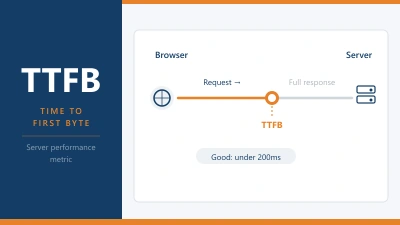
Will switching to a LiteSpeed host improve my PageSpeed score? It can, particularly TTFB and LCP. But the server software is one factor among many. Your theme, plugins, image sizes, and overall caching configuration all contribute. LiteSpeed with LSCache removes a bottleneck. You still need the rest of the stack to be clean to see top scores.
Can I use LiteSpeed on a VPS? Yes. OpenLiteSpeed is free to install on any Linux VPS. The commercial LSWS requires a licence, which starts at around $10 per month for a small server. For most self-managed VPS use cases, OpenLiteSpeed or Nginx are the more common choices given cost and flexibility.