What Is LCP (Largest Contentful Paint)?
LCP stands for Largest Contentful Paint. It measures how long it takes for the largest visible element on a page, such as an image or heading, to fully load.
LCP stands for Largest Contentful Paint. It measures how long it takes for the biggest visible element on your page to fully load. That’s usually a hero image, a large text block, or a video thumbnail. Whatever takes up the most space in the viewport before you scroll, that’s your LCP element.
LCP is one of Google’s three Core Web Vitals. It’s a direct ranking factor. A fast LCP tells Google (and your visitors) that your page loads meaningful content quickly. A slow LCP means people are staring at a half loaded page wondering if something is broken.
What Counts as the LCP Element?
The browser looks at everything visible in the viewport and picks the largest one. The types of elements it considers are:
<img>elements (including the first frame of animated GIFs)<video>elements (the poster image)- Elements with a background image loaded via CSS
- Block level text elements like paragraphs, headings, and divs containing text
The browser ignores elements with zero opacity, elements that cover the full viewport (treated as background rather than content), and placeholder images with low visual detail.
The LCP element can change as the page loads. The browser keeps updating its pick until the page finishes rendering. If a small text heading appears first but a large hero image loads two seconds later, the image becomes the final LCP element.
On most websites, the LCP element is a hero image. If your site uses a large text heading above the fold with no image, the heading becomes the LCP element instead.
What’s a Good LCP Score?
Google’s threshold is clear: 2.5 seconds or less for 75% of your visitors.
| LCP | Rating | What It Means |
|---|---|---|
| Under 1.5s | Excellent | Main content loads fast. Visitors see a complete page almost immediately. |
| 1.5 to 2.5s | Good | Within Google’s threshold. Most visitors won’t notice a delay. |
| 2.5 to 4.0s | Needs improvement | Main content is visibly delayed. Bounce rates start climbing. |
| Over 4.0s | Poor | Visitors are waiting too long to see your content. Expect lost traffic and lower rankings. |
For context, well configured shared hosting with caching enabled typically delivers LCP under 2 seconds. Managed WordPress hosts and VPS setups with a CDN often hit under 1 second. If your LCP is above 4 seconds, something is seriously wrong with either your hosting, your images, or your page structure.
Why LCP Matters
It’s a Core Web Vital and a ranking factor. Google rolled LCP into its ranking algorithm in June 2021. It contributes roughly 25% of the Lighthouse performance score. Pages with poor LCP can be held back in search results regardless of how good the content is.
It measures what visitors actually experience. Unlike older metrics that track when background processes finish, LCP tracks when the main content becomes visible. A page with a 1.5 second LCP feels fast. A page with a 4 second LCP feels broken, even if the rest of the page works fine once it loads.
It directly impacts conversions. Research consistently shows that slower pages lose visitors. Every additional second of load time pushes more people toward the back button. T-Mobile found that reducing load times (including LCP) led to a 60% increase in visit to order conversions.
What Affects LCP
LCP is built on four phases. Slowdowns in any one of them push the final number higher.
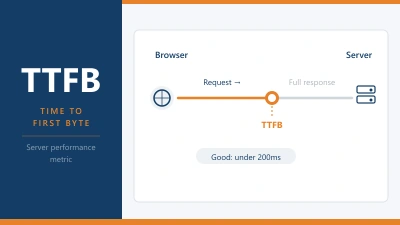
Phase 1: Time to First Byte (TTFB). Before LCP can even start, the server has to respond with the first byte of HTML. A slow TTFB eats into your LCP budget before the browser has anything to work with. Sites with poor LCP spend an average of 2.27 seconds on TTFB alone, which nearly exhausts the entire 2.5 second threshold. If your TTFB is the problem, see our full TTFB explainer.
Phase 2: Resource load delay. After the browser receives the HTML, it needs to discover the LCP resource (usually an image). If that image is referenced in a CSS file or loaded via JavaScript rather than directly in the HTML, there’s a delay while the browser figures out it needs to fetch it. The longer it takes to discover the resource, the later it starts downloading.
Phase 3: Resource load duration. This is how long the actual file takes to download. A 3 MB uncompressed hero image takes much longer than a 150 KB optimized WebP image. File size, image format, compression, and the connection speed between the server and visitor all factor in.
Phase 4: Element render delay. Once the resource is downloaded, the browser needs to render it on screen. Heavy JavaScript, unoptimized CSS, and complex page layouts can delay rendering even after the image is fully downloaded. Page builders like Elementor or Divi that rely heavily on JavaScript for layout can add noticeable render delay.
Your hosting affects phases 1 and 3 the most. A fast server with NVMe storage and a nearby data centre reduces TTFB. A CDN reduces resource load duration by serving images from a closer location. The other phases are more about how your site is built than where it’s hosted.
How to Improve LCP
Work through these in order. The first few changes make the biggest difference.
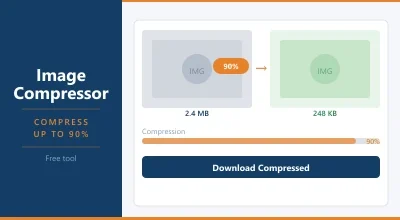
Optimize your hero image. This is the most common LCP fix. Compress the image, use modern formats (WebP or AVIF), and serve it at the correct dimensions for the device. A 2400px wide image displayed at 800px is wasting bandwidth. Use responsive images with the srcset attribute so the browser loads the right size. You can compress images with our Image Compressor.
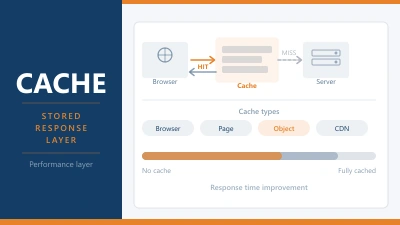
Fix your TTFB. If the server takes too long to respond, everything downstream is delayed. Enable page caching, upgrade your PHP version, and make sure your server is geographically close to your audience. A CDN helps here too. For the full list of TTFB fixes, see our TTFB explainer.
Preload the LCP image. Add a <link rel="preload"> tag in the <head> of your page so the browser starts downloading the hero image immediately rather than waiting until it discovers it in the CSS or HTML body. This targets Phase 2 directly.
Don’t lazy load the LCP element. Lazy loading is great for images below the fold. But if your hero image (the LCP element) has loading="lazy", the browser deliberately delays loading it. Remove lazy loading from above the fold images and set fetchpriority="high" instead.
Reduce CSS and JavaScript blocking. Large CSS files in the <head> block rendering. Heavy JavaScript delays everything. Remove unused CSS, defer JavaScript that isn’t needed for the initial render, and minimize what the browser has to process before it can display your main content.
Use a CDN. A content delivery network serves your images from a location closer to the visitor, reducing download time. For WordPress sites, Cloudflare (free tier), QUIC.cloud (for LiteSpeed hosts), and Bunny CDN are popular options that make a measurable difference to LCP.
Upgrade your hosting if needed. If your TTFB is over 500ms and you’ve already enabled caching, the server is the bottleneck. Better hosting with NVMe storage, more CPU and RAM, and fewer accounts per server directly reduces the time the browser spends waiting for data. Moving from a crowded shared host to a well configured one can knock 500ms+ off your LCP.
How to Test LCP
Google PageSpeed Insights is the easiest starting point. Enter your URL and look for the LCP score in the Core Web Vitals section. It also identifies which element on your page is the LCP element, which tells you exactly what to optimize.
GTmetrix provides a waterfall view that shows when the LCP element loaded relative to everything else on the page. Useful for diagnosing which phase is causing the delay.
Chrome DevTools (F12 > Performance tab > reload) shows a detailed timeline including an LCP marker. You can see exactly when the largest element appeared and what delayed it.
Google Search Console reports field LCP data from real users under the Core Web Vitals report. This is the most reliable data because it’s based on actual visitor experience, not a simulated test.
Test from both desktop and mobile. LCP elements can differ between the two because the viewport size changes what counts as the “largest” element. Mobile scores are almost always worse because of slower connections and smaller devices.
LCP vs FCP vs TTFB
These three metrics measure different moments in the page load, and they’re often confused.
TTFB is when the server starts responding. Nothing is visible yet. The browser is just receiving the first byte of data.
FCP (First Contentful Paint) is when the first piece of content appears on screen. That could be a background color, a nav bar, a loading spinner. It’s the first visual sign that something is happening.
LCP is when the main content is fully visible. This is the moment the page feels “loaded” to the visitor. It’s the metric that correlates most strongly with user satisfaction.
A page can have a good FCP (nav bar appears in 500ms) but a poor LCP (hero image doesn’t load for 4 seconds). That gap is what makes LCP the more meaningful metric for real world experience.
Frequently Asked Questions
Is LCP the same as page load time?
No. Page load time measures when everything on the page has finished loading, including scripts and assets below the fold. LCP only measures when the largest visible element above the fold is rendered. You can have a fast LCP and a slow overall load time if below the fold content is heavy.
What’s the most common cause of bad LCP?
Unoptimized images. A large hero image that hasn’t been compressed, is served in an outdated format like PNG, or is much bigger than the display size will push LCP past the 2.5 second threshold on most hosting setups. Compressing the image and switching to WebP is the single most impactful fix.
Does my hosting provider affect LCP?
Yes. Your hosting directly controls TTFB, which is the first phase of LCP. A slow server adds time before the browser can even start loading your content. Good hosting with fast hardware, NVMe storage, and a data centre close to your visitors gives LCP the best possible starting point.
Can I have different LCP elements on mobile and desktop?
Yes. The viewport size changes on different devices, so the browser may identify a different element as the largest on mobile compared to desktop. A hero image that dominates the desktop viewport might be smaller on mobile, where a text heading takes up more space instead. Always check LCP scores on both.
← Back to Web Hosting Glossary