What Is cPanel?
cPanel is a popular web hosting control panel that lets users manage websites, email accounts, domains, files, and server settings through a graphical interface.
cPanel is a web based control panel for managing your hosting account. It gives you a visual interface for tasks that would otherwise require typing commands into a terminal: installing WordPress, creating email accounts, managing files, setting up databases, configuring DNS records, and handling backups. If you’ve ever logged into a shared hosting account and seen a grid of icons, you’ve probably used cPanel.
It’s been around since 1996 and is the most widely used hosting control panel in the world. Most shared hosting tutorials, guides, and support articles assume you’re using it.
What You Can Do With cPanel
cPanel organises everything into sections. The exact layout can vary slightly between hosts, but the core features are consistent.
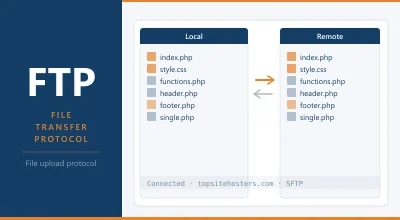
Files. The File Manager lets you browse, upload, edit, and delete files on your server through your browser. Useful for quick changes without connecting an FTP client. You can also manage backups, view disk usage, and access FTP account settings.
Databases. Create and manage MySQL and MariaDB databases through phpMyAdmin. WordPress and most CMS platforms need at least one database. cPanel lets you create databases, assign users, set permissions, and import/export data.
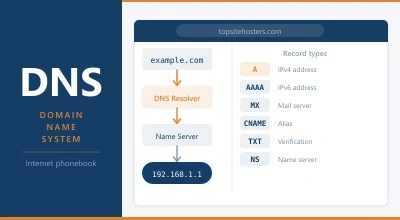
Domains. Add new domains, set up subdomains, manage redirects, and edit DNS zone records. If you’re running multiple sites on one hosting account, this is where you manage them.
Email. Create email accounts on your domain ([email protected]), set up forwarders, configure autoresponders, and manage spam filters. cPanel also handles SPF, DKIM, and DMARC records for email authentication, which helps keep your messages out of spam folders.
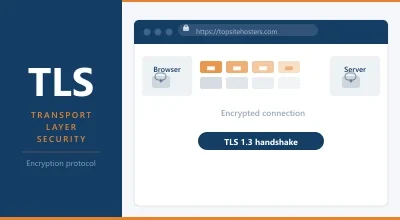
Security. Install and manage TLS/SSL certificates, set up IP blocking, manage directory privacy (password protecting folders), and configure hotlink protection. Free Let’s Encrypt certificates can usually be installed with a few clicks through cPanel’s SSL/TLS section or AutoSSL.
Software. Softaculous (or a similar auto installer) lets you install WordPress, Joomla, and hundreds of other applications with one click. No manual file uploads or database configuration needed. You can also manage PHP versions here, switching between PHP 7.4, 8.1, 8.2, and 8.3 depending on what your site needs.
Metrics. View visitor statistics, error logs, bandwidth usage, and resource consumption. Useful for diagnosing problems and understanding how your site performs.
cPanel and WHM
cPanel comes in two parts. cPanel is the customer facing panel. You use it to manage your website. WHM (Web Host Manager) is the server administration side. Your hosting provider uses WHM to manage the server itself: create accounts, allocate resources, configure security, and monitor performance.
On shared hosting, you only see cPanel. Your host manages WHM behind the scenes. On a VPS or dedicated server, you get access to both. WHM gives you full control over the server, including the ability to create separate cPanel accounts for different websites or clients.
If you’re a web designer managing sites for clients, WHM lets you give each client their own cPanel login with access to only their site. They can manage their email and files without seeing or affecting anything else on the server.
The Cost Problem
cPanel used to be cheap. Before 2019, a license cost roughly $45 per month for unlimited accounts. Then the ownership changed. Oakley Capital acquired cPanel through its holding company WebPros (the same company that owns Plesk), and prices have increased every year since.
In 2026, retail pricing looks like this:
| Plan | Accounts | Monthly Price |
|---|---|---|
| Solo | 1 | $29.99 |
| Admin | 5 | $35.99 |
| Pro | 30 | $53.99 |
| Premier | 100 | $69.99 |
On shared hosting, you don’t pay this directly. Your host buys licenses in bulk at partner rates and spreads the cost across all accounts on the server. But on a VPS, you pay the license yourself. A Solo license at $29.99 per month can cost more than the server it runs on.
This pricing is the main reason hosts and VPS users are migrating to alternatives like DirectAdmin ($5/mo), SPanel (free with ScalaHosting), or open source panels like CyberPanel and CloudPanel. For the full breakdown, see our hosting control panel guide.
cPanel Alternatives
If the cost or complexity of cPanel doesn’t suit your needs, there are solid options.
DirectAdmin is the most popular paid alternative. Clean interface, lightweight on resources (256 to 512 MB RAM vs cPanel’s 2 GB+), and priced at $5 to $29 per month depending on the tier. Covers all the fundamentals.
Plesk is cPanel’s closest competitor and supports both Linux and Windows servers. Similar pricing to cPanel. Strong WordPress Toolkit. Also owned by WebPros, so expect the same annual price increases.
SPanel is ScalaHosting’s free alternative, included with their managed VPS plans. Covers everything cPanel does without the license fee.
CyberPanel is free and built for LiteSpeed servers. Good for WordPress performance. Rougher around the edges than cPanel but improving quickly.
No panel at all is a valid choice if you’re comfortable with SSH. Many developers manage VPS servers entirely from the command line, saving the license cost and the RAM overhead.
Frequently Asked Questions
Is cPanel free with hosting?
On shared hosting, yes. The license cost is included in your monthly plan. On a VPS or dedicated server, you pay for the license separately. Some VPS providers include cPanel in their managed plans, but the cost is built into the price.
Is cPanel easy to use?
For someone familiar with it, yes. The interface packs a lot of features into one screen, which can feel overwhelming at first. But every task is accessible through a search bar and an icon grid. Most people get comfortable with it within a day. The real learning curve is knowing which features you need and which to ignore.