Brottly Compression Explained
Brotli is a compression algorithm developed by Google that shrinks website files before they are sent to the browser
Brotli is a compression algorithm developed by Google that shrinks text-based files before they’re sent from a web server to a visitor’s browser. The browser receives the compressed file, decompresses it in milliseconds, and renders the page. The result is faster load times because less data travels over the network.
It was open-sourced by Google in 2015 and has since become supported by all major browsers and most modern web servers. If your hosting supports Brotli and your server is configured to use it, your HTML, CSS, JavaScript, and other text files are delivered to visitors in a smaller, faster package
How Brotli Compression Works
When a visitor’s browser requests a file from your server, it sends an Accept-Encoding header listing the compression methods it supports. A modern browser might send:
Accept-Encoding: gzip, deflate, br
The br at the end means the browser supports Brotli. If your server also supports Brotli, it compresses the requested file and sends it back with a Content-Encoding: br header. The browser knows to decompress it before using it.
Brotli uses a combination of a modern variant of the LZ77 algorithm and Huffman coding, along with a built-in dictionary of common strings found in web content. That built-in dictionary is one of the reasons Brotli compresses web files more efficiently than older algorithms: it already knows about common HTML elements, CSS properties, and JavaScript keywords, so it doesn’t have to encode those patterns from scratch.
Brotli vs Gzip
Gzip has been the standard web compression algorithm for decades. It’s supported universally and works well. Brotli is newer and generally outperforms it.
In practical terms:
Compression ratio: Brotli typically achieves 15 to 25% better compression than Gzip on HTML, CSS, and JavaScript files. Smaller files mean faster transfers, especially on slower connections.
Compression speed: Brotli is slower to compress than Gzip at high compression levels. This matters if your server compresses files dynamically on each request. Most production servers avoid this by pre-compressing files and caching the compressed versions, so the compression overhead happens once rather than on every request.
Decompression speed: Brotli decompresses slightly faster than Gzip in most benchmarks. The browser does less work to unpack the file.
Support: Gzip is supported everywhere. Brotli requires HTTPS (it’s only available over secure connections) and is supported by all modern browsers: Chrome, Firefox, Safari, and Edge all support it. Older browsers that don’t support Brotli will receive Gzip instead, so there’s no risk of breaking compatibility.
The practical difference: For a typical WordPress site, switching from Gzip to Brotli might reduce CSS and JavaScript file sizes by 15 to 20%. On a page with 200 KB of JavaScript, that’s a saving of 30 to 40 KB. Over many page loads, particularly on mobile connections, this adds up to a meaningful improvement in load times and Core Web Vitals.
Brotli and HTTPS
Brotli only works over HTTPS. Browsers do not negotiate Brotli compression on plain HTTP connections. This was a deliberate decision during the development of the algorithm, partly because intermediary servers and proxies sometimes interfere with compressed content over HTTP, and partly to encourage the adoption of HTTPS.
In practice this isn’t a limitation for any properly configured website. Every site should be using HTTPS. SSL certificates are free from Let’s Encrypt and included with most hosting plans. If your site is still on HTTP, Brotli is the least of your concerns.
Which File Types Benefit from Brotli?
Brotli works best on text-based content where patterns repeat. The types of files that compress well:
- HTML: The markup structure of your pages
- CSS: Stylesheets with repetitive property names and values
- JavaScript: Script files with repeated keywords and patterns
- SVG: Vector graphics, which are XML-based text files
- JSON and XML: Data files and API responses
- Plain text and fonts: TTF and OTF font files
Files that don’t benefit from Brotli compression:
- Images: JPEG, PNG, WebP, and AVIF are already compressed using their own algorithms. Running Brotli on top adds processing overhead with essentially no size reduction.
- Video and audio: Already compressed. Same issue.
- ZIP and other archives: Already compressed.
Most web servers are smart enough to skip compression on file types that won’t benefit, but it’s worth checking your configuration if you’re setting up compression manually.
How to Enable Brotli on Your Hosting
Whether you can enable Brotli depends on your hosting setup.
Shared hosting: You’re dependent on your host supporting it. Many modern shared hosts have Brotli enabled by default, particularly those running LiteSpeed or Nginx. Check your hosting control panel, or ask your host. If they don’t support it yet, Gzip will still be used as a fallback.
Cloudflare: If you’re using Cloudflare as a CDN (which is common for TSH users), Cloudflare automatically serves Brotli-compressed files to browsers that support it. This is one of the easier ways to get Brotli without touching your server configuration. You’ll see it listed in Cloudflare’s Speed settings.
Nginx: Enable the ngx_brotli module and add these lines to your Nginx config:
brotli on;
brotli_comp_level 6;
brotli_types text/html text/css application/javascript application/json image/svg+xml;
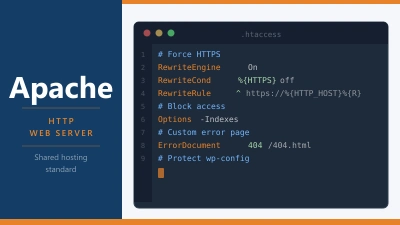
Apache: Install mod_brotli and add configuration to compress applicable content types. LiteSpeed supports Brotli natively with minimal configuration.
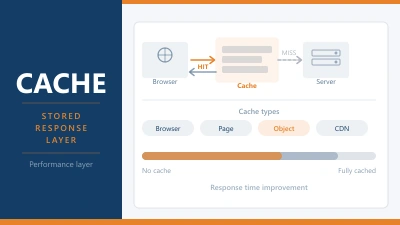
WordPress caching plugins: Plugins like WP Rocket and LiteSpeed Cache can handle Brotli compression at the application level if your server doesn’t support it natively.
Checking Whether Your Site Uses Brotli
To check if a page on your site is being served with Brotli compression:
- Open Chrome DevTools (F12)
- Go to the Network tab
- Reload the page
- Click on an HTML, CSS, or JS file in the network list
- Look at the Response Headers for
Content-Encoding: br
If you see br your site is using Brotli. If you see gzip it’s using Gzip. If there’s no Content-Encoding header, compression isn’t enabled.
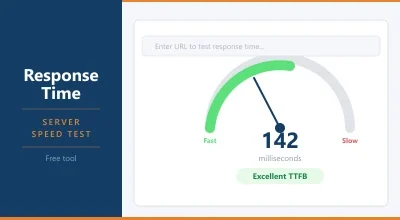
You can also use our Server Response Tester to check response headers for any site, or use a tool like GTmetrix which reports on compression as part of its performance analysis.
Frequently Asked Questions
Does Brotli work with WordPress? Yes. Brotli is a server-level feature, not a WordPress feature. WordPress generates HTML, CSS, and JavaScript, and the server compresses those files before sending them to the browser. WordPress itself doesn’t need to do anything specific to support Brotli.
Will Brotli break anything on my site? No. If a browser doesn’t support Brotli, the server falls back to Gzip automatically. There’s no risk of serving unreadable content to older browsers.
How much faster will my site be with Brotli? The improvement varies by site and connection type. Sites with large CSS and JavaScript files see the most benefit. On a broadband connection the difference might be imperceptible. On a slow mobile connection or in a region with high latency, smaller files make a more noticeable difference to perceived load speed.
Is Brotli better than Gzip for SEO? Indirectly, yes. Both Gzip and Brotli improve page speed, and page speed is a ranking factor. Brotli’s slightly better compression ratio means marginally faster load times, which can contribute to better Core Web Vitals scores. The difference is unlikely to be the deciding factor in rankings, but it’s a genuine marginal gain.
Does Cloudflare add Brotli automatically? Yes. If you’re using Cloudflare, Brotli is served automatically to supporting browsers without any configuration on your part. This is one of several performance benefits that come with even the free Cloudflare plan.