You’ve decided to build a website, great choice. But before anything goes online, you need web hosting. If you’re not sure what that means, you’re in the right place. This guide explains everything from scratch, no jargon, no assumptions, just a clear explanation of how it all works and how to make the right choice.
1 What is Web Hosting?
Every website, from a personal blog to the world’s biggest online stores, is made of files. HTML documents, images, videos, databases, and code. Those files need to live somewhere: on a computer that’s switched on 24/7, connected to the internet, and fast enough to serve your pages to visitors anywhere in the world.
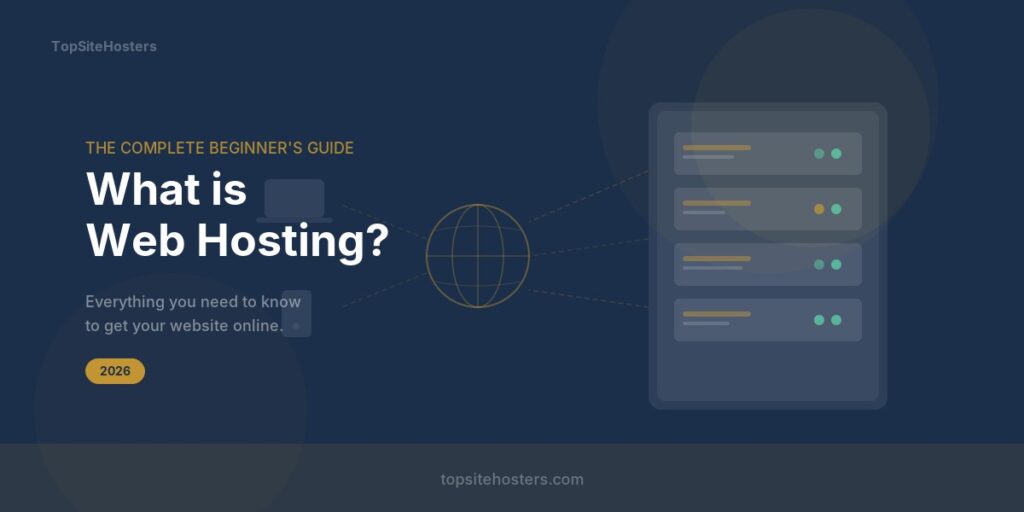
Web hosting is that computer. More precisely, it’s the service of renting space on one, called a server, that a hosting company maintains in a professional data centre so you don’t have to.
Think of your domain name (e.g. myshop.com) as your business address, it’s what people type to find you. Your web hosting is the actual premises, the physical space where everything is stored and where customers (visitors) arrive.
Without a premises, there’s nowhere to put anything. You need both the address and the space. They’re different things, often sold separately.
A domain name and web hosting are two separate purchases. Your domain is just the address; your hosting is where the files actually live. Many providers sell both, but you’re not required to buy them from the same company.
2 How Does Web Hosting Work?
When someone types your URL into their browser, a fast sequence of events happens, usually in under half a second:
- DNS lookup: The browser translates your domain name into the server’s numerical IP address
- Connection: The browser connects to your hosting server using that IP
- Request: It asks the server for the specific page the visitor wants
- Processing: The server finds your files and runs any code (e.g. PHP for WordPress)
- Response: The server sends the files back to the browser
- Render: The browser assembles the HTML, CSS, and images and displays your website
Data travels fast but not instantly. A server in Frankfurt is physically closer to European visitors than one in Texas, pages load faster. Always choose a provider with data centres near your main audience.
3 Types of Web Hosting Explained
There are six main categories of hosting, each suited to different needs and budgets. The biggest mistake beginners make is overspending on power they don’t need, or underspending and wondering why the site is slow.
Shared Hosting
Your site shares one server with hundreds of others, splitting the pool of resources. Like renting a desk in a co-working space. Affordable and easy.
Best for beginners & small sitesVPS Hosting
Virtual Private Server. You share a physical machine but have a dedicated, isolated slice of its resources. Better performance and control than shared hosting.
Best for growing businessesDedicated Hosting
An entire physical server, just for you. No sharing at all. Maximum performance and complete control, at a significantly higher price point.
Best for large high-traffic sitesCloud Hosting
Your site runs across a network of servers. If one fails, another takes over. Resources scale up or down based on demand — you pay for what you use.
Best for unpredictable trafficManaged WordPress
Hosting tuned specifically for WordPress. The provider handles updates, backups, security, and performance automatically. You focus on content.
Best for WordPress ownersWebsite Builder Hosting
Hosting and a drag-and-drop builder bundled together. Least flexible but the fastest path from zero to online. Everything in one place.
Best for complete beginners4 Hosting Types Compared at a Glance
| Type | Price | Performance | Tech Skills | Scalable | Best For |
|---|---|---|---|---|---|
| Shared | $2–5/mo | Basic | None needed | Limited | Blogs, small sites |
| VPS | $5–30/mo | Good | Some helps | Yes | Growing businesses |
| Dedicated | $80–300/mo | Excellent | Expert level | Manual | Large enterprises |
| Cloud | $10–100+/mo | Very Good | Some helps | Instantly | Variable traffic |
| Managed WP | $15–50/mo | Very Good | None needed | Yes | WordPress sites |
| Builder | $10–30/mo | Good | None needed | Limited | Quick simple sites |
5 Key Hosting Terms You Need to Know
Hosting providers love jargon. Here are the terms that actually matter, explained plainly:
- Uptime
- The percentage of time your website is online. 99.9% sounds great until you realise it allows up to 8.7 hours of downtime per year. Look for 99.95% or higher, providers like Hetzner regularly hit 99.99%.
- Bandwidth
- The amount of data transferred between your server and visitors. Every page view, image, and file download counts. Most small sites never get close to their limits. “Unlimited” plans always have fair-use policies.
- NVMe SSD Storage
- The type of storage your files live on. NVMe SSD is the fastest available, up to 7× faster than regular SSDs. It directly affects how quickly your site loads. Always prefer NVMe over standard SSD over the old HDD format.
- SSL Certificate
- The security layer that activates the padlock in browsers and enables HTTPS. It encrypts data between your server and visitors. Essential for trust and a Google ranking signal. Most modern hosts include it free via Let’s Encrypt.
- Control Panel (cPanel / hPanel)
- The dashboard where you manage your hosting, install WordPress, create email accounts, manage files, configure databases. cPanel is the industry standard. Hostinger’s hPanel is a popular modern alternative. No command line required.
- CDN (Content Delivery Network)
- A global network of servers that stores copies of your static files. A visitor in Australia gets files from a nearby server rather than your origin server in Germany, dramatically cutting load times worldwide. Cloudflare is the most widely used free CDN.
- TTFB (Time to First Byte)
- How long your server takes to begin responding to a request, before the browser even starts downloading. A good TTFB is under 200ms. This is a Core Web Vitals metric that Google uses to assess site quality.
- PHP / MySQL
- The server-side technology that powers WordPress and most popular platforms. PHP is the programming language; MySQL is the database. You don’t need to understand them, just confirm your host supports them before signing up for WordPress hosting.
6 What to Look For in a Hosting Provider
⚡ Performance — Speed and Uptime
The single most important factor. Google uses page speed as a ranking signal, and visitors abandon sites that take more than 3 seconds to load. Look for independently verified benchmarks, not just the provider’s own claims.
- Uptime of 99.95% or better with independently verified records
- Average TTFB under 200ms and full page load under 500ms in third-party tests
- NVMe SSD storage as standard, not as a paid upgrade
- LiteSpeed or NGINX web server rather than older Apache
- Data centres geographically close to your audience
🛡️ Security
A compromised website can destroy months of work and damage your search rankings. Reputable hosts protect you at the infrastructure level:
- Free SSL certificate included (not sold as an add-on)
- Automatic daily backups with easy one-click restore
- DDoS protection at the network level
- Web Application Firewall (WAF)
- Malware scanning and automatic removal
💬 Support Quality
When something goes wrong — and at some point it will — you want fast, knowledgeable help:
- 24/7 availability — not just 9-to-5 business hours
- Live chat as an option (ticket systems are too slow in emergencies)
- First-response time under 5 minutes on chat
- Support staff who genuinely understand WordPress and hosting
💰 Honest Pricing — Watch Out for Renewal Rates
Nearly every major host advertises a low introductory price in large text, then renews at 2–4× higher after your first term. Always check the renewal price before signing up, it’s almost always buried in the small print.
7 How to Choose the Right Plan
The right hosting depends on where you are now, not where you hope to be. Start with what you actually need today and upgrade as your site grows.
Start with shared hosting. Hostinger’s Premium plan at around $3.99/mo handles the vast majority of new websites comfortably. You can upgrade when you actually need to, there’s no benefit in paying for a VPS before you have a single visitor.
Move to VPS hosting. Hetzner’s CX21 at around €7/mo gives you dedicated 2 vCPU and 4 GB RAM, more than enough for a busy WordPress site with exceptional European performance and transparent pricing.
Managed WordPress hosting is worth the premium. Automatic updates, staging environments, daily backups, and WordPress-specific optimisation are handled for you. You focus entirely on content.
8 How to Get Started: Step by Step
- Choose your hosting type Use the guide above. If in doubt, shared hosting is the right starting point for the vast majority of new websites.
- Compare providers with real data Don’t rely on the provider’s own benchmarks. Look for independent speed tests and uptime records. Use our comparison tool to see verified performance data side by side.
- Sign up and choose your plan Pick the plan that fits today’s needs. Check whether a free domain is included. Always check the renewal price before entering card details.
- Set up your control panel You’ll receive login details for your hosting dashboard (cPanel or similar). This is where you manage email, files, databases, and software installation.
- Install WordPress Most shared hosts offer 1-click WordPress installation. Click the button, choose a password, and WordPress is live in under 2 minutes. No coding or FTP needed.
- Connect your domain name If your domain is with another company, update its nameservers to point at your hosting provider. Your host will give you the exact values. Changes take up to 48 hours to propagate but are usually much faster.
- Activate SSL (HTTPS) Most modern hosts do this automatically. If not, it’s one click in your control panel. Never launch without HTTPS — browsers will warn visitors their connection isn’t secure.
- Build and launch With WordPress installed and your domain connected, choose a theme, install essential plugins, add your content, and go live.
9 Frequently Asked Questions
✅ Key Takeaways
- Web hosting stores your website files on a server so anyone can access them online, 24/7
- Shared hosting is the right starting point for most beginners, affordable, easy, and upgradeable
- VPS hosting gives dedicated resources and significantly better performance as your site grows
- Always check the renewal price, not just the introductory offer
- Look for 99.95%+ uptime, NVMe SSDs, free SSL, and 24/7 live chat support
- European hosting (Hetzner, IONOS) is worth considering if your audience is primarily EU-based
- You don’t need technical skills — modern hosting is genuinely beginner-friendly
Ready to Find Your Perfect Host?
Compare providers side by side with real performance data, honest pricing, and independent reviews.
Compare Hosting Providers →